Adjustable Drafting Desk Guide
Everything you need to choose the perfect adjustable drafting desk for drawing, painting, drafting, and creative work. Find the ideal angle, height, and surface.
Shop Top Drafting Desks →An adjustable drafting desk is more than just a workspace—it's an essential tool for artists, architects, designers, and anyone who needs a versatile, angled surface for precision work. Unlike standard flat desks, a drafting desk allows you to adjust the angle of the work surface, reducing neck and back strain while improving accuracy and comfort during long creative sessions.
Whether you're sketching, painting, or reviewing blueprints, the right adjustable drafting desk can transform your workflow. This guide covers everything you need to know: types of adjustment mechanisms, size considerations, desk materials, and the best models available today.
Key Features to Consider
Surface Angle
0°–90° tilt for drawing, reading, or flat work
Height Adjustment
Manual or electric lift for sit-stand versatility
Surface Size
From compact to oversized; important for large paper
Materials
Wood, metal, MDF – durability and feel matter
Storage
Drawers, trays, or tool slots for supplies
Portability
Wheels or lightweight design for flexibility
Understanding Adjustable Drafting Desk Mechanics
1. Angle Adjustment Mechanisms
Most adjustable drafting desks use one of three systems:
- Ratchet or notch system: Simple, reliable, and affordable. You lift the surface and lock it into preset angles. Budget-friendly models often use this.
- Gas spring or pneumatic: Smooth, counterbalanced movement. Allows infinite angle adjustment with a lever or knob.
- Electric motor: Found on premium desks. Provides precise, effortless angle changes with a button.
For most artists, a gas spring system offers the best balance of control and ease. If you switch angles frequently, electric adjustment is a worthwhile upgrade.
2. Height Adjustment: Fixed vs. Sit-Stand
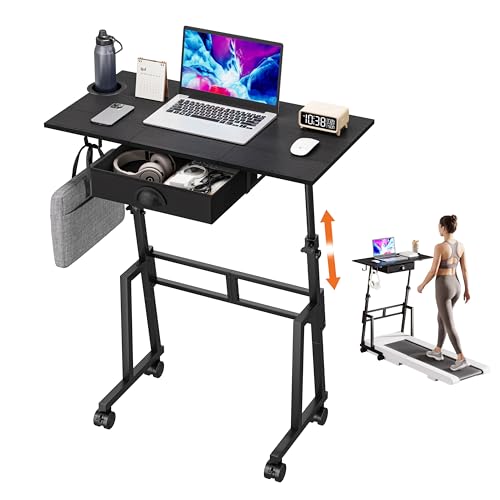
Height is just as critical as angle. Standard drafting desks are often taller than regular desks to accommodate the angled surface. Many modern adjustable drafting desks include height adjustment as well, allowing you to work sitting or standing. This is a major ergonomic benefit and can help prevent back pain.
If you want full flexibility, consider an adjustable desk for home office that doubles as a drafting surface.
3. Surface Materials
The surface material affects durability, feel, and appearance. Options include:
- Wood veneer: Classic look, comfortable for drawing.
- Laminate: Durable, easy to clean, and affordable.
- MDF with melamine coating: Smooth, scratch-resistant.
- Solid wood: Premium feel, but more expensive.
A bamboo desk is also an excellent eco-friendly alternative with a naturally warm surface.
4. Size and Workspace
Consider the size of your projects. If you work with A3 or larger paper, or use multiple monitors, choose a desk with a surface depth of at least 30 inches (76 cm) and width of 48 inches (122 cm) or more. L-shaped desks can provide extra corner workspace for multi-tasking.
Adjustable Drafting Desk Comparison
| Model | Surface Size | Angle Range | Height Adjustment | Material | Price Range |
|---|---|---|---|---|---|
| DraftPro ArtStation | 48" x 30" | 0°–60° (gas spring) | Manual sit-stand | Laminate / Steel | $350–$500 |
| StudioMaster Electric Drafting Desk | 55" x 31" | 0°–75° (electric) | Electric sit-stand | Wood veneer / Steel | $900–$1,300 |
| ArtSpace Portable Drafting Table | 36" x 24" | 0°–45° (ratchet) | Fixed height (30") | MDF / Aluminum | $120–$180 |
| Architect Pro L-Shaped Drafting Desk | 60" x 30" (L-shape) | 0°–50° (pneumatic) | Manual sit-stand | Solid oak / Steel | $1,100–$1,600 |
| Minimalist Wood Drafting Desk | 42" x 28" | 0°–45° (notch) | Fixed height (29") | Reclaimed wood | $280–$400 |
*Prices are approximate and may vary based on retailer and promotions.
Ergonomics: Setting Up Your Adjustable Drafting Desk
Proper setup prevents fatigue and injury. Follow these guidelines:
- Angle: For drawing, a 20°–30° tilt reduces neck strain. For detailed work, 35°–45° brings the surface closer to your eyes.
- Height: When sitting, your elbows should be at a 90° angle, with forearms parallel to the floor.
- Monitor placement: If using a screen, keep it at eye level, separate from the angled drafting surface. A monitor placement guide can help.
- Lighting: Position your desk near a window or use a desk lamp with adjustable arm to avoid shadows on your work.
Accessories for Your Drafting Desk
Enhance your adjustable drafting desk with these helpful add-ons:
- Drafting stool: Adjustable height with footrest support.
- Parallel ruler / T-square: Essential for architectural and technical drawing.
- Pencil tray: Keeps tools from rolling off the angled surface.
- Anti-fatigue mat: If you use the desk in a standing position, a standing desk mat reduces leg fatigue.
- Storage: A rolling cart or desk drawers keeps supplies organized.
Caring for Your Adjustable Drafting Desk
To keep your desk in top condition:
- Clean regularly: Use a soft, damp cloth. Avoid abrasive cleaners on laminate or veneer.
- Check mechanisms: Lubricate moving parts annually to keep adjustments smooth.
- Protect the surface: Use a cutting mat or desk pad when working with sharp tools. Learn more about desk surface protection.
- Tighten bolts: Periodically check and tighten all screws and fasteners to prevent wobbling.
Is an Adjustable Drafting Desk Right for You?
This desk is ideal for:
- Artists & illustrators who need an angled surface for drawing, inking, and painting.
- Architects & designers working with blueprints, renderings, and large layouts.
- Students in art, design, or architecture programs.
- Anyone with neck or back pain from hunching over a flat desk.
- Creative professionals who want a versatile workspace that adapts to different projects.
If you often work flat (typing, using a mouse) and occasionally draw, consider a sit-stand desk with an add-on drafting table attachment instead.
Our Top Recommendation
For most users, the StudioMaster Electric Drafting Desk offers the best combination of angle range, height flexibility, and build quality. Its electric adjustment is smooth and quiet, making it effortless to switch between drawing, reading, and standing work.
If you're on a budget, the DraftPro ArtStation provides reliable gas-spring angle adjustment and manual sit-stand height at a more accessible price point.
Browse the products below to compare prices and find the best deal for your needs.