LED Strip Lighting for Desks
Transform your workspace with the perfect LED strip lighting. Learn about brightness, color temperature, installation tips, and the best LED strips to enhance your desk setup.
SHOP TOP LED STRIPSWhy LED Strip Lighting? LED strips are the most versatile, affordable, and energy-efficient way to add ambient, task, or accent lighting to your desk. Whether you need bias lighting for your monitor, a vibrant RGB glow for gaming, or warm white light for focus, LED strips offer endless possibilities. All about desks brings you the ultimate guide to choosing and installing the right LED strip lighting for your workspace.
Key Features to Consider
Brightness (Lumens)
Look for strips with at least 2000 lumens per meter for ambient lighting. For task lighting, consider 4000+ lumens. Dimmable strips give you flexibility.
Color Accuracy (CRI)
For true-to-life colors, choose strips with CRI 90+. This is crucial if you do color-critical work like photo editing or design.
Color Temperature
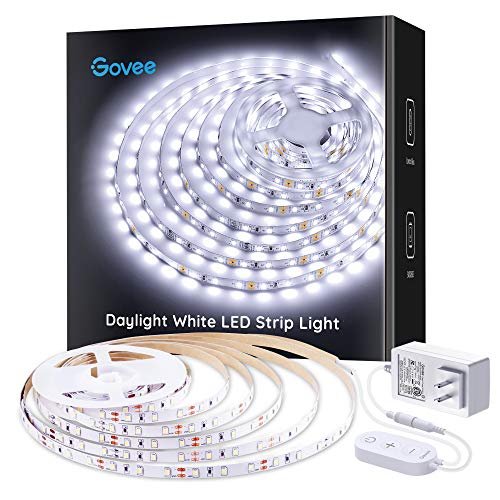
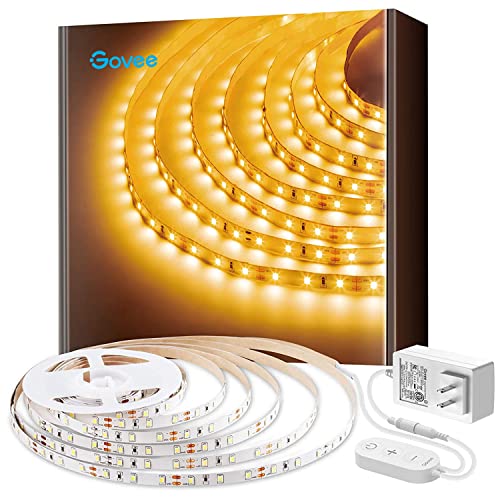
Warm white (2700K-3000K) creates a cozy feel. Cool white (5000K-6500K) boosts focus and alertness. RGB strips offer millions of colors.
Smart Control
Wi-Fi or Bluetooth-enabled strips let you control brightness, color, and schedules via app or voice assistants like Alexa or Google Home.
How to Choose the Right LED Strip Lighting
Selecting the ideal LED strip lighting for your desk involves understanding your needs. If you mainly work with documents or read at your desk, a high-CRI, adjustable white strip is best. For gaming or immersive setups, an RGB strip with smart features will elevate your experience.
Consider the length you need – measure the perimeter of your desk or the area you want to illuminate. Most strips come in 5m or 10m rolls, and many are cuttable to fit your exact dimensions. Also, check the adhesive backing; high-quality 3M adhesive ensures the strip stays put.
For monitor bias lighting, which reduces eye strain and improves perceived contrast, look for strips with a color temperature around 6500K. Many monitor light bars are a great alternative, but LED strips offer full desk coverage.
Don't overlook the power supply. Ensure the included adapter provides enough wattage for the strip length. A 5m strip typically requires 24W–36W. For larger setups, consider a higher-capacity power supply.
Finally, think about smart integration. If you already use smart home devices, choose a strip that works with your ecosystem. This allows you to automate lighting scenes for different times of day or activities.
LED Strip vs. Monitor Light Bar vs. Desk Lamp
- CoverageLED strip: Full desk & backlighting | Light bar: Monitor only | Desk lamp: Focused task area
- Ambient EffectLED strip: High (wall wash, glow) | Light bar: Low (bias lighting) | Desk lamp: None
- Color OptionsLED strip: RGB+white | Light bar: Single white | Desk lamp: Single white
- Price RangeLED strip: $25–$100 | Light bar: $50–$150 | Desk lamp: $20–$200
- InstallationLED strip: Adhesive backing | Light bar: Clip-on | Desk lamp: Stand
Pro Installation Tips
Installing LED strip lighting is straightforward. First, clean the surface with isopropyl alcohol to ensure the adhesive bonds well. Plan your layout – most people place strips under the desk edge facing the wall for a glowing effect, or along the back of the monitor for bias lighting. Use corner connectors or solder wires for seamless turns.
If you're adding LED strips to a standing desk or gaming desk, consider cable management. Use cable trays or cable sleeves to hide the power and data cables, keeping your desk organization pristine. For a truly wireless look, pair with a smart plug that can be controlled remotely.
For advanced users, you can even integrate LED strips with smart plugs and voice assistants to create dynamic lighting scenes that sync with your work or gaming sessions.
Enhance your desk setup with the right lighting. If you're looking for more ambient options, explore our guide on ambient mood lighting. For monitor-specific solutions, check out monitor light bars. And if you want to go smart, our smart lighting desk guide covers everything you need.