Ultrawide Setup: The Complete Desk Guide
Transform your workspace with an ultrawide monitor. Discover the best desk setups, ergonomic accessories, and layout tips to boost productivity and immersion.
SHOP RECOMMENDED DESKSAn ultrawide monitor setup is more than just a wider screen—it's a complete workflow revolution. Whether you're a gamer, a creative professional, or a productivity enthusiast, the extra horizontal real estate allows you to multitask like never before. But to truly unlock the potential of your ultrawide monitor, you need the right desk, monitor arms, and ergonomic accessories. This guide covers everything from desk selection to cable management, ensuring your desk setup is both functional and inspiring.
Why Choose an Ultrawide Setup?
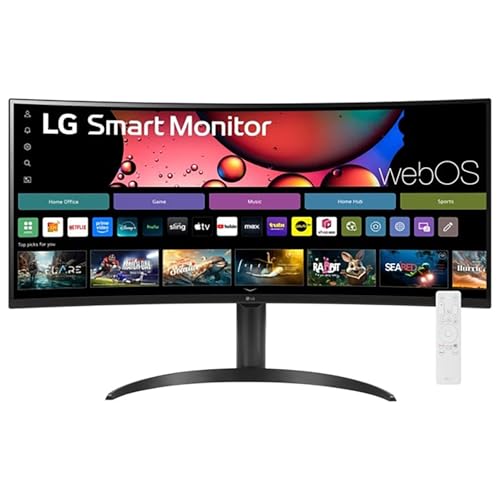
Productivity & Immersion: An ultrawide monitor (typically 21:9 or 32:9) replaces dual or triple monitor setups, eliminating bezels and providing a seamless, panoramic view. Ideal for dual monitor productivity, video editing, and immersive gaming.
With an ultrawide, you can have multiple windows side-by-side without the distraction of screen dividers. This is especially beneficial for tasks like video editing, data analysis, and software development. For gamers, the wider field of view enhances immersion, giving you a competitive edge in racing and first-person shooter games.
Desk Requirements for Ultrawide Monitors
Not every desk is suitable for an ultrawide monitor. Here are the key factors to consider when choosing a desk for your ultrawide setup:
✅ Desk Depth
Minimum 30 inches (76 cm) to maintain proper viewing distance. A deeper desk allows the monitor to be placed at arm's length.
✅ Desk Width
At least 55 inches (140 cm) for a 34-inch ultrawide, and 60+ inches for 49-inch super ultrawide models.
✅ Weight Capacity
Ultrawide monitors can weigh 20–30 lbs. Ensure your desk and monitor arms can support the load.
✅ Cable Management
Wider screens mean more cables. Invest in desk organization tools like cable trays and raceways.
Ergonomics: Positioning Your Ultrawide Monitor
Proper monitor placement is crucial to avoid neck and eye strain. Follow these monitor placement guide tips for your ultrawide:
- Eye Level: The top of the screen should be at or slightly below eye level. Use a monitor arm or a sturdy stand to adjust height.
- Distance: Position the screen about an arm's length away (20–30 inches). For larger 49-inch models, consider a deeper desk or a wall mount.
- Curve Radius: A curved ultrawide (1800R or 1500R) helps maintain consistent viewing distance across the screen, reducing eye strain.
Pair your ultrawide with an ergonomic office desk chair and correct desk height to complete your ergonomic workspace.
Essential Accessories for Your Ultrawide Setup
Beyond the monitor itself, these accessories will elevate your desk setup:
🔹 Monitor Arm
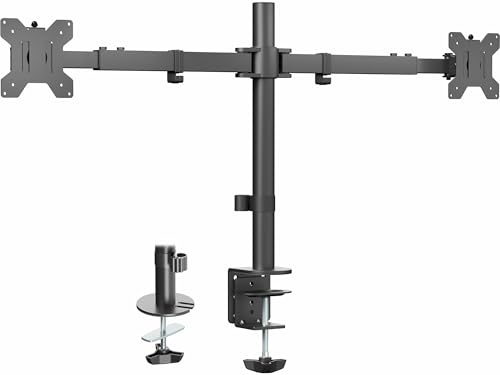
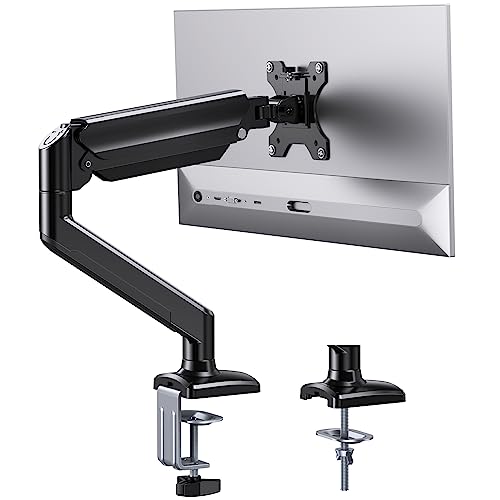
A heavy-duty monitor arm is essential for ultrawide monitors. It frees up desk space and allows for effortless adjustment.
🔹 Mechanical Keyboard
A mechanical keyboard enhances typing comfort and responsiveness, especially for long work or gaming sessions.
🔹 Ergonomic Mouse
Pair your setup with an ergonomic mouse to reduce wrist strain during extended use.
🔹 Cable Management
Keep your desk tidy with desk organization solutions like cable trays, sleeves, and raceways.
Ultrawide Desk Layout Ideas
How you arrange your ultrawide monitor on your desk depends on your workflow and available space. Here are three popular desk setup layouts:
- Center Focus: Place the ultrawide directly in front of you, with speakers or peripherals on the sides. Ideal for immersive gaming and focused work.
- Side-by-Side with Laptop: Use a dual monitor setup by placing your laptop to the side of the ultrawide, using a laptop stand to align the screens.
- Corner Desk Setup: If you have a corner desk setup, position the ultrawide in the corner to maximize desk space and viewing angle.
For a more advanced configuration, consider a KVM switch desk setup to control multiple devices with the same ultrawide monitor.
Common Ultrawide Setup Mistakes to Avoid
- Insufficient Desk Depth: Placing the monitor too close forces you to lean forward, causing neck and back pain. Always maintain a proper proper sitting posture.
- Ignoring GPU Requirements: Ultrawide monitors (especially 4K or 144Hz) require a powerful graphics card. Ensure your PC can handle the resolution and refresh rate.
- Poor Cable Management: A cluttered desk distracts and reduces productivity. Invest in desk organization solutions early.
- Overlooking Monitor Arms: The stock stand often takes up too much desk space and lacks ergonomic adjustability. A monitor arm is a worthwhile investment.
Ready to Build Your Ultrawide Setup?
Whether you're a gamer, designer, or productivity enthusiast, the perfect ultrawide desk is within reach. Explore our recommended products below and start your transformation today.
Shop Ultrawide Desks