Proper Sitting Posture: Your Complete Guide to a Healthier Workspace
Learn the science of proper sitting posture to prevent back pain, boost energy, and enhance productivity. This guide covers everything from chair adjustment to monitor placement.
Jump to Posture ChecklistWhy proper sitting posture matters: Most desk workers spend over 8 hours seated daily. Poor posture is a leading cause of chronic back pain, neck strain, and reduced focus. This guide provides actionable steps to transform your workspace into a ergonomic haven. Whether you're using a standard-height desk or a stand-up desk, these principles apply universally.
The 5 Core Principles of Proper Sitting Posture
1. Feet Flat on Floor
Your feet should rest flat on the floor, with knees at a 90° angle. Use a footrest if your feet don't reach the ground. This stabilizes your pelvis and reduces lower back strain.
2. Hips & Thighs Parallel
Your hips should be slightly higher than your knees, with thighs parallel to the floor. Avoid crossing your legs, which can tilt your pelvis and cause spinal misalignment.
3. Support Your Lower Back
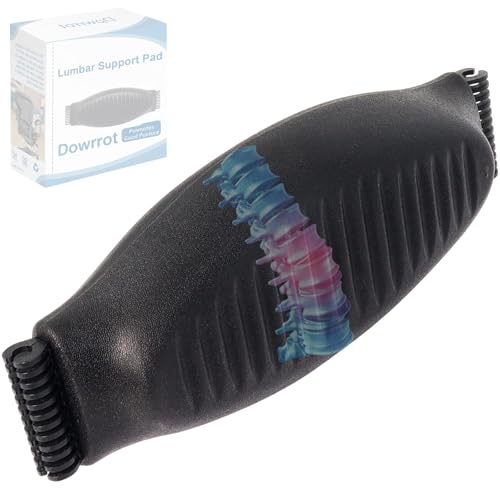
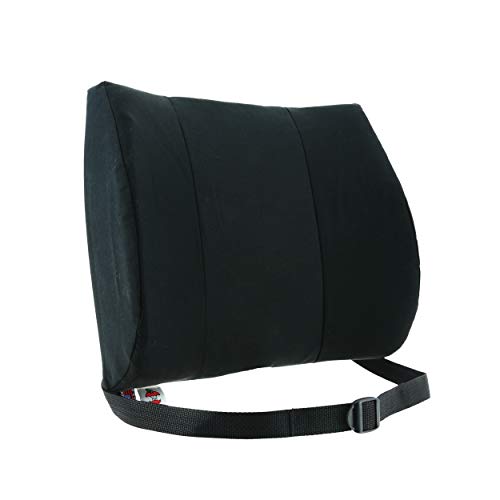
Use the lumbar support on your office chair to maintain the natural curve of your spine. If your chair lacks support, add a small cushion or rolled towel.
4. Relax Your Shoulders
Keep your shoulders relaxed and pulled back slightly, not hunched forward. Your elbows should rest at a 90° angle, with forearms parallel to the desk surface.
5. Monitor at Eye Level
Position your monitor so the top edge is at or slightly below eye level. This prevents neck strain. Use a monitor arm or riser for precise adjustment.
6. Take Movement Breaks
Even perfect posture becomes harmful when held too long. Follow the 20-20-20 rule: every 20 minutes, look 20 feet away for 20 seconds. Stand and stretch regularly.
Daily Posture Checklist
Use this quick checklist every morning to ensure your desk setup supports proper sitting posture:
- Feet flat on floor or footrest
- Knees at 90° angle, slightly lower than hips
- Lower back supported by chair lumbar
- Shoulders relaxed, not hunched
- Elbows at 90°, wrists straight
- Monitor top at eye level
- Keyboard directly in front, mouse nearby
- Head balanced over shoulders (not forward)
For a more detailed setup, read our desk height calculator and monitor placement guide.
Detailed Posture Adjustment Guide
Follow these step-by-step instructions to fine-tune your sitting posture:
- Chair Adjustment: Adjust your chair height so your feet are flat. Tilt the seat pan slightly forward to open your hip angle (around 110°). Use the lumbar support to fit the curve of your lower back.
- Desk Height: Your desk height should allow your elbows to rest at 90° when typing. If using a sit-stand desk, alternate between sitting and standing every 30–60 minutes.
- Keyboard & Mouse: Place your keyboard directly in front of you, with the mouse within easy reach. Keep your wrists straight—consider a ergonomic mouse or trackball to reduce strain.
- Screen Position: The top of your monitor should be at eye level. If using a laptop, use a separate monitor arm or riser to achieve proper height.
- Posture Awareness: Set a timer to check your posture every hour. Use apps or wearable devices that remind you to sit upright and take breaks.
Remember: Proper sitting posture isn't just about avoiding pain—it's about maintaining energy and focus throughout your workday. A well-adjusted desk setup can improve your desk productivity habits and overall well-being.
Common Sitting Posture Mistakes to Avoid
✗ Hunching Over
Leaning forward toward your screen places excessive strain on your neck and shoulders. Keep your head aligned over your spine.
✗ Slouching
Slouching rounds your lower back, reducing lumbar support. Use your chair's lumbar feature and sit with your back against the backrest.
✗ Crossing Legs
Crossing legs can tilt your pelvis and cause hip imbalances. Keep both feet flat on the floor to maintain a stable base.
✗ Extended Sitting
Even with perfect posture, sitting for prolonged periods is harmful. Use a sit-stand routine and take frequent breaks.
Ready to Upgrade Your Desk Setup?
Explore our curated selection of ergonomic office furniture and accessories to support your proper sitting posture journey.
Shop Ergonomic Chairs Explore Standing DesksContinue Your Ergonomic Journey
Learn more about creating a healthy workspace with our guides on monitor placement, desk height, desk stretching, ergonomic chairs, and more desk tips.