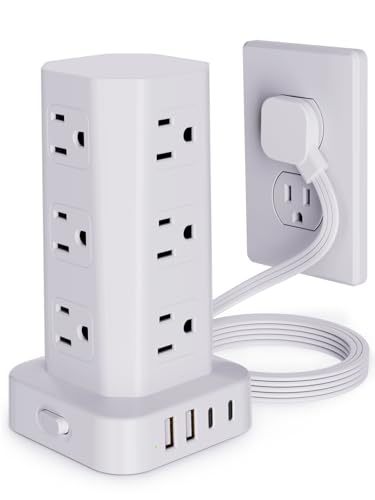
Smart Plugs for Desk: The Ultimate Guide to Voice-Controlled Power
Transform your desk into a smart, energy-efficient workspace with the best smart plugs. Control devices by voice, schedule power cycles, monitor energy usage, and reduce standby power waste—all from your desk.
Shop Top Smart PlugsWhy Add a Smart Plug to Your Desk Setup?
A smart plug for desk is a small, affordable device that turns any standard electrical outlet into a controllable, connected power source. Whether you want to automate your desk lamp, monitor your PC's energy consumption, or schedule your monitor to turn off at night, smart plugs offer convenience, energy savings, and enhanced safety.
Integrating a smart plug into your workspace is one of the easiest and most cost-effective ways to upgrade your desk setup. It's a foundational step toward a truly smart desk environment.
Key Features to Consider
Voice Control
Works with Alexa, Google Assistant, and Siri. Turn devices on/off hands-free while you work.
Energy Monitoring
Track real-time power consumption and historical usage to identify energy-hogging devices.
Scheduling & Timers
Set automatic on/off schedules for your desk lamp, fan, or monitor to match your work routine.
Remote Access
Control your desk devices from anywhere using your smartphone app, even when you're away from home.
How to Choose the Best Smart Plug for Your Desk
1. Compatibility with Your Ecosystem
Before buying, ensure the smart plug works with your preferred voice assistant and smart home platform. Most plugs support Alexa and Google Assistant, but Apple HomeKit compatibility is less common and often requires a hub. If you use desk power management solutions, choose a plug that integrates seamlessly.
2. Form Factor & Outlet Space
Smart plugs come in various sizes. If you have a corner desk or a power strip with closely spaced outlets, opt for a compact or right-angle design to avoid blocking adjacent sockets. Some models also feature a built-in USB port for charging small devices directly.
3. Energy Monitoring Capabilities
For those looking to optimize desk organization and reduce electricity bills, energy monitoring is a valuable feature. It helps you identify which devices draw the most power, enabling you to make smarter decisions about your desk gadgets usage.
4. App Experience & Automation
A user-friendly app with robust automation features (like "away mode" or sunrise/sunset triggers) enhances the smart plug experience. Look for plugs that allow you to create routines, such as turning on your desk lamp and monitor automatically when you arrive home.
Smart Plug Types: Wi-Fi vs. Zigbee vs. Z-Wave
Wi-Fi Smart Plugs
Most common and easy to set up. They connect directly to your home Wi-Fi network without requiring a hub. Ideal for a single desk or small office setup. Best for: simplicity and direct voice assistant integration.
- No hub required
- Direct voice control
- Affordable and widely available
Zigbee / Z-Wave Plugs
Require a compatible hub (like SmartThings or Philips Hue bridge) but offer lower latency and better reliability in crowded networks. Ideal for larger smart home setups. Best for: advanced users with multiple devices.
- Hub required (sold separately)
- More reliable mesh network
- Lower power consumption
Quick Setup Guide for Your Desk Smart Plug
Setting up a smart plug for your desk is usually straightforward:
- Plug it in: Insert the smart plug into a wall outlet near your desk.
- Download the app: Install the manufacturer's app and create an account.
- Connect to Wi-Fi: Follow the in-app instructions to connect the plug to your home network.
- Add to your ecosystem: Link the plug to your voice assistant (Alexa, Google, etc.) for hands-free control.
- Create routines: Set schedules or automations, like turning off your monitor light bar at bedtime.
For more advanced integration, consider using smart plugs in conjunction with smart desk lighting and charging stations to create a fully automated workspace.
Frequently Asked Questions
Can a smart plug damage my desk electronics?
No, reputable smart plugs are rated for standard household devices and include overcurrent protection. However, always check the power rating (usually 10A–16A) to ensure it matches your device's requirements. Avoid plugging in high-power appliances like space heaters.
Will a smart plug work without Wi-Fi?
Basic functionality (on/off via the physical button on the plug) usually works without Wi-Fi. However, voice control, scheduling, and remote access require an active internet connection.
How much energy can a smart plug save?
By eliminating standby power (vampire draw) from devices left plugged in, a smart plug can save between 5–10% on your total electricity bill. For a typical desk setup with a monitor, speakers, and a lamp, this can translate to $15–$30 per year.
Ready to Smartify Your Desk?
Browse our curated selection of the best smart plugs for desks. Each product is carefully chosen for compatibility, reliability, and value.
View Smart Plug Products