Cable Raceways: The Ultimate Desk Cable Management Solution
Say goodbye to tangled wires and hello to a pristine workspace. Discover how cable raceways can transform your desk organization and boost productivity.
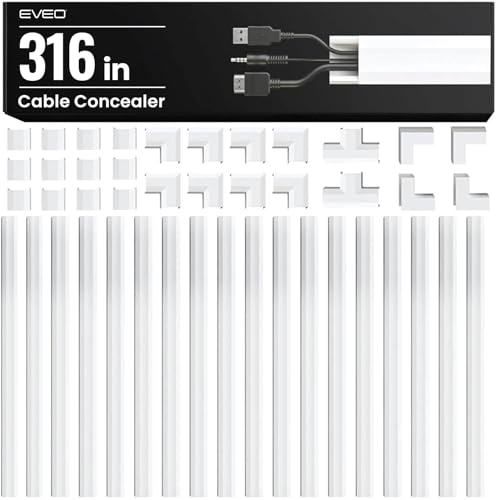
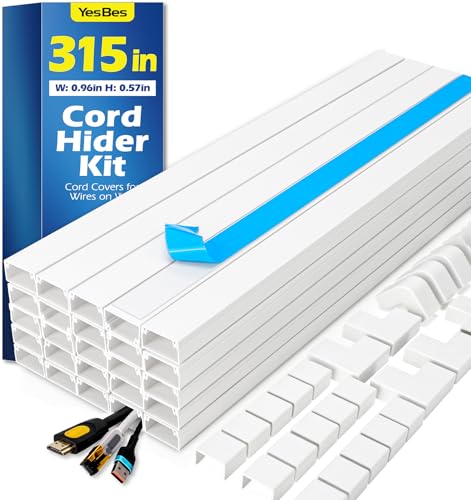
What are cable raceways? Cable raceways are protective channels that route and conceal cables along walls, under desks, or across surfaces. They keep your wires organized, reduce clutter, and protect cables from damage. Whether you're setting up a home office desk or a gaming desk, raceways are essential for a clean, professional look.
Why Choose Cable Raceways?
Cable raceways offer a structured way to manage multiple cables — from power cords and USB cables to HDMI and Ethernet lines. They are available in various sizes, materials, and colors to match any desk setup. Unlike cable trays which are open, raceways fully enclose cables, providing a sleek, uniform appearance. They are especially useful for under-desk cable management where visibility is high.
📦 Types of Cable Raceways
- Adhesive-backed raceways — stick directly to surfaces; ideal for desks and walls.
- Under-desk raceways — mount beneath the desktop to hide power strips and cables.
- Corner raceways — designed to fit around corners and edges.
- Flexible raceways — bendable to accommodate curved desk paths.
- Metal raceways — durable and fire-resistant, great for heavy-duty use.
Most raceways come with slots or covers that snap on/off for easy access. Pair them with cable sleeves for extra bundling.
✅ Benefits of Using Cable Raceways
- Clean aesthetics — hide unsightly wires for a minimalist look.
- Safety — prevent tripping hazards and protect cables from pets or furniture.
- Easy maintenance — quick access to cables when you need to change or add devices.
- Improved airflow — reduce dust accumulation and overheating.
- Versatility — suitable for electric standing desks, corner standing desks, and L-shaped desks.
How to Install Cable Raceways (Step-by-Step)
Installing cable raceways is a simple DIY task that can be completed in under an hour. Follow these steps for a professional result.
- Plan your route: Map out where your cables will run. Identify the power source, monitor, and peripherals. Consider using desk grommets for a clean pass-through.
- Measure and cut: Measure the length of the raceway needed. Use a utility knife or scissors to cut the raceway to the desired length.
- Attach the raceway: If using adhesive-backed raceways, clean the surface with alcohol, peel the backing, and press firmly. For under-desk mounting, use screws or heavy-duty tape.
- Lay cables inside: Place your cables into the raceway channel. Keep power and data cables separated to avoid interference.
- Snap on the cover: Close the raceway lid. For adjustable raceways, ensure the cover fits snugly.
- Manage slack: Use cable ties or cable sleeves to bundle excess length near the raceway ends.
For a completely cord-free look, combine raceways with a wireless desk setup where possible.
Advanced Cable Raceway Strategies
To maximize the effectiveness of your raceways, consider integrating them with other desk organization tools. For instance, use a desk power management system to consolidate power strips inside the raceway. Pair with desk organizers to keep accessories tidy. For multi-monitor setups, route display cables through raceways to avoid visual clutter, especially on dual monitor setups.
If you have an electric standing desk, choose flexible raceways that move with the desk. For corner standing desks, use corner-specific raceways to maintain clean lines. Remember to leave some service loops so cables can extend when the desk height changes.
Maintenance & Troubleshooting
Once your raceways are installed, periodic maintenance ensures long-lasting performance. Check the adhesive or screws every few months to prevent sagging. If cables become tangled, open the raceway cover and re-route them. Use desk paper management techniques to keep your surface free of stray documents that might block access.
If you encounter issues like cables being too short, consider using extension cables or repositioning devices. For heavy-duty setups with multiple devices, consider using multiple raceways or larger-capacity models.
Ready to declutter your desk? Cable raceways are the simplest, most effective way to achieve a clean, professional workspace. Browse our recommended products below and transform your desk today.