Best Desk Accessories for 2026
Upgrade your workspace with ergonomic supports, smart cable management, premium lighting, and essential gadgets. Whether you're a remote worker, gamer, or creative, the right accessories transform your desk into a productivity powerhouse.
Explore Top Picks ↓Why Accessories Matter: A great desk is only half the story. The right accessories — from ergonomic keyboard trays to high-CRI desk lamps — can boost comfort, reduce strain, and double your productivity. In this guide, we break down the most impactful desk accessories for every budget and workspace style.
Top Desk Accessories for Every Workspace
🪑 Ergonomic Essentials
- Keyboard trays with negative tilt
- Adjustable footrests for posture
- Gel wrist rests for typing comfort
- Anti-fatigue mats for standing desks
🔌 Cable Management
- Under-desk cable trays
- Cable sleeves & raceways
- Wireless charging pads
- Desk grommets & pass-throughs
💡 Smart Lighting
- Monitor light bars with auto-dimming
- LED desk lamps (CRI 95+)
- RGB LED strips for ambiance
- Smart bulbs with app control
⚡ Power & Charging
- Multi-device charging stations
- USB-C hubs with power delivery
- Surge protectors with USB ports
- Smart plugs for voice control
🖥️ Mounts & Stands
- Gas-spring monitor arms
- Laptop stands with ventilation
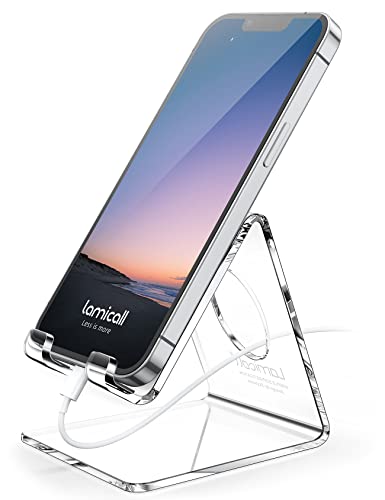
- Adjustable phone stands
- Tablet mounts for desk use
📦 Organization Tools
- Multi-compartment organizers
- Drawer dividers & trays
- Desk hutches for vertical storage
- Wall-mounted pegboards
Desk Accessories Comparison: Which One Is Right for You?
Use this quick reference to choose the best accessories based on your primary workspace needs.
| Accessory Type | Best For | Price Range | Key Benefit |
|---|---|---|---|
| Keyboard Trays | Ergonomic posture | $80–$200 | Reduces wrist strain |
| Monitor Arms | Dual/ultrawide setups | $100–$400 | Frees up desk space |
| Cable Trays | Clutter-free surfaces | $20–$80 | Hidden cable management |
| Desk Lamps | Task lighting & ambiance | $40–$150 | Reduces eye fatigue |
| Charging Stations | Multiple devices | $30–$120 | Keeps devices powered |
| Footrests | Leg circulation | $40–$90 | Improves sitting posture |
How to Choose the Best Desk Accessories for Your Setup
1. Start with Ergonomics
If you spend more than 4 hours at your desk daily, keyboard trays and wrist rests are non-negotiable. Pair them with a footrest to maintain neutral spine alignment. For standing desks, a quality anti-fatigue mat reduces leg discomfort by up to 40%.
2. Declutter with Smart Storage
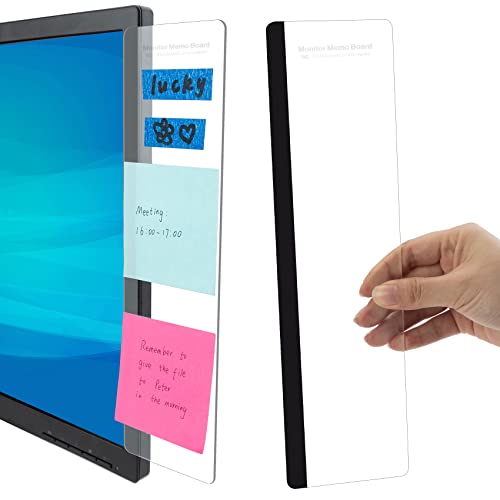
Messy desks kill focus. Invest in desk organizers with dedicated slots for pens, sticky notes, and gadgets. Use under-desk cable trays and cable sleeves to banish cord chaos. For small spaces, wall-mounted pegboards offer vertical storage without eating up surface area.
3. Lighting Matters More Than You Think
Poor lighting leads to eye strain and headaches. A monitor light bar with adjustable color temperature (2700K–6500K) illuminates your workspace without creating glare. For ambiance, LED strips behind the desk add depth and reduce contrast between your screen and the background.
4. Power Up Efficiently
Modern desks are device hubs. Choose a USB-C hub with 100W power delivery to charge laptops and peripherals. A multi-device charging station keeps phones, earbuds, and watches juiced without cable sprawl. Don't forget a surge protector with built-in USB ports for clean power distribution.
5. Don't Overlook Aesthetics
Your desk should inspire you. Add low-maintenance desk plants like succulents or snake plants to improve air quality and mood. For a cohesive look, choose accessories in matching finishes – black, silver, or wood tones – to create a professional, curated feel.
Ready to Upgrade Your Desk?
Explore our curated list of top-rated desk accessories and transform your workspace today.
Shop Accessories Now