Color Accurate Desk Setup: The Complete Guide
Master the art of color-accurate workspace design. From monitor calibration and bias lighting to color-managed workflows, build a desk setup that delivers true-to-life color for design, photo, and video.
Start Your Color Accurate Journey →Why Color Accuracy Matters: Whether you're a graphic designer, photographer, video editor, or digital artist, color accuracy is the foundation of your work. A color accurate desk ensures that what you see on your monitor matches what you print, publish, or share with clients. This guide will walk you through every element of building a color-accurate workspace—from monitor selection to ambient lighting control.
What Is a Color Accurate Desk?
A color accurate desk is a workspace designed to ensure that colors are displayed as consistently and truthfully as possible. It combines three critical elements: a high-quality color-accurate monitor, proper ambient lighting, and a color-managed workflow. For professionals in visual fields, color accuracy isn't a luxury—it's a necessity that directly impacts the quality of their output.
Many people assume that buying an expensive monitor is enough, but the truth is that your desk setup environment plays an equally important role. The lighting in your room, the color of your walls, and even the desk mat you use can affect how you perceive colors on screen.
Typical investment for a professional color-accurate monitor and calibration tools
For most creative professionals, a budget of $800–$2,500 is reasonable for a quality color-accurate monitor. However, the total investment for a complete color-accurate desk setup—including monitor, calibration device, bias lighting, and a neutral-colored desk environment—can range from $1,200 to $4,000 depending on your specific needs.
Choosing the Right Color-Accurate Monitor
The monitor is the centerpiece of any color accurate desk. When selecting a monitor for color-critical work, look for these essential features:
Panel Technology
IPS (In-Plane Switching) panels are the gold standard for color accuracy. They offer wider viewing angles and better color reproduction than VA or TN panels. For professional work, consider monitors with factory calibration and 10-bit color depth.
Color Gamut Coverage
Look for monitors that cover at least 95% of the DCI-P3 or Adobe RGB color spaces. For general creative work, sRGB coverage is essential, but for print or cinema, you'll need wider gamut support.
Calibration Capability
Built-in hardware calibration allows for more precise color control. Monitors with internal lookup tables (LUTs) can store calibration profiles directly in the monitor, making them ideal for professional monitor calibration workflows.
Resolution & Size
For color-accurate work, a 27-inch 4K monitor is the sweet spot, offering enough screen real estate and pixel density to see fine details. Larger 32-inch 4K monitors are also popular, but consider your best monitor size for desk based on viewing distance and desk space.
🔍 Pro Tip: Factory Calibration Matters
Many professional monitors come with factory calibration reports. Look for monitors with Delta E values of less than 2, which means the color difference is imperceptible to the human eye. This ensures that your monitor displays colors accurately right out of the box.
Optimizing Monitor Placement for Color Accuracy
Even the best monitor won't display accurate colors if it's placed incorrectly. Monitor placement guide recommendations for color-accurate work differ from general ergonomic guidelines.
Position your monitor so that you're viewing the screen at a perpendicular angle. This ensures that you're looking at the center of the screen directly, minimizing color shift that occurs at extreme viewing angles. Your eyes should be level with the top of the monitor or slightly below, allowing you to view the screen without tilting your head.
For color-critical work, avoid placing your monitor near windows or sources of direct sunlight. Natural light changes throughout the day, affecting how you perceive colors on screen. Similarly, avoid having a bright light source behind your monitor, as this can cause glare and reduce contrast perception.
Consider using monitor arms to achieve the perfect positioning. Unlike monitor stands, monitor arms allow you to fine-tune height, angle, and distance from your eyes with precision. This is especially important if you work with multiple monitors or need to switch between sitting and standing positions.
Lighting for Color Accurate Desk
Lighting is one of the most overlooked aspects of a color accurate desk. The ambient light in your workspace directly affects how you perceive colors on your monitor.
Bias Lighting
Bias lighting is a technique that places a light source behind your monitor, shining indirectly onto the wall. This reduces eye strain and improves perceived contrast and color accuracy by providing a consistent background luminance. For the best results, use a 6500K D65 bias light, which matches the standard white point used in color-critical environments.
Ambient Lighting Control
Your room's ambient lighting should be neutral and consistent. Ideally, use 6500K daylight-balanced bulbs with a high CRI (Color Rendering Index) of 95 or above. Avoid mixing different color temperatures (like warm yellow lights and cool daylight) as this can confuse your color perception.
Consider installing dimmer controls on your room lights so you can maintain consistent illumination levels throughout the day. Many professionals recommend keeping ambient light levels at around 50-75 lux for color-accurate work.
If you're working in a room with windows, consider using desk acoustic treatment or blackout curtains to control natural light. This ensures that your workspace lighting remains consistent regardless of the time of day or weather conditions.
💡 Recommended Lighting Setup
Bias Light: 6500K D65 LED strip behind monitor
Ambient Light: 6500K CRI 95+ ceiling lights with dimmer
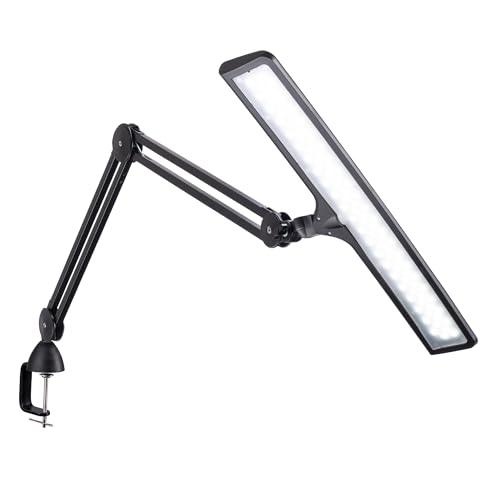
Desk Lamp: Avoid direct desk lamps that cast shadows or create uneven lighting on your workspace
Desk Environment & Color Perception
Your desk itself plays a role in color accuracy. The colors and materials in your workspace can affect how you perceive colors on screen through a phenomenon called color constancy—your brain adjusts color perception based on the surrounding environment.
For a truly color accurate desk, consider these environmental factors:
Desk Color
Neutral colors are best. A white desk or light gray desk surface helps reflect light evenly and doesn't introduce color casts. Avoid brightly colored desks or surfaces that can reflect colored light onto your monitor.
If you're using a wooden desk, choose one with a neutral wood tone like light oak or walnut. Darker woods can absorb light and make colors appear slightly darker, while reddish woods can introduce a warm color cast to your perception.
Wall Color
The wall behind your monitor should be a neutral color—typically a light to medium gray (18% gray is ideal) or a neutral off-white. The wall behind your monitor serves as the background for your bias lighting, and its color affects how you perceive contrast and color.
Desk Surface
Your desk mat should also be neutral in color. Many professionals prefer a dark gray or black desk mat, which provides good contrast for peripherals without introducing color casts. Avoid bright colored desk mats or those with bold patterns that can distract your color perception.
✅ Recommended Colors
White, light gray, medium gray, beige, neutral wood tones (oak, walnut, maple)
❌ Avoid Colors
Bright red, orange, yellow, blue, green, or any highly saturated colors in your immediate field of view
Monitor Calibration: The Heart of Color Accuracy
Monitor calibration is the process of adjusting your monitor's settings to match a standard color space, ensuring that colors are displayed as intended. Without regular calibration, even the best monitors will drift over time and display inaccurate colors.
For true monitor calibration, you'll need a hardware calibration device (colorimeter or spectrophotometer) and software that works with your monitor. Professional devices like the X-Rite i1Display Pro or Datacolor SpyderX Elite are industry standards.
The calibration process typically involves:
- Setting the correct brightness and contrast levels
- Adjusting RGB balance to achieve the correct white point (usually 6500K D65)
- Creating an ICC profile that maps the monitor's color output to the target color space
- Verifying results with test charts and validation
Investment in a quality monitor calibration device—essential for maintaining color accuracy over time
Most professionals recommend calibrating your monitor every 2-4 weeks for consistent results. Some high-end monitors now include auto-calibration features that can be scheduled to run automatically, maintaining color accuracy with minimal effort.
Remember that calibration is a two-step process: you need to calibrate your monitor AND have a properly configured color-managed workflow in your operating system and applications. On Windows, this means using the Color Management settings; on macOS, it's handled through the Displays preferences.
Color Managed Workflow
A color accurate desk is only half the solution—you also need a color-managed workflow that ensures consistency from capture to output.
Software Settings
Professional applications like Adobe Photoshop, Lightroom, DaVinci Resolve, and Final Cut Pro all support color management. Configure your applications to use the correct color spaces (sRGB, Adobe RGB, or DCI-P3) for your work.
Consistent Viewing Conditions
When evaluating colors, make sure you're in the same viewing conditions each time. Avoid switching between different room lighting conditions during a color-critical session.
Proofing
If you're working for print, use soft-proofing features in your applications to preview how your images will look on different paper types. If you're working for web or digital display, ensure you're using the correct output color space.
For those working with multiple monitors, especially when using dual monitor setup or triple monitor setup, ensure all monitors are calibrated to the same color profile and white point. Mismatched monitors can ruin your color perception and lead to inconsistent work.
Common Color Accuracy Mistakes to Avoid
Even experienced professionals make mistakes when setting up their color accurate desk. Here are the most common pitfalls and how to avoid them:
- Not calibrating at all: Many people assume their monitor is accurate out of the box. Factory calibration is a good starting point, but all monitors drift over time.
- Using the wrong viewing angle: Even IPS monitors show color shift at extreme angles. Always view your monitor from a perpendicular position.
- Ignoring ambient light: Room lighting changes throughout the day, affecting how you perceive colors. Use consistent, controlled lighting.
- Forgetting to calibrate multiple monitors: If you use a dual monitor productivity desk or more, calibrate them all to the same profile.
- Using auto-brightness: Disable auto-brightness features on your monitor—they can interfere with color accuracy by changing brightness levels unexpectedly.
- Skipping the bias light: Bias lighting is essential for reducing eye strain and improving color perception. Many professionals consider it as important as the monitor itself.
📌 Quick Fix: Desk Setup Audit
Review your desk setup at least once a month. Check your monitor's position, lighting conditions, and calibration status. A morning desk routine can help you maintain consistency in your color-accurate workspace.
Essential Accessories for Color Accurate Desk
Beyond the monitor and lighting, several accessories can enhance your color accurate desk setup:
Neutral Desk Accessories
Choose desk accessories in neutral colors. A desk mat in charcoal or gray, pen holders in matte black or silver, and desk organizers in neutral tones help maintain a color-neutral workspace.
Monitor Hood
A monitor hood blocks stray light from hitting your screen, reducing glare and improving contrast perception. This is especially useful if you can't control all the ambient light in your workspace.
Color Reference Cards
Having physical color reference cards (like a color checker) on your desk provides a real-world reference point for verifying color accuracy on your screen.
Furniture Risers
Use desk shelves and risers to achieve the perfect monitor height without compromising your desk's neutral color scheme.
Building a Color Accurate Desk on a Budget
You don't need to spend a fortune to achieve good color accuracy. Here are some tips for building a color accurate desk on a budget:
- Start with a good mid-range monitor: The Dell Ultrasharp and Asus ProArt series offer excellent color accuracy at reasonable prices.
- Use software calibration as a starting point: Many operating systems offer built-in calibration tools. While not as accurate as hardware calibration, they're better than nothing.
- DIY bias lighting: You can create effective bias lighting with affordable LED strips from Amazon or electronics stores.
- Optimize your room: Paint your walls a neutral color and control natural light with inexpensive blinds or curtains.
- Shop used/refurbished: Professional monitors from previous generations often provide excellent value when purchased used or refurbished.
Budget-friendly color accurate desk setup: monitor + calibration tool + bias lighting
Remember that you can start with the basics and upgrade over time. A desk budget guide can help you prioritize your spending for maximum impact on color accuracy.
Industry-Specific Color Accurate Desk Requirements
Different creative fields have different color accuracy requirements:
Graphic Design & Web Design
sRGB is the standard for web and digital design. Look for monitors with 100% sRGB coverage and good Delta E values. A single monitor setup is often sufficient, though many designers prefer a dual monitor setup for comparing designs.
Photography & Print Design
Adobe RGB coverage is essential for print work. You'll need a monitor with wide gamut support and hardware calibration. A color accurate desk for photography often includes a high-end monitor and a dedicated color checker tool.
Video Editing & Post-Production
DCI-P3 is the standard for cinema and video work. Look for monitors with P3 coverage and support for HDR. You may also need desk speakers for audio monitoring and desk acoustic treatment for accurate sound perception.
3D Modeling & Animation
Color accuracy is important, but 3D artists also need fast refresh rates and good viewing angles. Many professionals use a dual monitor setup with one monitor for modeling and another for color-critical work.
Maintaining Your Color Accurate Desk
Once you've built your color accurate desk, regular maintenance is essential:
- Calibrate regularly: The frequency depends on your monitor, but every 2-4 weeks is typical for professional work.
- Clean your monitor: Use appropriate cleaning solutions to keep your monitor's surface clear of dust and smudges that can affect color perception.
- Monitor your lighting: Check that your bias lighting and ambient lights are working correctly and at the same intensity.
- Review your workflow: Periodically review your color-managed workflow to ensure all settings are still correct.
Document your calibration settings and workflow so you can quickly reset everything if something changes. A consistent desk productivity habits routine can help you maintain this consistency.
Color Accurate Desk Setup Checklist
Use this checklist to ensure your color accurate desk meets professional standards:
- Monitor: IPS or similar panel with good color gamut coverage (sRGB/Adobe RGB/DCI-P3)
- Calibration: Hardware calibration device used regularly
- Bias Lighting: 6500K D65 light behind monitor
- Ambient Light: 6500K daylight-balanced bulbs, consistent intensity
- Monitor Positioning: Perpendicular viewing, proper height and distance
- Desk Color: Neutral colors (white, gray, beige) for desk and walls
- Workspace: Clean, organized, and free of color-distracting elements
- Software: Color-managed applications with correct settings
- Workflow: Consistent viewing conditions and proofing processes
- Maintenance: Regular calibration and workspace audits
Conclusion
Building a color accurate desk is one of the most important investments you can make as a creative professional. From monitor selection and calibration to lighting control and workflow management, every element of your workspace contributes to the accuracy of the colors you see and create.
Remember that color accuracy is a journey, not a destination. Technology improves, your skills evolve, and your workspace should adapt accordingly. Start with the basics—a good monitor, proper calibration, and controlled lighting—and upgrade as your needs and budget allow.
Your color accurate desk is more than just a workspace—it's the foundation of your creative work. Invest in it wisely, maintain it regularly, and you'll see the benefits in everything you create.
🎯 Ready to Build Your Color Accurate Desk?
Use the recommended products in our section below to start your journey today. Choose from carefully selected color-accurate monitors, calibration tools, and desk accessories that will transform your workspace into a professional-grade environment.