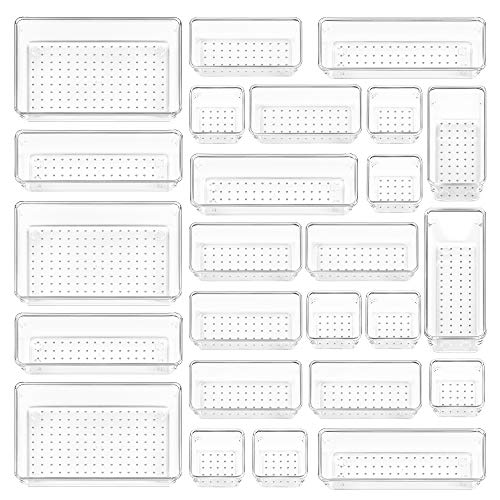
Best Desk Organizers & Storage Solutions for a Productive Workspace
Transform your cluttered desk into an organized, efficient workspace with the right desk organizers. Discover the best storage solutions, cable management tools, and desktop accessories to boost your productivity.
SHOP TOP DESK ORGANIZERSWhy Desk Organizers Matter: A well-organized desk isn't just about aesthetics—it's about productivity, focus, and mental clarity. When your workspace is cluttered, your mind follows. The right desk organizers can transform your daily workflow, reduce stress, and help you find what you need when you need it. Whether you're working from home, managing a home office desk, or setting up a student desk, the right organization system makes all the difference.
Why You Need Desk Organizers
⚡ Boost Productivity
Studies show that a tidy workspace can improve focus and efficiency by up to 30%. With desk organizers, everything has its place, so you spend less time searching and more time doing.
🧠 Reduce Stress
Clutter creates mental noise. A well-organized desk with proper storage solutions helps you start each day with clarity and calm. It's a simple but powerful way to care for your mental health.
💰 Save Money
Good desk organization protects your equipment and helps you avoid buying duplicates of things you already have but can't find. It's an investment that pays for itself.
🎨 Express Your Style
Desk organizers come in a variety of materials, colors, and designs. Whether you prefer minimalist acrylic, rustic wood, or modern metal, you can find options that match your desk decor and personal aesthetic.
Types of Desk Organizers
Understanding the different types of desk organizers is the first step to creating an organized workspace. Here are the most common and effective categories:
📂 Drawer Organizers
Drawer organizers are essential for keeping small items like pens, paper clips, and sticky notes in order. Available in expandable, grid, or tray designs, they fit most standard desk drawers. $15–$35
📁 Desktop File Organizers
Vertical or horizontal file holders keep important documents accessible and tidy. Perfect for desk paper management, they come in metal, wood, or acrylic and can hold folders, notebooks, and mail. $20–$50
🔌 Cable Management Tools
Cable trays, raceways, and sleeves keep cords hidden and organized. Pair with under desk cable management solutions for a completely clean look. $10–$40
📦 Pen & Pencil Holders
Simple but essential. From classic cup holders to rotating caddies, these keep your writing tools within reach. Many come with extra compartments for scissors, rulers, and other desk essentials. $8–$25
📋 Monitor Risers with Storage
Monitor stand storage solutions elevate your screen to eye level while providing valuable storage space underneath for keyboards, notebooks, or small accessories. $30–$80
🧩 Multi-Compartment Organizers
All-in-one systems that combine several features—drawers, shelves, file slots, and compartments—in a single unit. Ideal for small desk organization where every inch matters. $40–$120
Comparison of Desk Organizer Materials
When choosing desk organizers, the material matters for durability, aesthetics, and ease of cleaning. Here's a quick comparison:
| Material | Durability | Style | Price Range | Best For |
|---|---|---|---|---|
| Acrylic | Moderate (can scratch) | Modern, minimal, transparent | $15–$60 | Modern desk setups, minimalist desk styles |
| Wood (Bamboo, Oak, Walnut) | High (with proper care) | Warm, natural, timeless | $25–$100 | Oak desks, walnut desks, executive desks |
| Metal | Very High | Industrial, professional, sleek | $20–$80 | Gaming desks, metal desks, heavy-duty use |
| Plastic / Polypropylene | Moderate to High | Colorful, lightweight, versatile | $10–$40 | Kids desks, student desks, budget setups |
| Fabric / Canvas | Low to Moderate | Warm, soft, cozy | $15–$50 | Office cubicles, soft storage bins |
How to Choose the Right Desk Organizers
With so many options available, choosing the right desk organizers can feel overwhelming. Here's a step-by-step guide to help you make the best decision:
Step 1: Assess Your Needs
What do you need to store? Are you dealing with paperwork, tech accessories, writing tools, or all of the above? Different desk organizers serve different purposes. Start by identifying the items you use most frequently.
Step 2: Measure Your Space
Before purchasing, measure your desk surface and drawers. Corner desk organizing requires different solutions than a traditional rectangular desk. Consider vertical desk storage if you're working with a small footprint.
Step 3: Choose Your Style
Your organizers should complement your desk and overall workspace aesthetic. Whether you prefer the natural warmth of wood or the clean lines of acrylic, there are options for every desk decor theme.
Step 4: Set Your Budget
Desk organizers range from budget-friendly to premium. Consider it an investment in your productivity. A combination of desk drawers and desktop accessories can transform your workflow.
Step 5: Consider Future Growth
Choose modular or expandable organizers that can adapt to your changing needs. Multi-functional desk accessories offer flexibility as your workspace evolves.
Mastering Cable Management with Desk Organizers
One of the biggest challenges in any workspace is cable clutter. The good news is that proper cable management tools can make a dramatic difference in just minutes.
Start by assessing your setup. How many devices do you have? What cables are essential, and which ones can be eliminated? Wireless desk setup solutions can reduce cable clutter at the source, but for those cables you still need, here are some effective solutions:
- Cable trays – Mounted under the desk, they hold power strips and excess cable length.
- Cable raceways – Hide cables along the back edge or underside of your desk.
- Cable sleeves – Bundle multiple cables together for a clean, unified look.
- Under desk cable management – Complete systems that keep everything out of sight and off the floor.
- Desk grommet – Install grommets in your desk surface to route cables cleanly through the desktop.
Remember, a clutter-free desk starts with a plan. The time you invest in organizing your cables today will pay dividends in daily productivity and peace of mind.
Pro Tips for an Organized Desk
🗂️ Declutter Weekly
Set aside 10 minutes at the end of each week for a quick weekly desk reset. Remove items that don't belong, wipe down surfaces, and reorganize your desk organizers for the week ahead.
📱 Go Digital When Possible
Reduce paper clutter by digitizing documents. A digital declutter for desk can free up valuable space and make it easier to find what you need.
🏷️ Label Everything
If you have multiple organizers, drawers, or bins, use labels. This simple habit makes it easy to find things and encourages you to put them back in their proper place.
📐 Use Vertical Space
Vertical desk storage is a game-changer for small desks. Wall mounted organizers keep frequently used items off the work surface and within easy reach.
🔄 Rotate Seasonally
As your work changes, so do your organization needs. Don't be afraid to adjust your desk organization system seasonally or when your workflow shifts.
✨ Invest in Quality
A quality organizer lasts longer and looks better. When considering desk accessories, choose pieces that are well-made and designed to last.
Transform Your Workspace Today
Your Desk, Your Productivity, Your Success
An organized desk is more than just a clean surface—it's a statement of professionalism, a tool for productivity, and a reflection of your personal style. By investing in the right desk organizers, you're investing in yourself and your work.
Whether you're outfitting a home office desk, upgrading a gaming desk, or creating the perfect student desk, the products featured below represent the best desk organizers available today. Browse the selection, read the reviews, and start building the workspace you deserve.