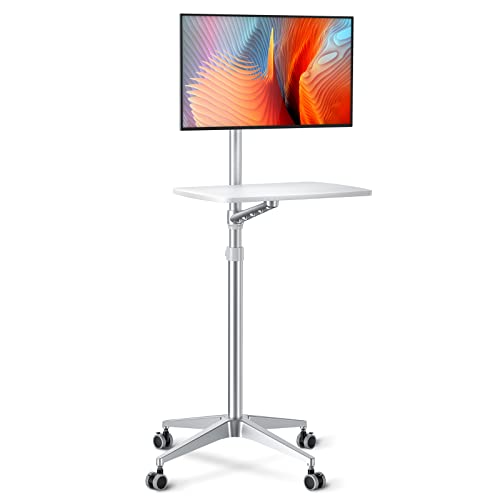
Portable Monitors for Desk – Dual-Screen Anywhere
Expand your workspace with a lightweight, USB-C powered portable monitor. Perfect for remote work, travel, or adding a second screen to your desk setup without taking up permanent space.
Shop Top Portable MonitorsPortable monitors have evolved from niche gadgets to essential desk accessories. Whether you're a remote worker, a digital nomad, or simply want a dual-monitor setup without the bulk, a portable monitor delivers flexibility. Plug in via a single USB-C cable for both power and video, and instantly double your screen real estate. This guide covers everything you need to know: from panel types and resolution to mounting options and ideal use cases.
Why Add a Portable Monitor to Your Desk?
⚡ Plug-and-Play
No drivers, no power bricks. Most models work with a single USB-C connection to your laptop or desktop.
📦 Ultra-Portable
Weighing under 2 lbs and as thin as a tablet, they slip into your bag for work on the go.
🖥️ Boost Productivity
Studies show a second screen can increase productivity by up to 42%. Ideal for coding, design, or multitasking.
🔋 Bus-Powered
Draw power directly from your laptop or use a power bank – no wall outlet needed.
How to Choose the Right Portable Monitor
When shopping for a portable monitor for your desk, consider these factors:
- Size & Resolution: 13–15.6 inches is the sweet spot. Full HD (1920x1080) is standard, but 4K models offer sharper text and images for creative work. For a best monitor size for desk reference, 15.6" is ideal for side-by-side use.
- Panel Type: IPS panels provide the best color accuracy and viewing angles. TN panels are cheaper but have poorer color reproduction.
- Connectivity: USB-C with DisplayPort Alt Mode is the gold standard. HDMI is also common, but requires separate power.
- Build & Stand: Look for a sturdy kickstand or a cover that doubles as a stand. Some models include VESA mounts for monitor arms.
- Touchscreen: Useful for presentations, drawing, or navigating with fingers. Check if your OS supports it.
Portable Monitor Price Ranges
| Category | Resolution | Typical Price | Best For |
|---|---|---|---|
| Budget (13–14") | 1080p | $150–$250 | Basic productivity, travel |
| Mid-Range (15.6") | 1080p / 1440p | $250–$400 | Design, coding, dual-screen desk setups |
| Premium (4K, OLED) | 4K UHD | $400+ | Photo/video editing, color-critical work |
* Prices are estimates and may vary. Most quality portable monitors fall in the $250–$400 range.
Integrating a Portable Monitor into Your Desk Setup
A portable monitor can be a permanent part of your desk setup or a travel companion. Here are some expert tips:
- Mount it: Use a monitor arm with a VESA adapter to free up desk space and achieve perfect ergonomic height.
- Placement: Position it at eye level, directly beside your main monitor. For a dual-monitor setup, keep the bezels aligned.
- Cable Management: Use a single USB-C cable for both video and power. For desk tips, route the cable under the desk or use adhesive clips.
- Orientation: Many portable monitors support portrait mode – perfect for coding, reading documents, or vertical timelines.
Who Needs a Portable Monitor?
✅ Remote workers who switch between home and office.
✅ Students and researchers with multiple documents open.
✅ Designers, developers, and financial analysts who need extra screen space.
✅ Gamers who want a secondary screen for chat or streaming.
If you value flexibility and productivity, a portable monitor is a game-changer.
Explore More Desk Tech
Looking to complete your workspace? Check out these guides: monitor reviews, monitor calibration, desk gadgets, and ultrawide setup. For a complete makeover, visit our desk setup hub.