Your First Desk Setup: A Complete Beginner’s Guide
Everything you need to know to build a functional, comfortable, and inspiring workspace from scratch – whether you’re working, studying, or gaming.
Start Your Setup →Why a well-planned first desk setup matters: Your desk is the command center of your daily productivity. A poorly chosen desk or bad ergonomics can lead to discomfort, distraction, and even long-term health issues. This guide walks you through every step – from picking the right desk type and surface material to organizing cables, selecting accessories, and styling your space. By the end, you’ll have a setup that works for you.
1. Choose the Right Desk for Your Needs
Desk Types & Shapes
- Standing desk – for sit-stand flexibility.
- L-shaped desk – great for multitaskers and corner spaces.
- Writing desk – minimal, classic, ideal for focused work.
- Gaming desk – often with cable management and RGB.
- Small desk – perfect for bedrooms or compact apartments.
Consider your available space, workflow, and whether you need stand-up desk capabilities.
Materials & Durability
- Solid wood desk – durable, timeless, but heavier.
- Laminate desk – affordable, scratch-resistant, easy to clean.
- Glass desk – modern, but requires frequent cleaning.
- MDF desk – budget-friendly, smooth surface.
For a first setup, a laminate or solid wood desk offers the best balance of cost and longevity.
2. Ergonomics – Set Up for Comfort
Monitor height & distance
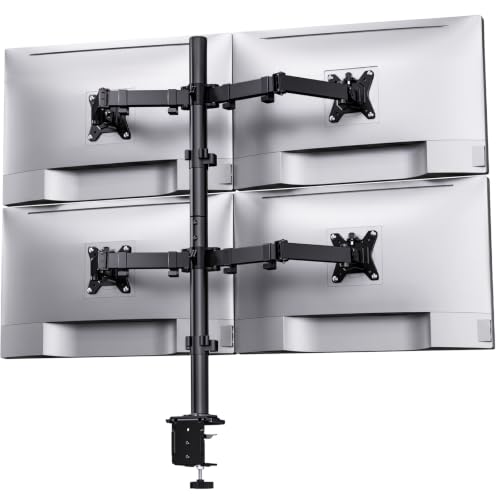
Top of screen at or slightly below eye level. Arm’s length distance. Use a monitor arm or monitor placement guide for precision.
Chair & posture
Feet flat on floor, knees at 90°, back supported. A quality office chair is a worthy investment.
Desk height
Elbows at 90–100° when typing. Use a desk height calculator to find your ideal height.
3. Master Cable Management
Under-desk solutions
- • Cable trays – hide power strips & excess wires.
- • Cable raceways – route cables along walls.
- • Under-desk cable management kits.
On-desk organization
- • Desk organizers for pens, sticky notes.
- • Drawer organizers to keep clutter out of sight.
- • Desk grommets for clean cable routing.
Wireless & smart
- • Wireless desk setup – reduce visible cables.
- • Charging stations for phones & tablets.
A clean desk surface improves focus. Combine these methods for a distraction-free desk.
4. Essential Accessories & Gadgets
For gaming or creative work, explore desk gadgets like stream decks or drawing tablets.
5. Style Your Workspace
Plants
Add desk plants for freshness. Low-maintenance varieties like snake plant or pothos are perfect for beginners.
Lighting
Use LED strip lighting for ambiance or a monitor light bar for focused task lighting.
Personal touches
Incorporate wall art, mood boards, or a pen holder that reflects your personality.
Choose a theme: minimalist, cozy, or nature-inspired. A well-styled desk can boost motivation.
✅ Your First Desk Setup Checklist
6. Avoid These Beginner Mistakes
- ❌ Ignoring ergonomics – leads to pain.
- ❌ Underestimating cable clutter – affects focus.
- ❌ Choosing a desk that’s too small.
- ❌ Overlooking monitor placement.
- ❌ Not investing in a quality chair.
- ❌ Skipping a test run before buying.
Read more about common desk setup mistakes to avoid costly errors.
7. Budget-Friendly Setup Tips
Start with essentials
Desk + chair + monitor/laptop. Add accessories gradually.
Consider budget desk options
Quality small computer desk or stand-up desk converter can be affordable.
DIY & hacks
Explore IKEA desk hacks and DIY desk plans for custom solutions.
Ready to Build Your First Desk Setup?
Explore our curated recommendations and start creating a workspace that boosts your productivity and well-being.
Shop Recommended Desks →