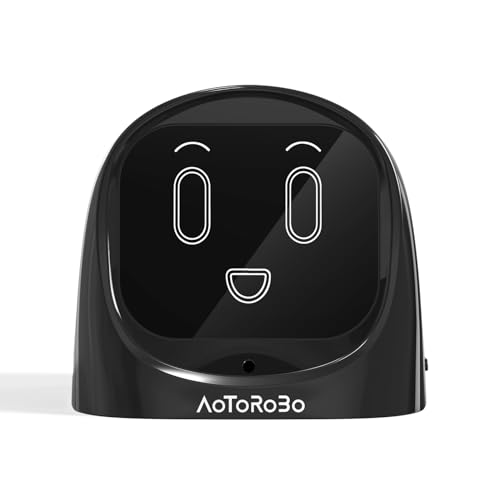
Voice Assistants for Desk: The Ultimate Guide
Turn your desk into a smart command center. Compare the best smart speakers, learn setup tips, and discover how voice control can boost your productivity and workflow.
Shop Top Voice Assistants →Why a voice assistant for your desk? From setting timers and controlling smart lights to managing your calendar and playing focus music, a smart speaker is the ultimate desk gadget. This guide covers everything you need to know to choose and set up the perfect voice assistant for your workspace.
Top Voice Assistants Compared
We've compared the leading smart speakers based on audio quality, ecosystem, privacy, and desk-friendly features. All prices are current market estimates.
Amazon Echo (4th Gen)
- Alexa – best for smart home integration
- Premium sound with Dolby processing
- Zigbee smart home hub built-in
- Compact sphere design fits any desk
Google Nest Audio
- Google Assistant – search & calendar expert
- Rich, clear sound with 50% more bass than original
- Ambient EQ adjusts to room acoustics
- Minimalist fabric design looks great on desk
Apple HomePod Mini
- Siri – seamless integration with Apple ecosystem
- Surprisingly big sound for its size
- Intercom feature for household communication
- Compact globe fits tight desk spaces
Sonos One (Gen 2)
- Alexa + Google Assistant (choose one)
- Studio-quality sound – best audio of the group
- Works with Sonos multi-room system
- Elegant design that elevates desk aesthetics
Voice Assistant Comparison Table
| Model | Assistant | Ecosystem | Sound Quality | Price |
|---|---|---|---|---|
| Amazon Echo (4th Gen) | Alexa | Amazon, Zigbee | Excellent | $100 |
| Google Nest Audio | Google Assistant | Google, Chromecast | Very Good | $100 |
| Apple HomePod Mini | Siri | Apple (AirPlay 2) | Good | $100 |
| Sonos One (Gen 2) | Alexa / Google | Sonos, AirPlay 2 | Superior | $200 |
How to Set Up Your Desk Voice Assistant
Getting the most out of your smart speaker on your desk involves more than just plugging it in. Follow these steps for optimal placement, connectivity, and integration.
1. Placement Matters
Position your voice assistant at ear level or slightly above. Avoid corners or enclosed shelves for better sound and microphone pick-up. For a desk shelf or desk gadget setup, place it on a monitor riser or side table.
2. Connect to Wi-Fi & Power
Use the companion app (Alexa, Google Home, or Home) to connect to your network. Keep the power cable tidy with desk organization tools like cable trays or raceways.
3. Link Your Services
Connect your music streaming, calendar, and smart home devices. For a smart display or wireless charging desk, this is where the magic happens.
4. Customize Voice Commands
Set up routines, reminders, and productivity shortcuts. Use your voice to control desk speakers, desk microphones, and even monitor arms if integrated with smart plugs.
Benefits of a Desk Voice Assistant
- ✓ Hands-free productivity – set reminders, timers, and calendar events without lifting a finger
- ✓ Focus music & white noise – improve concentration with voice-activated playlists
- ✓ Smart home control – adjust lighting, temperature, and desk accessories with simple voice commands
- ✓ Information at your fingertips – ask for news, weather, or quick facts without breaking workflow
Voice Assistants & Desk Ergonomics
A well-placed voice assistant can contribute to a healthier desk setup. Use voice commands to schedule sit-stand reminders or adjust your desk height if you have a smart standing desk. It's a small addition that makes your workspace more interactive and user-friendly.
For those using a dual monitor setup or an ultrawide setup, a voice assistant can help manage screen time and eye strain by setting 20-20-20 reminders. Combine with desk tips on posture for a complete ergonomic solution.
Privacy & Security on Your Desk
With any smart device, privacy is a valid concern. All major voice assistants have physical mute buttons to disable the microphone. For sensitive work, you can also review and delete voice recordings through the respective apps. It's about balancing convenience with control.
If you're in a home office or share your workspace, consider using a desk DAC/amp with a dedicated mic mute or a microphone arm with a physical on/off switch. This adds another layer of privacy to your desk gadgets setup.
The Future: Voice + AI at Your Desk
Voice assistants are evolving rapidly with AI capabilities. Expect more proactive suggestions, better natural language understanding, and deeper integration with your desktop apps. The voice assistants desk ecosystem will soon include context-aware reminders, meeting transcription, and even automatic task generation based on your conversations.
For tech enthusiasts, consider building a custom desk PC with a built-in voice module or explore smart displays that combine voice with visual feedback. The possibilities are endless when you start thinking of your desk as a connected hub.
Ready to upgrade your desk with a voice assistant?
Check out the best deals on smart speakers and start building your smart desk setup today. Click below to see the latest prices on Amazon.
Shop Voice Assistants Now →