Complete Sit-Stand Guide: Elevate Your Workspace & Health
Master the art of active working. This complete guide covers everything from ergonomic desk setup to seamless transition routines, helping you build a healthier, more productive workspace with a sit-stand desk.
START YOUR SIT-STAND JOURNEYWhy a Sit-Stand Desk? Prolonged sitting is linked to various health risks, while standing all day can cause fatigue. The sit-stand approach offers the best of both worlds. This guide provides a step-by-step framework to integrate standing into your workday effectively, boost your energy, and improve your overall well-being without sacrificing productivity.
1. Ergonomic Fundamentals for Sit-Stand Desks
Proper ergonomics is the cornerstone of a successful sit-stand setup. Whether you are using an electric standing desk or a manual one, your posture and equipment alignment are critical.
🔹 Monitor Height
Top of the screen at or slightly below eye level. Your gaze should fall naturally downward about 15–20 degrees. Use a monitor arm for easy adjustment.
🔹 Keyboard & Mouse
Elbows at 90–100 degrees, wrists straight. A keyboard tray can help if your desk is too high. Keep your mouse close to prevent overreaching.
🔹 Desk Height
When standing, your elbows should be at desk height. Use the desk height calculator to find your optimal sitting and standing heights.
🔹 Foot Support
Feet flat on the floor or a footrest when sitting. When standing, distribute weight evenly and consider an anti-fatigue mat for comfort.
2. Your 30-Day Sit-Stand Transition Plan
Jumping straight into standing for hours is a common mistake. Use this gradual approach to build endurance and let your body adapt comfortably.
Week 1
Stand for 15–30 minutes every 2 hours. Start with 2 sessions per day.
Week 2
Increase to 45 minutes per session. 3–4 sessions daily.
Week 3
Stand for 1 hour, then sit for 30 minutes. Alternate throughout the day.
Week 4+
Aim for a 1:1 or 2:1 sit-stand ratio, depending on your comfort.
Consistency is key. Use a timer or a desk timer method to remind you to switch positions. Over time, you’ll find a rhythm that fits your workflow.
3. Must-Have Accessories for Your Sit-Stand Desk
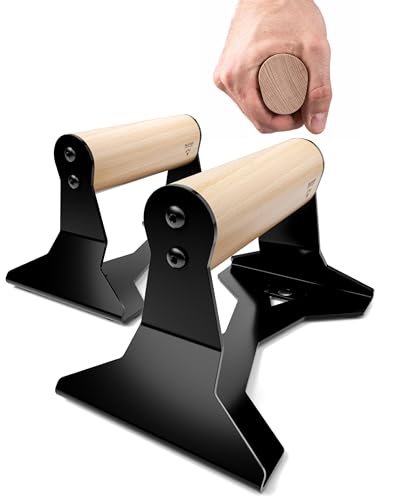
Enhance your sit-stand experience with these carefully selected accessories that improve comfort, organization, and productivity.
Investing in these accessories can transform your desk setup into a more ergonomic and enjoyable space. They also help keep your surface clutter-free and organized.
4. Building a Sustainable Sit-Stand Routine
Integrating standing into your day shouldn't feel like a chore. Here’s a sample routine that balances productivity with physical well-being.
- Morning (9:00 AM): Start seated. Ease into the day with a coffee and review your tasks.
- Mid-Morning (10:30 AM): Stand for 45 minutes. Use this time for focused work or calls.
- Pre-Lunch (12:00 PM): Switch to standing for 30 minutes before breaking for lunch.
- Post-Lunch (1:30 PM): Sit for the first hour after lunch to aid digestion.
- Afternoon (3:00 PM): Stand for another 45–60 minutes during your peak energy dip.
- Late Afternoon (5:00 PM): Sit for the final hour, wrapping up tasks.
Remember, the goal is not to stand all day, but to create a dynamic, active workspace. For more productivity tips, explore our guide on desk productivity habits.
5. Common Sit-Stand Desk Mistakes
Even with the best intentions, many people make errors that negate the benefits of their sit-stand desk. Avoid these pitfalls:
- ❌ Standing Too Long: Standing for hours can cause foot, leg, and back pain. Follow the transition plan and listen to your body.
- ❌ Poor Posture: Slouching or leaning on one leg negates ergonomic benefits. Keep your posture aligned.
- ❌ Ignoring Footwear: Wearing unsupportive shoes (or going barefoot) can cause discomfort. Use an anti-fatigue mat.
- ❌ Not Adjusting Monitor Height: Your monitor height must be adjusted when you switch between sitting and standing. Use a monitor placement guide for reference.
- ❌ Forgetting to Move: Standing still is almost as bad as sitting still. Shift your weight and move around.
By being mindful of these mistakes, you can make your sit-stand experience truly beneficial. For a deeper dive into workspace optimization, check out our desk feng shui and distraction-free desk guides.
Ready to Transform Your Workspace?
The sit-stand approach is a powerful way to improve your health, energy, and focus. Use the insights from this complete guide to build a setup that works for you. Remember, the best desk is the one that adapts to your needs—whether you're working, gaming, or creating.
Explore more resources to perfect your setup: