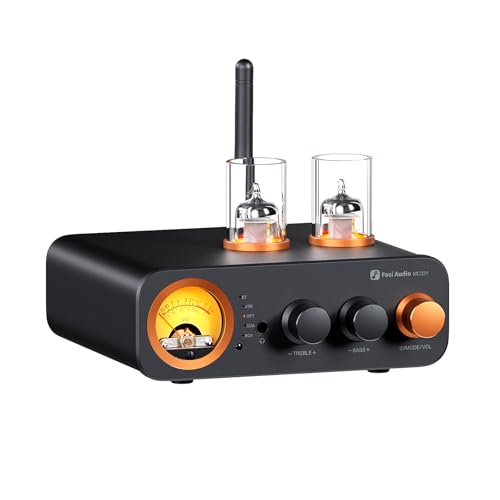
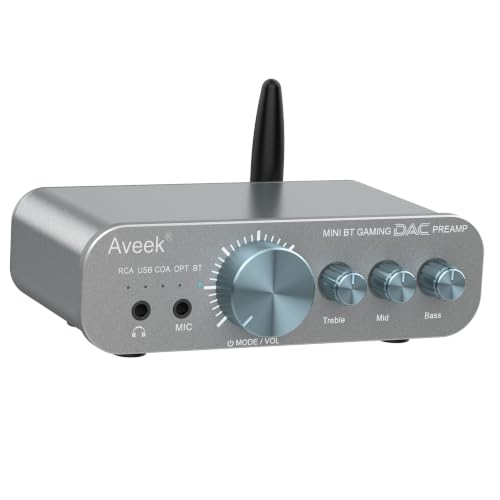
Desk DACs & Amps: Your Gateway to Studio-Quality Audio
Unlock the full potential of your headphones and studio monitors. Learn how a dedicated DAC and headphone amplifier can transform your desk setup into a high-fidelity listening experience. Whether you're an audiophile, a content creator, or a remote worker, the right desk DAC and amp make every sound crystal clear.
SHOP TOP DAC & AMPSWhy Desk DACs & Amps Matter: A Digital-to-Analog Converter (DAC) and amplifier (amp) are the heart of any serious desk audio system. They bypass your computer's internal sound card, reducing noise and distortion, and provide clean, powerful amplification for high-impedance headphones or studio monitors. If you're using premium headphones or studio monitors for your desk, a dedicated DAC/amp is essential for a professional listening experience.
Choosing the Right Desk DAC & Amp
When building your ideal desk audio setup, the DAC and amp combo you choose will define your sound quality. Here's a breakdown of what to look for and how to match it with your existing gear. Whether you're pairing with desk speakers or high-end headphones, understanding the key specifications is crucial.
Essential Features
- USB Connectivity: Most modern desk DACs connect via USB-C or USB-B for plug-and-play with your computer or laptop.
- High-Resolution Audio: Look for support for PCM up to 32-bit/384kHz and DSD for the highest fidelity.
- Headphone Output: A 1/4" or 6.35mm jack is standard for studio headphones; 3.5mm is common for consumer cans.
- Line Outputs: Balanced XLR or unbalanced RCA outputs are essential for connecting to studio monitors or powered speakers.
- Volume Control: A high-quality analog volume knob is key for precise level adjustment without digital degradation.
DAC & Amp Pairing Tips
- For Studio Monitors: Prioritize a DAC with balanced XLR outputs to minimize noise over longer cable runs.
- For High-Impedance Headphones (250Ω+): Choose a dedicated headphone amp with sufficient power (e.g., >100mW at 300Ω).
- For IEMs (Low Impedance): Ensure the amp has a low output impedance (<1Ω) to avoid frequency response changes.
- All-in-One vs. Separate: A combined DAC/amp unit saves desk space, while separate components offer maximum upgrade flexibility.
Key Benefits for Your Desk Setup
🎧 Unmatched Clarity
Hear details you never knew existed in your music, games, and movies. A good DAC eliminates background hiss and digital artifacts.
🎛️ Total Control
Analog volume control, gain switches, and input selection give you complete command over your desk audio environment.
🔊 Scalable Output
Drive everything from sensitive IEMs to power-hungry planar headphones. Perfect for a versatile desk setup that evolves with you.
🛠️ Professional Integration
Balanced outputs for studio monitors and multiple inputs (USB, optical, coaxial) make it the hub of your desk audio.
Popular Desk DAC & Amp Comparisons
Below is a comparison of some of the most highly regarded DAC and amp combos for desk setups, based on current market options. Prices reflect typical retail values in USD.
| Model | Type | Headphone Output | Line Output | Price (USD) |
|---|---|---|---|---|
| Fiio K11 | DAC/Amp Combo | 6.35mm + 3.5mm | RCA + Coaxial | $129 |
| Topping DX3 Pro+ | DAC/Amp Combo | 6.35mm | RCA | $199 |
| Schiit Magni Unity | Amp Only | 6.35mm | Pre-out RCA | $149 |
| RME ADI-2 DAC FS | DAC/Amp Combo | 6.35mm + 3.5mm | XLR + RCA | $1,099 |
| JDS Labs Element III | DAC/Amp Combo | 6.35mm | RCA | $449 |
Integrating DAC & Amps into Your Desk
A great DAC and amp deserve a great home on your desk. Consider how you'll place and organize your audio gear. Many users pair their DAC/amp with headphone stands to keep their headphones within reach and displayed. For a clean look, you can tuck your DAC/amp under a monitor riser or use a desk shelf to elevate your gear and free up valuable surface space. If you have a complex setup with multiple audio sources, a desk tech gadget like a USB switch can help you manage connections seamlessly.
For cable management, route your USB and audio cables neatly using desk cable management solutions to keep your workspace looking professional and clutter-free. Remember, a well-organized desk enhances both your productivity and your enjoyment of your audio setup.
Explore more related topics: desk speakers, studio monitors for desk, headphone stands, and desk microphones to complete your professional audio environment.