Phone Stands for Desk: The Ultimate Guide
Find the perfect phone stand for your workspace. From adjustable desk phone holders to ergonomic mounts, we compare the best options to keep your phone visible, accessible, and clutter-free.
Why You Need a Phone Stand on Your Desk: A dedicated phone stand transforms your desk surface by elevating your phone to eye level, reducing neck strain, and keeping your workspace organized. Whether you're using your phone for video calls, as a second screen, or simply need a designated spot for it, a quality phone stand is an essential desk accessory.
Key Features to Consider
🔧 Adjustability
Look for stands with adjustable height, tilt, and rotation to find your perfect viewing angle.
🏗️ Stability
A heavy base or non-slip pads prevent tipping, especially when you're tapping or swiping the screen.
📱 Universal Compatibility
Most stands work with any smartphone, but check the width range to ensure it fits your device with a case.
🖥️ Desk Space Efficiency
Compact designs save valuable desk organization space while keeping your phone easily accessible.
Types of Desk Phone Stands
Choosing the right phone stand depends on your workflow and desk setup. Here are the most popular types:
🔄 Adjustable Stands
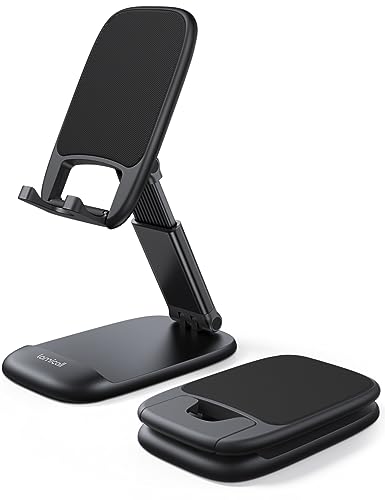
These offer the most flexibility with multiple joints and angles. Perfect for users who switch between portrait and landscape modes or frequently adjust their viewing position.
⚡ Weighted & Desktop Stands
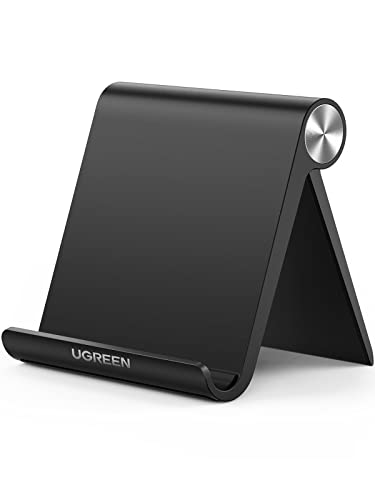
Sturdy stands with a weighted base that sit firmly on your desk surface. They're ideal for heavy use, like video calls or when you're frequently interacting with your phone.
🔗 Clip-on & Mount Stands
These attach to your desk mat or the edge of your desk. They're space-saving and keep your phone at a consistent position, often used in multi-monitor desk setup configurations.
🪄 Foldable & Portable
Great for flexible workspaces or those who like to keep their desk minimal. They fold flat for easy storage and are a popular choice for compact desks and small spaces.
Comparison: Top Phone Stands for Desk
| Feature | Adjustable Stand | Weighted Desktop | Clip-on Mount | Foldable Portable |
|---|---|---|---|---|
| Adjustability | High (multi-angle) | Medium (tilt only) | Low (fixed) | Medium (tilt and height) |
| Stability | Good | Excellent | Good (when clamped) | Good |
| Desktop Footprint | Small | Medium | Very Small | Small |
| Best For | Flexible viewing | Heavy use / video calls | Space-saving setups | Minimalist / travel |
| Price Range | $15–$40 | $20–$50 | $12–$30 | $10–$25 |
How to Choose the Right Phone Stand
Before you buy, consider these practical factors to ensure you get the best phone stand for your desk:
Benefits of Using a Desk Phone Stand
Ergonomic Comfort
Elevates your phone to eye level, reducing neck and shoulder pain during prolonged use.
Decluttered Desk
Keeps your phone in a designated spot, freeing up surface space for other tasks.
Hands-Free Operation
Perfect for video calls, reading notifications, or following recipes without holding your phone.
Better Productivity
Use your phone as a secondary screen for multitasking without cluttering your main workspace.
Frequently Asked Questions
Will a phone stand work with a case?
Yes, most universal stands can accommodate phones with cases. Check the stand's width capacity to ensure it fits your device with your preferred case.
Can I use my phone while it's charging on a stand?
Absolutely. Many stands are designed with cable management in mind, allowing you to route the charging cable neatly. Look for stands with a charging port cutout.
Are phone stands compatible with all desk types?
Most stands work on any flat surface, including desk tops, laminate desks, and even glass desks. Ensure the base has non-slip pads for stability on smooth surfaces.
Final Thoughts: A phone stand is a small investment that brings significant improvements to your desk setup. By choosing the right type for your needs, you enhance your ergonomics, declutter your workspace, and make your phone a more functional part of your work environment. Pair it with other desk accessories like a wrist rest or laptop stand for a fully optimized workspace. Explore the recommended products below to find the perfect phone stand for your desk.