Digital Declutter Desk: Reclaim Your Focus
Your desk is the command center of your digital life. If it's cluttered—both physically and digitally—your focus and productivity suffer. This guide will walk you through a proven, step-by-step system to achieve a truly clean and organized workspace.
Start Your Declutter NowWhy a Digital Declutter Matters
A cluttered desk leads to a cluttered mind. When your workspace is filled with unnecessary cables, old documents, and digital distractions, it creates cognitive load that reduces your ability to focus. By systematically decluttering your desk, you're not just cleaning—you're optimizing your brain's ability to perform deep work. This process is about creating a workspace that serves your goals, not one that constantly pulls your attention away from them.
The Ultimate Digital Declutter Desk Process
Follow these five phases to transform your desk from a source of stress into a haven of productivity.
Phase 1: The Physical Surface Purge
Before you can tackle the digital, you need to clear the physical. This sets the stage for everything that follows.
- Remove Everything: Take everything off your desk. Every pen, paper, gadget, and knick-knack. Start with a completely blank canvas.
- Clean the Surface: Wipe down the entire desk surface. A clean desk material feels better and looks more professional.
- Categorize Items: Sort everything into three piles: Keep, Store Elsewhere, or Discard/Recycle. Be ruthless.
- Limit Desk Decor: Choose only one or two meaningful items (like a small desk plant) to avoid visual clutter.
Phase 2: Master Your Cables
Tangled cables are the enemy of a clean workspace. Implement a robust cable management system to eliminate visual noise.
- Unplug & Map: Unplug all devices and map out where everything needs to go.
- Use Cable Trays & Raceways: Install cable trays and cable raceways to route wires out of sight.
- Bundle Cables: Use cable sleeves or velcro ties to group cables together.
- Go Wireless: Consider wireless peripherals like a keyboard and mouse to drastically reduce cable clutter. A wireless desk setup is a game-changer.
Phase 3: Digital File & Desktop Organization
Your computer's desktop should be as clean as your physical desk. Apply the same principles to your digital files.
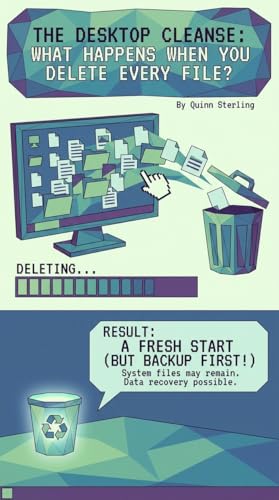
- Clear the Desktop: Move all files into appropriate folders. Aim for zero icons on your desktop.
- Folder Structure: Create a logical folder hierarchy (e.g., Projects, Personal, Archive).
- Delete Duplicates: Use tools to find and remove duplicate files, freeing up space and reducing confusion.
- Unsubscribe: Unsubscribe from newsletters and notifications that add to digital noise.
Phase 4: Organize Desk Accessories
Choose and place your desk accessories intentionally. Each item should have a purpose and a place.
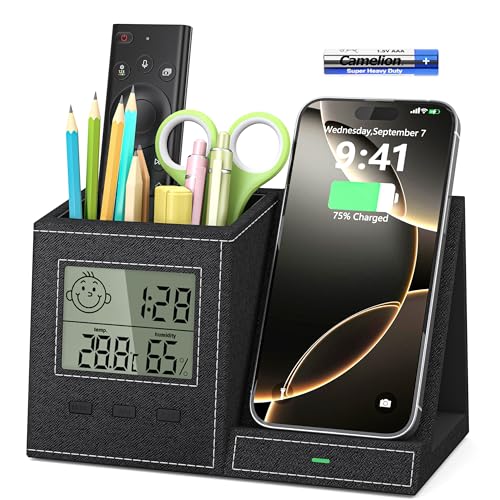
- Desk Organizers: Use desk organizers for pens, notes, and small items to keep them contained.
- Monitor Stand: A monitor stand with storage can elevate your screen and provide hidden storage for items you don't need daily.
- Vertical Storage: Utilize vertical desk storage like shelves or pegboards to keep the surface clear.
- Charging Station: Consolidate all charging cables into a single desk charging station to avoid a spiderweb of wires.
Phase 5: Maintain Your Minimalist Desk
A digital declutter is not a one-time event. It's a habit. Regular maintenance ensures your desk remains a productive space.
- Daily Reset: Spend 5 minutes at the end of each day to clear your desk and prepare for the next day.
- Weekly Review: Schedule a weekly weekly desk reset to review your digital files and physical items.
- Digital Declutter Challenge: Join a minimalist desk challenge to stay motivated and connect with others.
- Paper Management: Implement a desk paper management system to digitize or discard physical paper.
Your Digital Declutter Desk Checklist
Physical Desk
- ☐ All items removed from surface
- ☐ Desk surface cleaned
- ☐ Only essential items returned
- ☐ Cables managed and hidden
Digital Workspace
- ☐ Computer desktop is clean
- ☐ File folders are organized
- ☐ Unnecessary apps closed
- ☐ Notifications are limited
Tools & Accessories
- ☐ Desk organizers in place
- ☐ Charging station set up
- ☐ Monitor arm or stand utilized
- ☐ Cable management installed
Habits
- ☐ Daily 5-minute reset
- ☐ Weekly review scheduled
- ☐ Paperless workflow adopted
- ☐ Mindfulness of new clutter
Your Next Step: A Personalized Workspace Surface
Now that you've mastered the art of the digital declutter, it's time to invest in the right tools and surfaces that support your new, focused workflow. The right desk types and desk tops can make all the difference. Below, you'll find our top recommendations for home office desks that pair perfectly with a clutter-free philosophy.