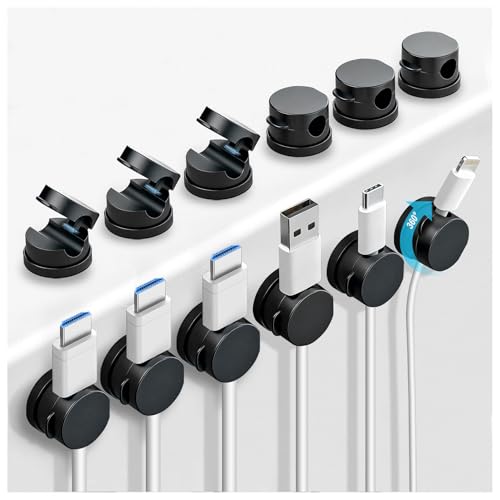
Best Cord Holder for Desk: Declutter Your Workspace
Stop tangled cables and messy cords. Find the perfect cord holder for your desk — sleek, functional, and built to keep your surface clean and productive.
Shop Top Cord HoldersWhy a cord holder for your desk? A cluttered desk with tangled cables isn't just unsightly — it reduces productivity, makes cleaning harder, and can even damage your devices. A dedicated cord holder keeps everything organized, protects your cables, and helps you maintain a professional workspace.
What Is a Desk Cord Holder?
A cord holder for desk is a practical accessory designed to manage, route, and secure cables on your workspace surface. Whether you use a computer desk with storage, a corner wooden desk, or a compact small desk organizer, a cord holder helps you route charging cables, monitor wires, and peripheral cords neatly.
Unlike under-desk cable trays, a cord holder sits on top of your desk, keeping frequently used cables (like phone chargers or USB-C cords) accessible yet tidy. It's the perfect solution for those who want quick access to cables without the clutter.
Benefits of Using a Cord Holder
✅ Cleaner Workspace
Eliminate visual noise. A cord holder groups cables together, reducing the "spaghetti" effect and giving your desk a minimalist, professional look. Perfect for minimalist desk style enthusiasts.
✅ Protects Your Cables
Prevent fraying, bending, and accidental pulls. By keeping cables securely in place, a cord holder extends the life of your expensive charging cables and peripherals.
✅ Easy Access & Flexibility
Keep your most-used cables (phone, tablet, laptop) right where you need them. Many cord holders allow you to adjust cable length and position on the fly.
✅ Improves Ergonomics
A tidy desk reduces stress and helps you focus. Combined with an ergonomic mouse or optimal monitor placement, a cord holder contributes to a healthier, more comfortable setup.
Types of Cord Holders for Desks
When choosing a cord holder for desk, consider these common types:
- Adhesive Clip Holders: Stick directly to your desk surface or edge. Ideal for permanent placement and lightweight cables.
- Weighted Base Holders: Heavy, stable bases that sit on your desk. Great for thick cables or multiple cords.
- Under-Desk Mount Holders: Attach to the underside of your desk, keeping cables hidden while still accessible.
- Magnetic Cable Holders: Use magnets to secure cables. Easy to reposition and perfect for quickly swapping devices.
- Sleeve & Wrap Organizers: Bundle multiple cables together neatly. Excellent for cable sleeves and permanent setups.
Each type suits different desk styles and user habits. For example, a floating desk setup might benefit from under-desk mounts, while a gaming desk often uses weighted or adhesive clips for quick adjustments.
How to Choose the Right Cord Holder
Before buying, ask yourself:
- How many cables do I need to manage? Single-cable holders are great for phones, while multi-cord holders suit full desktop setups.
- What type of desk do I have? Thick desks may not work with some clip-on holders. Check compatibility.
- Do I need to move cables often? If yes, choose magnetic or weighted holders for flexibility.
- What's my budget? Prices range from under $10 to over $30 for premium designs.
For most users, a weighted base cord holder with multiple slots offers the best balance of stability and convenience. Pair it with a desk mat and monitor stand with storage for a fully organized workspace.
Budget-friendly options start around $10, while premium models with extra features (like built-in USB ports or premium materials) can cost up to $35. The products featured below represent the best value and quality currently available.
Pro Tips for Using Your Cord Holder
Maximize the effectiveness of your cord holder with these expert tips:
- Plan your cable routes: Map out where each cable goes before sticking or placing the holder.
- Use cable ties or sleeves: Combine your cord holder with cable sleeves for even cleaner management.
- Keep frequently used cables on top: Place phone and tablet chargers in the most accessible slots.
- Clean the surface first: For adhesive holders, ensure the desk is clean and dry before application.
- Test stability: For weighted holders, make sure the base is heavy enough to hold your cables without sliding.
A well-organized desk not only looks great but also boosts productivity. Combine your cord holder with other desk accessories like a monitor light bar and keyboard tray for the ultimate setup.
Frequently Asked Questions
Can I use a cord holder on a glass desk?
Yes! Many adhesive and weighted cord holders work perfectly on glass surfaces. Weighted bases are especially recommended as they don't rely on sticky pads.
Will a cord holder damage my cables?
No. Quality cord holders are designed with smooth edges and gentle grip to protect cable insulation. Avoid over-tightening clips.
How many cables can a holder manage?
It depends on the model. Single holders handle 1-2 cables; multi-slot holders can manage 5 or more. Check product specs before buying.
Are cord holders portable?
Yes! Most are lightweight and easy to move, especially weighted and magnetic types. Perfect for dual monitor setups or shared workspaces.
Now that you know everything about cord holders for desks, browse the top-rated products below to find the perfect match for your workspace. Each product is carefully selected for quality, functionality, and value.
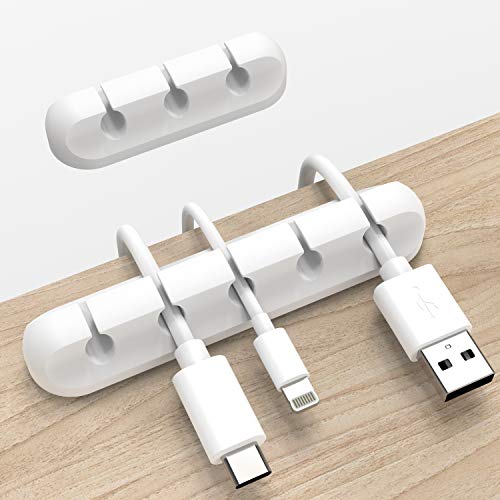
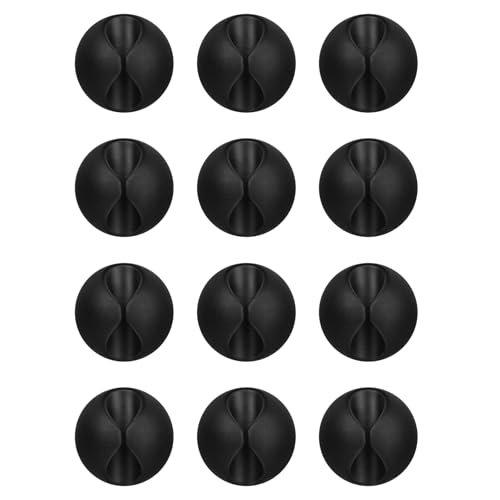
![Lamicall 6Pack Cord Organizer, [1s Lock] Spring Cable Holder Clips for Desk](https://m.media-amazon.com/images/I/41NnpR5v8IL._SL500_.jpg)
![Lamicall 8 Pack Cord Organizer, [1s Lock] Cable Management Clips for Desk | Spring-Powered Cord Holder for Nightstand, Adhesive Phone Charger Keeper, Office Home Dorm Car RV Organizer Decor Accessories](https://m.media-amazon.com/images/I/41MHdY3ncDL._SL500_.jpg)