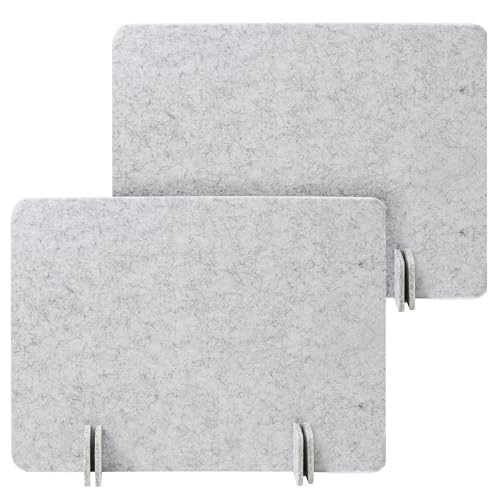
Desk Dividers: Privacy, Focus & Workspace Screens
All about desks dividers — the essential accessory for creating focused, private, and organized workspaces. Whether you need a privacy panel for an open office, a screen to block distractions, or a decorative partition, our guide helps you choose the perfect desk divider.
Explore Desk Privacy PanelsWhy Desk Dividers? Desk dividers (also called privacy panels, workspace screens, or office partitions) are versatile tools that enhance concentration, reduce visual clutter, and define personal workspace boundaries. They come in various materials, sizes, and mounting options to suit any desk setup.
Benefits of Using Desk Dividers
- Enhanced Privacy: Create a personal zone in open-plan offices or shared spaces.
- Reduced Distractions: Block visual noise and improve focus during deep work.
- Improved Acoustics: Some dividers absorb sound, reducing ambient noise.
- Organized Space: Use dividers with shelves or pockets for extra storage.
- Aesthetic Appeal: Available in fabrics, wood, acrylic, and more to match your style.
- Easy Installation: Most dividers are clamp-on, freestanding, or adhesive-mounted.
Types of Desk Dividers
Choosing the right desk divider depends on your workspace needs, desk type, and aesthetic preference. Here are the most common types:
Clamp-On Desk Dividers
Attach securely to the edge of your desk with a C-clamp or screw mechanism. Ideal for permanent or semi-permanent setups. They provide a stable barrier that won't tip over.
$30–$120Freestanding Dividers
Standalone screens that rest on the desk surface. Easy to move and reposition. Great for renters or those who frequently change their workspace layout.
$40–$200Adhesive-Mount Dividers
Use strong adhesive strips to attach to the desk or monitor stand. Minimal installation and no tools required. Perfect for lightweight screens.
$15–$60Monitor-Mounted Dividers
Attach directly to the back or side of your monitor. They create a visual barrier while saving desk space. Often used in call centers or shared workstations.
$25–$80Foldable / Portable Dividers
Lightweight screens that fold flat for storage or travel. Ideal for hot-desking, co-working spaces, or temporary setups.
$20–$90Acrylic / Clear Dividers
Transparent panels that maintain an open feel while providing a physical barrier. Perfect for maintaining visual connection while reducing direct line-of-sight.
$35–$150Desk Divider Materials Comparison
| Material | Durability | Acoustic | Aesthetic | Price Range |
|---|---|---|---|---|
| Fabric / Acoustic | Moderate | Excellent | Modern, soft | $40–$200 |
| Acrylic / Clear | High | None | Minimalist, modern | $35–$150 |
| Wood / Bamboo | Very High | Low | Warm, natural | $60–$250 |
| Metal / Perforated | Extreme | Moderate | Industrial, sleek | $50–$180 |
| Cardboard / Eco | Low | Low | Eco-friendly, disposable | $15–$50 |
How to Choose the Right Desk Divider
Selecting the ideal desk divider involves considering several factors. Here's what to evaluate before making a purchase:
- Desk Thickness & Edge: Check if your desk supports clamp-on dividers. Some desks have rounded or beveled edges that may not work with certain clamps.
- Height Needed: Consider how much privacy you need. Standard desk dividers range from 12 to 24 inches in height. For more privacy, choose taller panels.
- Acoustic Requirements: If noise is a concern, opt for fabric-wrapped acoustic dividers that absorb sound.
- Mounting Style: Decide between clamp-on, freestanding, adhesive, or monitor-mounted based on your setup and flexibility needs.
- Material & Aesthetic: Match the divider material to your office décor. Wood and bamboo add warmth, while acrylic and metal offer a modern look.
- Budget: Desk dividers are available at various price points. Determine your budget and prioritize features that matter most to you.
Installation & Maintenance Tips
Proper installation and maintenance ensure your desk divider lasts and performs well. Follow these expert tips:
Installation
- Read the manufacturer's instructions carefully before assembly.
- Use protective pads on clamps to avoid scratching your desk surface.
- Ensure the divider is level and securely fastened to prevent wobbling.
- For adhesive mounts, clean the desk surface with alcohol for better adhesion.
Maintenance
- Wipe acrylic or glass dividers with a microfiber cloth and mild cleaner.
- Vacuum fabric dividers regularly to remove dust and allergens.
- Check clamp tightness periodically to prevent loosening over time.
- Store portable dividers flat to avoid warping or damage.
Explore More Desk Accessories: Desk Privacy Panels | Desk Organization Trays | Monitor Risers | Desk Shelf Organizers | Drawer Organizer Trays
Expert Desk Dividers Recommendation
For most home office setups, we recommend a clamp-on fabric desk divider (12-18 inches high) for its balance of privacy, acoustic benefits, and stability. If you need maximum flexibility, choose a freestanding acrylic divider that can be moved or removed as needed. For shared workspaces, opt for monitor-mounted dividers to save desk space while providing essential visual privacy.
Remember, the best desk divider is one that fits your specific work habits, desk configuration, and personal style. Use this guide to make an informed choice and transform your workspace into a focused, productive environment.
Ready to enhance your workspace with the perfect desk divider?
Explore Desk Dividers Now