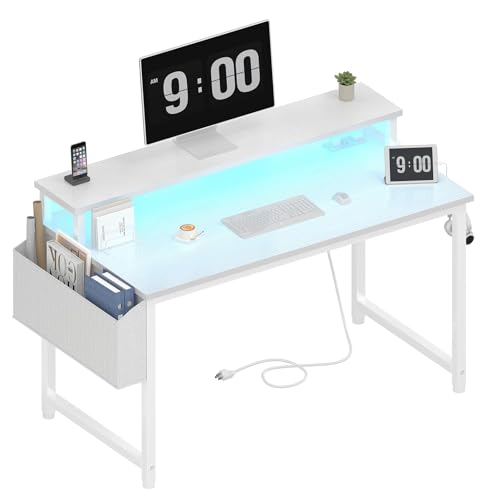
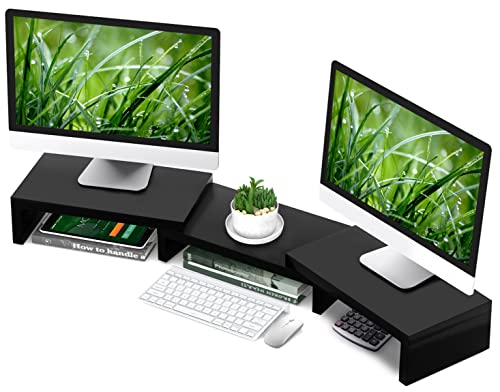
The Ultimate Desk for 2 Monitors and a Laptop
Maximize productivity with a workspace designed to handle dual monitors, a laptop, and everything you need for a seamless workflow. Discover the perfect desk size, layout, and ergonomic accessories to create a clutter-free, efficient command center.
Shop Top-Rated Desks →Why This Guide Matters: Working with multiple screens is no longer optional—it's essential. Whether you're a developer, designer, trader, or remote professional, a desk that properly accommodates two monitors and a laptop can dramatically improve your workflow, reduce neck strain, and keep your cables organized. This guide breaks down exactly what to look for, from desk dimensions to weight capacity, and recommends the best desks on the market.
1. What to Look For in a Desk for 2 Monitors and a Laptop
Choosing the right desk isn't just about size—it's about stability, depth, and versatility. Here are the critical factors to evaluate before buying.
- Minimum Width: At least 55 inches (140 cm) to comfortably fit two 24-inch monitors side-by-side and a laptop. For larger screens (27-inch+), aim for 60 inches or more.
- Desk Depth: A depth of 28–30 inches (71–76 cm) is ideal. This gives you enough space to place monitors at arm's length while keeping the laptop within easy reach.
- Weight Capacity: Two monitors + laptop + peripherals can easily weigh 40–60 lbs. Look for desks with a weight capacity of at least 100 lbs for stability.
- Ergonomic Flexibility: Consider a height-adjustable desk or a stand-up desk converter for 2 monitors to switch between sitting and standing throughout the day.
- Cable Management: Built-in grommets, cable trays, or under-desk organizers are essential to keep wires from cluttering your workspace.
2. Ideal Desk Sizes & Layouts for Dual Monitors + Laptop
The arrangement of your screens can make or break your productivity. Here are the most effective layouts and the desk dimensions that support them.
| Screen Setup | Minimum Desk Width | Recommended Depth | Best For |
|---|---|---|---|
| Two 24" monitors + laptop | 55" (140 cm) | 28" (71 cm) | Standard office work, coding, writing |
| Two 27" monitors + laptop | 60" (152 cm) | 30" (76 cm) | Design, video editing, trading |
| Ultrawide (34") + laptop | 55" (140 cm) | 30" (76 cm) | Content creation, gaming, data analysis |
| 3 screens (2 monitors + laptop) | 72" (183 cm) | 30" (76 cm) | Advanced multi-tasking, command center |
If you have limited space, consider a corner computer desk for small spaces or an L-shaped desk for small space to maximize surface area without taking up too much floor room. For shared workspaces, a L-shaped desk for 2 people or a 2-person workstation desk with storage can be a game-changer.
3. Essential Accessories for a Multi-Screen Desk
Beyond the desk itself, the right accessories ensure your setup is ergonomic, organized, and truly productive.
✅ Monitor Arms
Free up desk space and achieve perfect screen height. Dual monitor arms are a must for aligning two screens ergonomically, reducing neck strain.
✅ Laptop Stand
Elevate your laptop to eye level, improving posture and allowing more airflow. A sturdy laptop stand also creates extra space underneath for a keyboard or notebooks.
✅ Under-Desk Cable Management
Keep power cords, HDMI cables, and USB hubs hidden with under-desk cable management systems. A clean desk = a clear mind.
✅ Keyboard Tray & Wrist Rest
An adjustable keyboard tray ensures your arms stay at a comfortable 90° angle, preventing wrist fatigue during long work sessions.
✅ Desk Mat & Mouse Pad
Protect your desk surface and improve mouse precision with a large desk mat that can accommodate both keyboard and mouse.
4. Best Desk Types for 2 Monitors and a Laptop
Depending on your workflow, space, and budget, different desk styles offer unique advantages. Here’s a quick breakdown.
- Standing Desks: Ideal for health-conscious users. A height-adjustable desk with storage lets you alternate between sitting and standing, which is proven to boost energy and focus. If you already have a desk, a stand-up desk converter for 2 monitors is a more affordable alternative.
- L-Shaped Desks: Perfect for multitaskers who need extra surface area. A L-shaped computer desk with shelves or a white and gold L-shaped desk can accommodate two monitors, a laptop, and even paperwork simultaneously.
- Corner Desks: Great for small offices. A corner gaming desk for small space or a corner desk with hutch for small space offers a compact footprint with ample surface area.
- Desks with Drawers: Keep your workspace clutter-free. A 60 x 30 desk with drawers or a wooden L-shaped desk with drawers provides essential storage for documents and accessories.
5. Top Desks for 2 Monitors and a Laptop – Comparison
To help you decide, here’s a comparison of the best desks that can comfortably support two monitors and a laptop. These options balance size, durability, and value.
| Desk Model | Width | Depth | Weight Capacity | Key Feature | Price Range |
|---|---|---|---|---|---|
| Electric Standing Desk | 55" | 28" | 154 lbs | Height-adjustable, dual motor | $500–$800 |
| L-Shaped Gaming Desk | 60" (total) | 29" | 220 lbs | RGB lighting, cup holder, headset hook | $250–$400 |
| Corner Desk with Hutch | 55" (each wing) | 24" | 150 lbs | Built-in shelves, cable management | $300–$500 |
| Wooden Desk with Drawers | 60" | 30" | 200 lbs | Solid wood, 3 drawers, classic design | $600–$900 |
| White Desk with Hutch | 55" | 24" | 120 lbs | Modern design, hutch for extra storage | $350–$550 |
6. Frequently Asked Questions
Can I use a 48-inch desk for two monitors and a laptop?
Technically yes, but it will be very cramped. You'll have to angle your monitors or place the laptop at an odd position, which can lead to neck strain. We recommend at least 55 inches for comfort.
What is the ideal monitor placement for a dual setup?
Place the primary monitor directly in front of you, with the secondary monitor to the side (at a slight angle). The laptop can sit on a stand to one side or in the middle if you use a vertical stacking layout.
Do I need a special desk for a standing desk converter?
No. A stand-up desk converter for 2 monitors sits on top of your existing desk. Just make sure your current desk is sturdy enough to support the added weight (typically 30–50 lbs).
What is the best desk shape for two monitors?
An L-shaped or corner desk offers the most flexibility, allowing you to spread out monitors and the laptop while keeping everything within easy reach. A standard rectangular desk works well if you have enough width (60"+).
7. Final Thoughts: Build Your Ultimate Workstation
Investing in the right desk for 2 monitors and a laptop is one of the smartest decisions you can make for your productivity and well-being. A spacious, stable surface with proper ergonomic support will transform how you work—reducing fatigue, improving focus, and making your workspace a place you actually enjoy spending time in.
Remember to consider your room size, the number and size of your screens, and your budget. Whether you opt for a height-adjustable standing desk, a spacious L-shaped desk, or a sleek corner unit, the key is to prioritize depth (28–30 inches), width (55+ inches), and stability. Pair it with a good most comfortable affordable desk chair and you’ll have a setup that supports you for years to come.
Ready to find your perfect desk? Browse the recommended products below—each one is carefully selected to handle dual monitors and a laptop with ease. Click through to check current prices and availability.