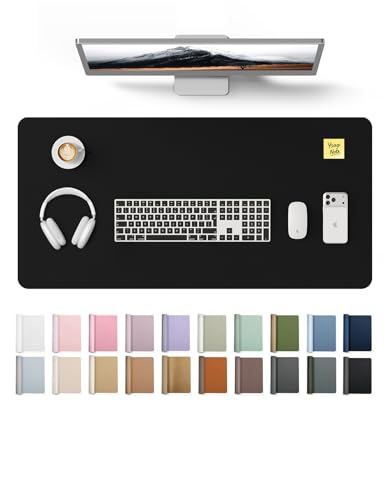
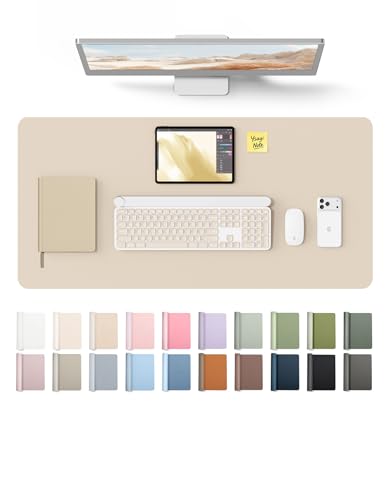
Desk Pad Guide: Protect, Organize & Elevate Your Workspace
Discover the perfect desk pad for your workflow. Compare materials, sizes, and thickness to find the ideal surface for typing, writing, and protecting your desk.
What Is a Desk Pad and Why Do You Need One?
A desk pad (also called a desk mat) is a large, flat surface placed on top of your desk to protect it from scratches, spills, and wear. But it’s much more than a protective barrier — a high-quality desk pad creates a smooth, consistent workspace for your keyboard, mouse, and documents. It reduces noise, adds a layer of comfort, and can even define the aesthetic of your entire setup.
Whether you’re a writer, a gamer, or a remote professional, a desk pad is one of the most underrated upgrades you can make. It keeps your desk surface pristine, reduces friction for your mouse, and gives your wrists a softer landing during long typing sessions. Learn more about desk mats and their benefits.
Quick tip: A desk pad isn’t just for aesthetics. It also absorbs minor spills, prevents your keyboard from slipping, and adds a layer of insulation against cold or hot surfaces. Choose a pad with a non-slip backing for maximum stability.
Desk Pad Specifications: Size, Thickness & Material
Choosing the right desk pad comes down to three factors: size, thickness, and material. Each plays a role in how the pad feels, performs, and looks on your desk.
Desk Pad Materials: Which One Is Right for You?
The material of your desk pad affects its feel, durability, and maintenance. Here’s a quick comparison of the most popular options:
🧵 Fabric / Cloth
Soft, affordable, and available in many designs. Great for mouse precision, but can absorb stains and wear over time.
🧴 PU Leather
Synthetic leather that's water-resistant, easy to wipe clean, and gives a premium look. Less breathable but very durable.
🟤 Genuine Leather
Luxurious, develops a patina over time, and is extremely durable. Higher price point, but ages beautifully.
🧶 Felt / Wool
Natural, eco-friendly, and offers a soft, warm feel. Good for writing, but less ideal for precise mouse movements.
🧩 Hybrid (PU + Fabric)
Combines a smooth fabric surface with a PU or rubber base. Best of both worlds: comfortable and easy to clean.
If you’re still unsure, read our full desk mat material guide for a deeper dive into each option.
Desk Pad Pros and Cons
✅ Advantages
- Protects your desk from scratches, stains, and heat marks
- Provides a smooth, uniform surface for typing and mouse movement
- Reduces wrist fatigue by offering a slight cushion
- Enhances desk aesthetics and defines your workspace style
- Easy to clean (most materials wipe down quickly)
❌ Disadvantages
- Can accumulate dust and debris over time (especially fabric)
- Some materials (like felt) may not be ideal for gaming
- Leather options can be expensive
- Thicker pads may interfere with some keyboard trays
How to Choose the Perfect Desk Pad for Your Setup
Choosing the right desk pad is easier when you consider your specific needs. Use this checklist to narrow down your options:
- ✅ Measure your desk space — leave room for your keyboard, mouse, and any other items.
- ✅ Think about your primary use — gaming, writing, or general office work?
- ✅ Choose a material that matches your lifestyle — easy-to-clean PU for messy desks, or fabric for a softer touch.
- ✅ Check the thickness — thin pads are great for minimalist setups, thicker pads offer more wrist support.
- ✅ Look for a non-slip backing — this prevents the pad from sliding around.
- ✅ Consider the color and design — a desk pad can be a statement piece or blend in with your desk.
For a step-by-step guide, visit our desk setup guide to see how a pad fits into the bigger picture.
Caring for Your Desk Pad
To keep your desk pad looking and performing its best, follow these simple maintenance tips:
- Leather / PU: Wipe with a damp cloth and mild soap. Avoid harsh chemicals. Condition genuine leather every few months.
- Fabric / Cloth: Vacuum regularly or shake out debris. Spot-clean with a gentle detergent. Some are machine-washable (check the label).
- Felt: Use a lint roller or brush to remove dust. Blot spills immediately to prevent staining.
- General: Rotate your pad occasionally to distribute wear evenly. Keep sharp objects away to prevent cuts.
Proper care extends the life of your desk pad, so it continues to protect your desk surface for years to come. See our desk mat care guide for more detailed advice.
Frequently Asked Questions About Desk Pads
What size desk pad should I get?
Measure the width and depth of your desk. A medium pad (36"x18") fits most standard desks, while large pads (48"x24") are great for dual-monitor setups.
Can I use a desk pad for gaming?
Absolutely! Many gamers prefer large fabric or hybrid pads for smooth mouse movement. Look for a pad with a stitched edge and non-slip base for competitive play.
Are desk pads easy to clean?
Yes! PU leather and synthetic materials wipe clean with a damp cloth. Fabric pads may require occasional washing or vacuuming. Always check the manufacturer's instructions.
Will a desk pad damage my desk?
On the contrary — a desk pad protects your desk from scratches, heat, and spills. Most pads have a soft backing that won't harm wood, glass, or metal surfaces.
Ready to Upgrade Your Desk?
Browse the top-rated desk pads below and find the perfect match for your workspace.
Shop Desk Pads Now