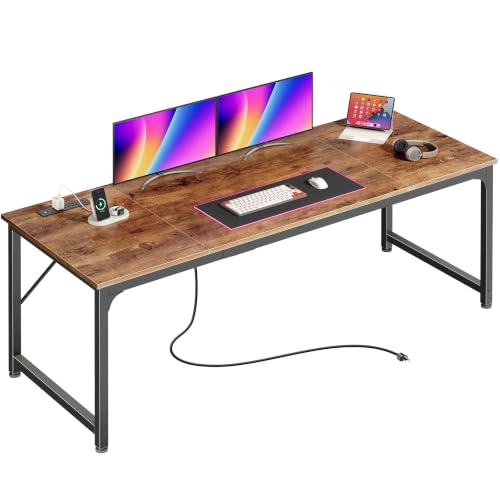
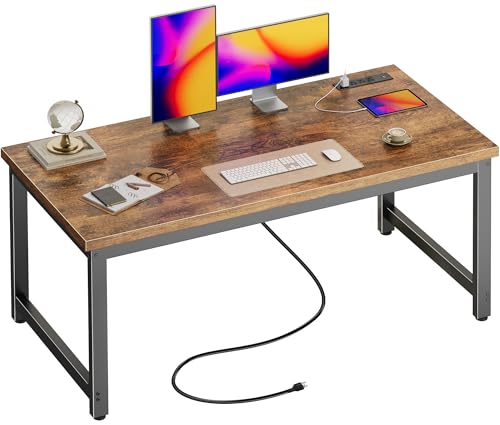
⚡ Desks with Outlets – Power Your Workspace
Stay charged and connected with the best desks featuring built-in power outlets, USB ports, and smart cable management. Find the perfect power-ready workstation for your home office.
SHOP POWER DESKS →A desk with built-in outlets eliminates the need for bulky power strips and messy extension cords. Whether you're setting up a complete ergonomic desk for your home office or a gaming workstation, having power ports right at your fingertips keeps your devices charged and your surface clean. These power-ready desks are designed for modern professionals, students, and creators who demand convenience and efficiency.
Why Choose a Desk with Outlets?
🔌 Built-in Power
AC outlets and USB ports integrated into the desk surface or grommet for instant device charging.
🧹 Clean Cable Management
Reduce clutter with organized cable routing, keeping cords out of sight and your workspace tidy.
⚡ Ergonomic Convenience
No more reaching under the desk or stretching cords — power is always within arm's reach.
🖥️ Multi-Device Ready
Charge laptops, monitors, phones, and tablets simultaneously without adapter conflicts.
Top Desks with Outlets – Comparison
| Model | Type | Outlets / USB | Dimensions | Price |
|---|---|---|---|---|
| FlexiSpot E7 Pro | Electric Standing | 2 AC + 2 USB | 55" x 28" | $799 |
| Uplift V2 Commercial | Electric Standing | 2 AC + 2 USB-C | 60" x 30" | $1,099 |
| SHW 55-Inch Powered Desk | Electric Standing | 2 AC + 1 USB | 55" x 28" | $459 |
| Ergonofis Sway Power Desk | Electric Standing | 3 AC + 2 USB | 60" x 30" | $1,395 |
| Fully Jarvis Bamboo | Electric Standing | 2 AC + 2 USB | 60" x 27" | $1,049 |
| Vari Electric Standing Desk | Electric Standing | 2 AC + 2 USB | 48" x 30" | $795 |
| Branch Duo Standing Desk | Electric Standing | 2 AC + 2 USB | 50" x 28" | $749 |
| IKEA Utespelare | Gaming Desk | 2 AC + 1 USB | 63" x 31.5" | $499 |
* Prices are approximate and may vary by retailer.
Installation & Safety Tips
- 🔌 Hire a Professional: For desks that require hardwired outlets, consult a licensed electrician. Most plug-in models are DIY-friendly.
- 📏 Consider Desk Placement: Place your desk near a wall outlet to minimize extension cord use. The built-in outlets should complement your existing power sources.
- 🧹 Cable Management: Use adhesive clips, spiral wraps, or under-desk trays to keep cords organized. This prevents tripping hazards and maintains a clean appearance.
- ⚡ Avoid Overloading: Calculate the total power draw of all connected devices. If you're unsure, use a power strip with a surge protector in addition to the desk's outlets.
Frequently Asked Questions
Can I add outlets to my existing desk?
Yes! You can install a desk grommet with a power module, use a clamp-on power strip, or add a USB hub to your desk. However, integrated outlets offer the cleanest look and best cable management.
Are desks with outlets safe?
Yes, as long as they are UL-listed or certified by a recognized testing laboratory. Always follow the manufacturer's guidelines for maximum load and avoid using damaged cords or adapters.
Do standing desks come with outlets?
Many electric standing desks now include built-in power modules. They are especially popular for home offices where users need to charge multiple devices while working standing or sitting.
What is the average price of a desk with outlets?
Prices typically range from $400 for entry-level models to over $1,500 for premium electric standing desks with advanced features. The table above gives a snapshot of current market options.
Can I use a desk with outlets for gaming?
Absolutely! Gaming setups often require power for monitors, PCs, peripherals, and lighting. A gaming desk with outlets reduces cable clutter and keeps your battle station looking professional.
Ready to Power Up Your Workspace?
Choose a desk with built-in outlets and enjoy a clutter-free, always-charged workspace. Browse our top recommendations below and find your perfect match.
VIEW POWER DESKS