Ergonomic Desk Setup Guide
Build a workspace that protects your body and boosts productivity. Adjust chair height, monitor position, keyboard tilt, and accessories for all‑day comfort.
Jump to Quick Checklist →✅ Why ergonomics matters: 78% of desk workers report neck or back pain. A correct ergonomic desk setup reduces strain, improves focus, and prevents long‑term injury. This guide covers every element — from chair to screen to keyboard — so you can work pain‑free.
1. Chair & Sitting Posture
Chair Height
- Feet flat on floor (or use a footrest).
- Knees at 90° – thighs parallel to floor.
- Armrests support elbows at 90°.
An ergonomic office chair with lumbar support is a game‑changer.
Posture
- Back against the chair, lumbar support active.
- Shoulders relaxed, not hunched.
- Head aligned over spine – no forward neck.
Pair with a standing desk chair to alternate positions.
2. Monitor Placement
Height & Distance
- Top of screen at or slightly below eye level.
- Arm’s length distance (18–28 inches).
- Use a monitor arm desk mount for easy adjustment.
Dual‑Monitor Setup
- Primary screen directly ahead, secondary at 15–20° angle.
- Same height and distance for both.
- Adjustable dual monitor stand keeps them aligned.
3. Keyboard & Mouse
Keyboard Tilt & Position
- Elbows at 90°, wrists straight.
- Keyboard negative tilt (slightly downward) reduces wrist strain.
- Use a under‑desk keyboard tray for optimal height.
Mouse & Wrist Rest
- Mouse close to keyboard, same height.
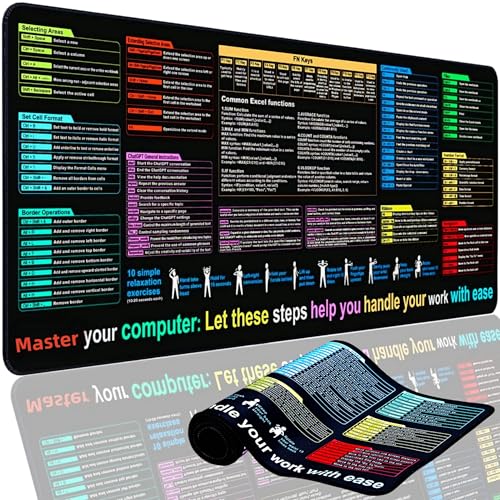
- Use a desk mat with wrist rest to support your palm.
- Consider an ergonomic keyboard for natural hand position.
4. Desk Height & Standing Options
Desk Height
- Desk surface at elbow height when sitting.
- If too high, use a height‑adjustable keyboard tray.
- An electric standing desk allows seamless switching.
Sit‑Stand Routine
- Alternate every 30–60 minutes.
- Use an anti‑fatigue mat for standing comfort.
- A standing desk converter fits any desk.
5. Lighting & Glare Reduction
Desk Lighting
- Place light source to avoid screen reflection.
- Warm, indirect light reduces eye strain.
- Best desk lamps for eye strain have adjustable brightness.
Monitor Light Bar
- Fits on top of monitor, illuminates desk without glare.
- Monitor light bar is ideal for focused work.
✔️ Quick Ergonomic Checklist
- Chair height: feet flat, knees 90°
- Lumbar support engaged
- Monitor at eye level, arm’s length
- Keyboard at elbow height, wrists straight
- Mouse close, wrist rest in place
- Desk height set for elbow 90°
- Standing option available (converter or height‑adjustable desk)
- Glare‑free lighting + monitor light bar
Use this list daily to maintain your ideal ergonomic setup.
6. Additional Ergonomic Accessories
Footrest
Reduces lower back pressure. see options
Wrist Rest
Supports wrists during typing. shop wrist rests
Monitor Arm
Full adjustability for height/distance. monitor arms
Cable Management
Clutter‑free desk improves focus. cable boxes
🪑 Ready to upgrade your ergonomic setup?
Explore our top‑rated ergonomic chairs, monitor arms, keyboard trays, and standing desks – carefully curated for your comfort.
Explore Ergonomic Products →