Office Desk Mat: The Essential Surface Upgrade
Protect your desk, enhance your workflow, and elevate your workspace style with the perfect desk mat.
Why Your Desk Needs a High-Quality Mat
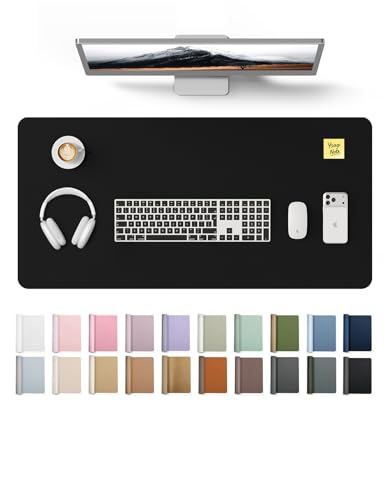
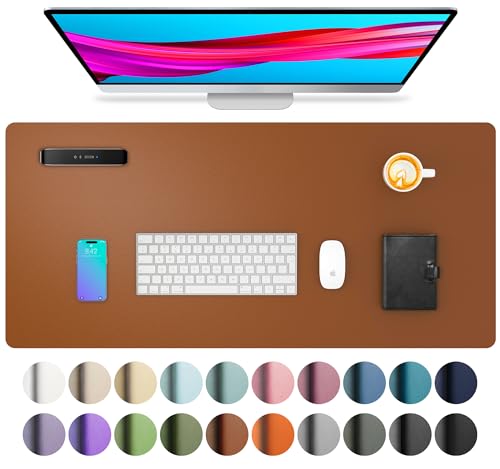
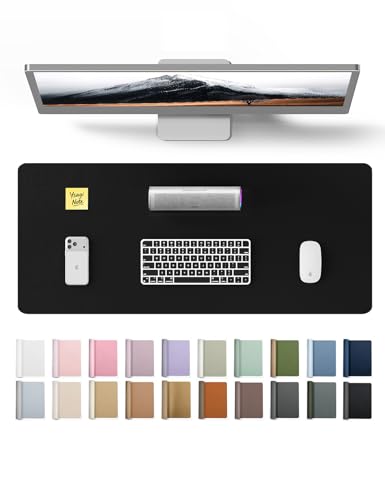
An office desk mat is more than just a decorative accessory—it's a functional powerhouse that protects your investment, improves your ergonomics, and boosts your daily productivity. Whether you're a remote worker, a gamer, or a creative professional, the right desk mat provides a smooth, consistent surface for your mouse and keyboard while shielding your desk from scratches, spills, and heat damage.
At All About Desks, we believe that a great workspace starts with a solid foundation. A premium desk mat is that foundation. It ties your setup together, reduces noise, and even helps with wrist support during long work sessions.
Desk Mat Materials: Which One Is Right for You?
Choosing the right material is crucial for durability, feel, and style. Here's a breakdown of the most popular options:
🟫 Leather / PU
Premium, professional, easy to clean $30–$90🧵 Neoprene / Rubber
Soft, non-slip, excellent mouse control $20–$50♻️ Recycled Materials
Eco-friendly, durable, textured $25–$70🧶 Fabric / Cloth
Comfortable, affordable, customizable $15–$40Leather and PU mats offer a sophisticated look and are incredibly easy to wipe clean—ideal for busy professionals. Neoprene and rubber mats provide excellent grip and are favored by gamers and designers for their precision. If you're environmentally conscious, recycled material mats combine sustainability with durability. For a budget-friendly option, fabric or cloth mats offer a soft touch and come in countless designs.
Finding the Perfect Size & Placement
The ideal desk mat should complement your desk dimensions and workflow. A large desk mat (often 90x40 cm or 120x60 cm) can accommodate both your keyboard and mouse, creating a unified surface. A smaller pad (around 25x30 cm) is perfect for mouse-only users or those with limited space.
Consider your desk layout: if you use a corner office desk, a large rectangular mat may not fit perfectly—opt for a square or custom-shaped mat. For standing desk converters, ensure the mat size doesn't interfere with the converter's stability.
Placement is key: center the mat for a balanced look, or align it with your dominant hand for optimal mouse movement. Many users find that a desk mat positioned slightly off-center allows for better ergonomic positioning of their keyboard and mouse.
Ergonomics & Health Benefits
A quality desk mat does more than protect—it contributes to your well-being. The cushioned surface of materials like neoprene or rubber provides a soft resting area for your wrists, reducing pressure and the risk of repetitive strain injuries.
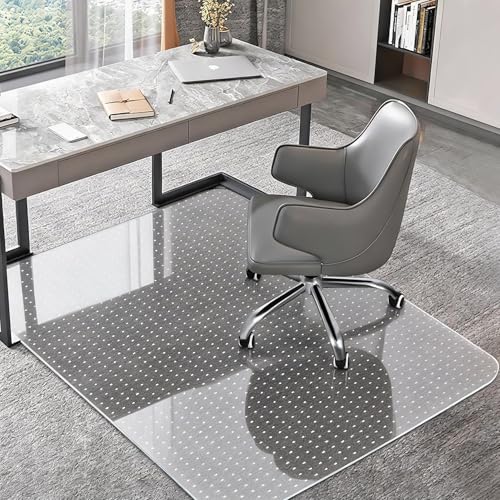
For those who use a reclining desk chair or a rolling desk chair, a stable mat base ensures your chair doesn't catch on uneven surfaces, promoting smoother movement. The tactile feedback from a well-chosen mat also improves your typing accuracy and mouse control, reducing fatigue during long work sessions.
Pair your mat with an ergonomic mouse and a keyboard tray for a complete ergonomic setup. A mat with a slight wrist rest can further enhance comfort, making it an essential part of any home office desk.
Expert Buying Tips: Choose the Best Desk Mat
When selecting a mat, always check user reviews for real-world insights. Many users highlight the importance of a mat that doesn't curl at the edges—a common issue with low-quality products. Look for mats with stitched edges for added durability.
If you're setting up a gaming desk or a L-shaped desk setup, consider a large extended mat that spans the entire surface area for a cohesive look and feel.
How to Maintain Your Desk Mat
Proper care extends the life of your desk mat. For leather and PU mats, wipe with a damp cloth and mild soap; avoid harsh chemicals. Fabric mats can be gently vacuumed or spot-cleaned with a fabric cleaner. Neoprene and rubber mats are usually waterproof—simply wipe down with a disinfectant wipe to keep them hygienic.
Regular cleaning not only keeps your mat looking new but also prevents the buildup of dust and oils that can affect mouse performance. Rotate your mat occasionally to ensure even wear, especially if you use it heavily in one area.
If you notice curling, you can reverse it by placing the mat under a heavy book overnight. For stubborn stains, a mixture of water and white vinegar works wonders on most materials.
Frequently Asked Questions
Yes, but ensure the mat has a strong non-slip backing. Glass surfaces can be slippery, so a rubber or silicone-backed mat is recommended.
Absolutely! Many gamers prefer large, extended mats for fluid mouse movement and keyboard stability. Look for mats with a smooth, low-friction surface.
Depending on usage, a high-quality mat can last 2–4 years. Replace it when you notice significant wear, fraying, or loss of grip.
Yes, many recycled material mats are highly durable and designed to last. They often feature the same resilience as traditional materials.
Ready to Upgrade Your Workspace?
An office desk mat is one of the most cost-effective upgrades you can make to your workspace. It protects your desk, enhances your productivity, and elevates your style. Whether you're a professional, a student, or a creative, the perfect mat is out there waiting for you.
Browse our curated selection below—handpicked to suit a variety of needs and budgets. Each product has been carefully selected based on quality, durability, and user satisfaction. Transform your desk today!