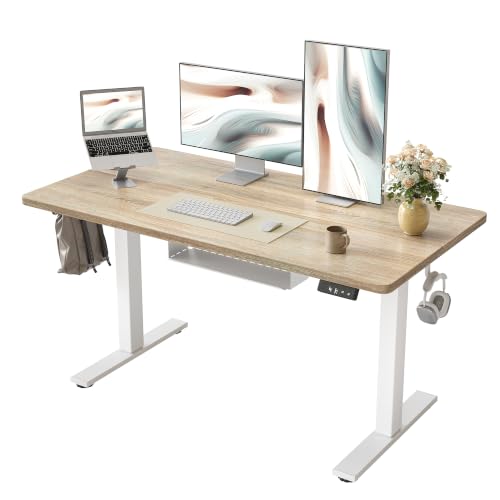
Standing Desk with Cable Management: The Ultimate Guide
Discover the best standing desks with integrated cable management. Say goodbye to tangled wires and hello to a clean, productive workspace that elevates your health and focus.
Shop Top PicksAll About Desks Philosophy: We believe a clutter-free desk is the foundation of a productive mind. A standing desk with built-in cable management not only improves your posture but also reduces visual noise, helping you stay focused and organized. This guide covers everything you need to know before making a purchase, and our curated selection below features the best models available today.
Why Choose a Standing Desk with Cable Management?
Health & Productivity
- Reduce back pain – alternate between sitting and standing.
- Boost energy – standing increases blood flow and alertness.
- Improve focus – a clean desk reduces distractions.
Organization & Aesthetics
- Built-in cable trays hide cords under the desk.
- Grommets & channels route wires neatly.
- Minimalist look – perfect for modern home offices.
Key Features to Consider
Complete Buying Guide for Standing Desks with Cable Management
Choosing the right standing desk with cable management involves balancing ergonomics, durability, and organization. Here’s what to look for:
1. Cable Management System
The best desks include under-desk cable trays, grommet holes, and clip-on cable guides. Some models even feature built-in USB ports and power outlets, reducing the need for extra adapters. If you have multiple monitors and peripherals, opt for a desk with a wide cable tray and multiple grommets to keep everything tidy.
2. Height Adjustability
Look for a desk with a height range of at least 28" to 48" to accommodate both sitting and standing positions. Electric models with programmable presets are ideal if you share the desk or switch positions frequently. Manual crank options are more affordable but require more effort.
3. Stability and Weight Capacity
A sturdy desk prevents wobble when typing or writing. Check the weight capacity – most quality desks support 150–350 lbs. For heavy setups with multiple monitors, choose a desk with a dual-motor system for smoother lifting.
4. Surface Material and Size
Choose a durable surface that resists scratches and stains. Laminate is easy to clean, while bamboo and solid wood offer a premium look. Consider the desk width – 48" to 60" is common for single monitors, while 72"+ is better for dual-monitor setups.
5. Assembly and Warranty
Read reviews about assembly difficulty – some desks come pre-assembled or with easy-to-follow instructions. A longer warranty (5 years or more) indicates the manufacturer’s confidence in their product.
If you're also looking for a solid wood computer desk with drawers or a small L-shaped desk with storage, our guides cover those too. For a more compact solution, explore our small desk with drawers for small spaces or the tall office chair for standing desk to complete your ergonomic setup. And if you need better lighting, check out the swing arm desk lamp with base for flexible illumination.
Expert Tips for a Clutter-Free Standing Desk
- Plan your cable route – visualize where each wire will go before plugging in.
- Use Velcro ties or cable sleeves to bundle long wires.
- Label your cables – especially if you have multiple USB-C and power adapters.
- Mount power strips under the desk to keep plugs off the floor.
- Invest in a wireless keyboard and mouse to reduce two more cords.
Top Features Comparison
Ready to buy? The perfect standing desk with cable management is one that fits your space, supports your gear, and keeps your workspace visually calm. Our recommendations below have been vetted for quality, durability, and excellent cable management features.
👉 Scroll down to see our top picks from Amazon, featuring the best standing desks with integrated cable management.