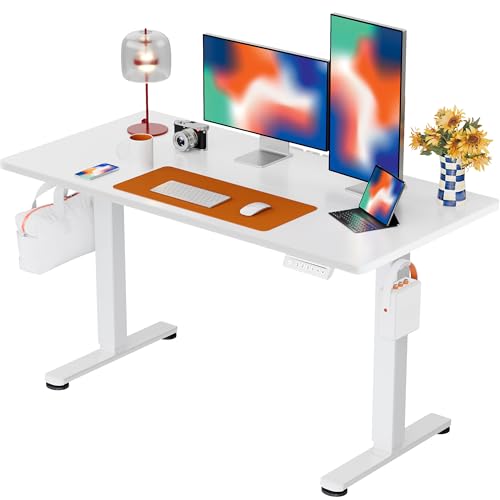
Standing Desk Won't Go Up? Here's How to Fix It
Don't panic — discover the most common reasons your electric or manual standing desk isn't rising, plus step-by-step solutions to get it back to full height.
You're not alone. One of the most frustrating moments for any remote worker or home office enthusiast is pressing the button on your standing desk with adjustable height and getting no response. Whether you own a premium electric model or a budget-friendly manual crank desk, mechanical issues can happen. This guide walks you through every possible cause — from simple power problems to motor resets — so you can diagnose and fix your desk quickly.
Quick Troubleshooting Checklist
Before diving into complex repairs, try these five quick checks first. Most standing desk issues are solved in under 2 minutes.
Power Connection
Ensure the power cord is securely plugged into both the desk and the wall outlet. Try a different outlet to rule out electrical issues.
- Check the outlet with another device
- Inspect the power cord for damage
- Verify the desk's power switch is on
Overload Protection
Most electric standing desks have a weight limit. If overloaded, the motor won't operate. Remove heavy items and try again.
- Check your desk's weight capacity
- Remove monitors, books, or equipment
- Try lifting with minimal load
Reset the Motor
Many electric desks need a reset after a power surge or error. Unplug for 30 seconds, plug back in, and hold the down button for 5 seconds.
- Disconnect from power for 30 seconds
- Reconnect and press down button
- Listen for a click or beep
Obstruction Check
Inspect the desk's legs and lifting columns for any physical obstructions or debris that might block movement.
- Check for stuck objects under the desk
- Clean the lifting columns
- Ensure floor surface is level
Common Causes & Detailed Solutions
🛠️ 1. Power Supply Failure
If your standing desk for work from home is completely unresponsive, the power supply might be the culprit. Test with a multimeter if available, or try a known-working power adapter. Many brands offer replacement power supplies for under $50. If the desk powers on but won't move, the control box may need replacing — check your warranty first.
⚙️ 2. Motor Malfunction
Motor issues often present as grinding noises or one side moving slower than the other. This can happen from wear and tear or after a power surge. If your desk uses two motors (common in standing L-shaped desks with drawers), one might be failing. Try a manual reset by holding the down button for 10 seconds. Persistent issues may require professional repair or motor replacement.
📏 3. Height Sensor Calibration
Modern electric standing desks use sensors to track height. If calibration is lost, the desk may stop moving to prevent damage. To recalibrate, lower the desk to its minimum height, unplug for 60 seconds, then hold the down button while plugging it back in. This often resolves "standing desk won't go up" errors without additional repairs.
🪑 4. Control Panel Issues
If buttons are unresponsive or display error codes, the control panel may need replacement. Common error codes include E01 (overload), E02 (motor timeout), and E03 (power surge). Consult your user manual for specific codes. For desks that are solid wooden desks for home office with electric mechanisms, the control panel is often removable and replaceable.
🧹 5. Maintenance & Cleaning
Dust and debris can accumulate inside the lifting columns, creating friction that prevents smooth operation. Clean the columns with a dry cloth and apply a silicone-based lubricant sparingly. Regular maintenance extends the life of your desk — especially important for manual height-adjustable standing desks where crank mechanisms can stiffen over time.
Preventative Maintenance Tips
Regular Inspections
Check your desk's screws, bolts, and moving parts monthly. Tighten any loose connections and inspect for unusual sounds during height changes.
Surge Protection
Always plug your electric standing desk into a quality surge protector. This prevents power spikes from damaging sensitive motors and electronics.
Weight Management
Never exceed your desk's maximum load capacity. If your setup includes heavy monitors, consider a solid wood computer desk with drawers or a more robust frame for heavy equipment.
Regular Use
Use the height adjustment function at least once a week to keep motors lubricated and prevent rust or stiffness in the lifting mechanism.
🆘 When to Replace Your Standing Desk
If you've tried all troubleshooting steps and your standing desk still won't go up, it might be time to invest in a new, more reliable model. Modern electric desks offer better motors, longer warranties, and smoother operation. Explore our top-rated recommendations below.
Shop Reliable Standing Desks →