Computer Desk Floor Mat – The Ultimate Protection & Comfort Guide
Whether you have hardwood, tile, or thick carpet, the right floor mat protects your flooring, enhances ergonomics, and keeps your chair rolling smoothly. Discover the best materials, sizes, and top-rated picks for your workspace.
Shop Top Floor Mats ↓What Is a Computer Desk Floor Mat?
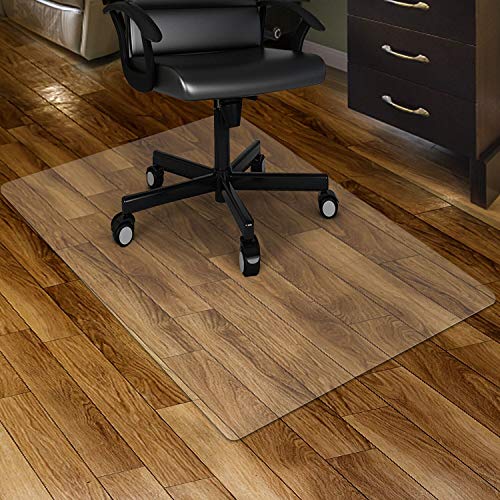
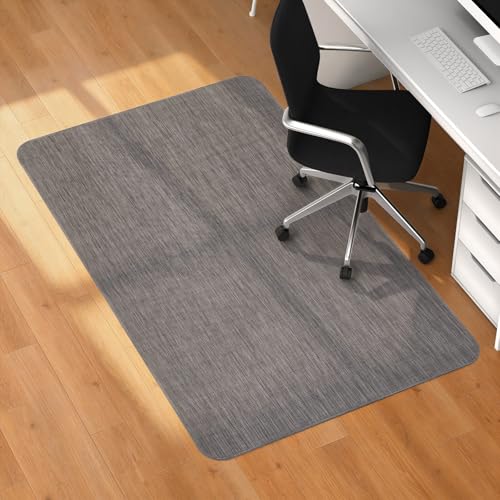
A computer desk floor mat (also called a chair mat or floor protector) is a flat surface placed under your desk chair. It serves two primary purposes: protecting your floor from scratches, scuffs, and indentations caused by chair casters, and improving ergonomics by allowing your chair to roll effortlessly, reducing strain on your legs and back.
Without a mat, office chair wheels can damage hardwood floors, leave permanent marks on vinyl, or sink into carpet fibers, making movement difficult. A quality floor mat is an essential desk accessory for office that extends the life of both your flooring and your chair.
Why You Need a Floor Mat for Your Desk
🛡️ Floor Protection
Prevents scratches, scuffs, and pressure marks on hardwood, laminate, tile, and vinyl. Also stops carpet pile from being crushed or matted down by chair wheels.
🔄 Smooth Mobility
Roll effortlessly between work zones. Reduce friction and strain on your legs and back – especially important for correct height for desk ergonomics.
🧹 Easy Cleaning
Mats catch dirt, dust, and debris, making it easier to keep your workspace clean. Simply wipe or vacuum the mat instead of the entire floor.
💼 Professional Aesthetic
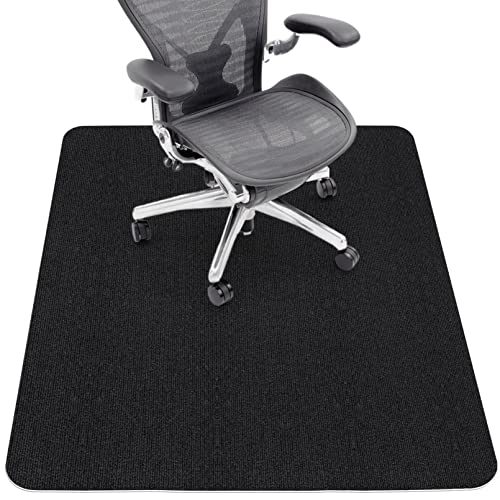
Available in clear, black, or textured designs to match your office decor. A clean, organized floor area enhances the overall look of your corner office desk or home setup.
Types of Desk Floor Mats: Which Material Is Best?
Choosing the right floor mat depends on your floor type and chair usage. Here are the most common materials:
🔹 PVC / Vinyl Mats
Durable, affordable, and widely available. Ideal for hard floors (wood, tile, laminate) and low-pile carpet. Available in clear or colored finishes. Thicker PVC (≥3mm) offers better durability.
$30 – $80🔹 Polycarbonate Mats
Extremely tough and resistant to cracking, even under heavy chairs. Best for high-traffic areas and thicker carpets. Clear polycarbonate is virtually invisible on most floors.
$50 – $120🔹 Bamboo / Wood Mats
Eco-friendly and stylish. Hardwood or bamboo mats are solid surface protectors that add a warm, natural look. They work best on low-pile carpets and are not recommended for hard floors (they can slide).
$80 – $200🔹 Glass Mats
Tempered glass mats offer a sleek, modern appearance and are extremely easy to clean. Designed for hard floors – they provide a smooth, stable surface.
$100 – $250Choosing the Right Size & Shape
Most floor mats come in rectangular, rounded, or contoured shapes. The standard size is about 36″ x 48″ (91 x 122 cm), but larger options exist for spacious workstations.
- Standard Rectangle: Fits most desk setups. Allow at least 12 inches of extra space beyond your chair's base for smooth movement.
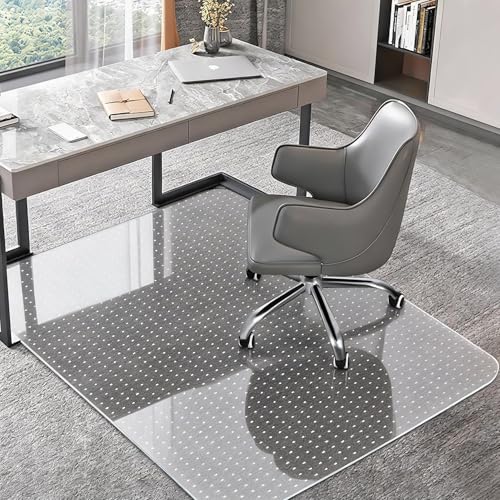
- Contoured / Lip Shape: Features a curved lip that extends under the desk, keeping the mat in place and protecting the area where you sit.
- Extra-Large (48″ x 60″): Ideal for computer desk L-shaped or large workstations with multiple chairs.
- Mat Size & Chair Base: Ensure the mat is at least 6–8 inches wider than your chair's wheelbase on all sides.
If you have a corner computer desk, consider a larger rectangular mat or a lip-shaped mat to cover the entire movement area.
Ergonomic Benefits of a Proper Floor Mat
A high-quality floor mat isn't just about floor protection – it actively contributes to your comfort and health. Here's how:
- Reduced Leg Fatigue: Smooth rolling means less effort to move, reducing strain on your calves and thighs.
- Improved Posture: When you can easily adjust your position, you're more likely to maintain a neutral spine and relaxed shoulders.
- Energy Efficiency: Less friction means your chair rolls with minimal push, saving energy during long work sessions.
- Joint Protection: Prevents the jarring impact that can occur when chair wheels catch on carpet or floor imperfections.
For the best ergonomic experience, pair your floor mat with a computer desk chair that offers proper lumbar support and adjustability.
How to Clean & Maintain Your Floor Mat
Proper care extends the life of your mat and keeps your workspace looking professional.
- Regular Vacuuming: Remove dust and debris weekly. For hard mats, use a soft brush attachment.
- Wipe Down: Use a damp cloth with mild soap for PVC, polycarbonate, or glass mats. Avoid harsh chemicals.
- Avoid High Heat: Keep mats away from direct sunlight or heaters to prevent warping or discoloration.
- Check for Curling: If a mat starts to curl, lay it flat with weights for a few days. For persistent curling, replace it.
A well-maintained mat not only looks better but also performs better, ensuring your computer desks for home remain in top condition.
What to Look for in a Computer Desk Floor Mat
Before making a purchase, keep these factors in mind:
- Floor Type: Hardwood, tile, vinyl, or carpet – each requires a different backing and material.
- Thickness: Thicker mats (3mm+) are more durable and better for carpet.
- Size: Measure your desk area and chair movement range.
- Edge Design: Beveled or tapered edges reduce tripping hazards.
- Stain Resistance: Choose mats that resist spills and stains, especially if you work in a high-traffic area.
For a complete ergonomic setup, also consider desk accessories like monitor arms and wrist rests to complement your floor mat.
Frequently Asked Questions
Can I use a carpet mat on hardwood?
No – carpet mats have cleats that can scratch hardwood. Always use a smooth-backed mat designed for hard floors.
How thick should a desk floor mat be?
For carpet, choose at least 3–4mm thickness. For hard floors, 2–3mm is usually sufficient, but thicker mats offer more durability.
Are glass floor mats safe?
Yes, tempered glass mats are designed to support heavy loads and are shatter-resistant. They are a premium option for hard floors.