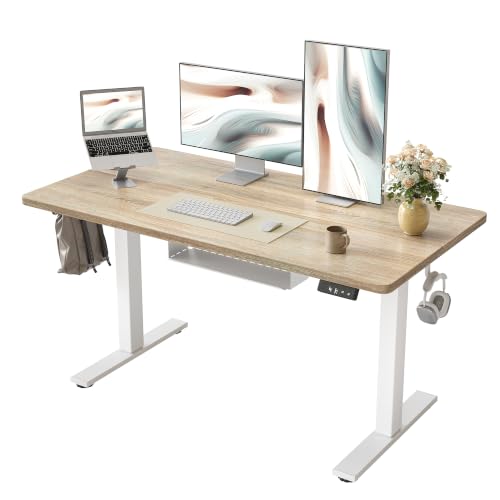
Desk with Cable Management: The Ultimate Guide
Stop wrestling with messy wires. Discover the best desks designed for cable management, plus proven techniques to hide every cord and create a pristine, productive workspace.
Shop Cable Management DesksA desk with cable management is more than a convenience—it's the cornerstone of a professional, distraction-free workspace. Whether you're setting up a home office, a gaming station, or a creative studio, hidden wires reduce visual clutter, improve focus, and even protect your equipment from accidental damage. This guide covers everything you need to know: from built-in cable trays and grommets to external organizers and the best desks that combine style with smart wire routing.
Why Choose a Desk with Cable Management?
🎯 Improved Focus
A clean desk with no visible wires reduces mental clutter, helping you stay concentrated on your tasks.
🔌 Easier Cleaning
Without tangled cords, dusting and wiping your desk surface becomes quick and effortless.
🛡️ Better Equipment Protection
Proper cable routing prevents tripping hazards and reduces strain on connectors and ports.
✨ Professional Aesthetic
Whether for a client meeting or a gaming stream, a tidy desk projects competence and style.
What to Look for in a Cable Management Desk
- Built-in Cable Tray: A metal or plastic channel under the desk to route and hide wires.
- Grommet Holes: Pre-drilled openings (usually circular) on the desk surface to pass cables through.
- Cable Management Spine: A vertical channel that runs along the desk leg or back to bundle cables.
- Under-desk Mounts: Clips, hooks, or adhesive organizers to hold power strips and excess cable.
- Wireless Charging Integration: Built-in Qi charging pads reduce the need for charging cables.
- Modular Design: Desks that allow you to add or reposition cable management accessories.
- Durable Materials: Steel or heavy-duty plastic for trays; solid wood or metal for the desk frame.
Cable Management Desk Options
| Desk Type | Built-in Management | Best For | Price Range |
|---|---|---|---|
| Standing Desk | Under-desk cable tray, grommets | Dual-monitor setups, frequent height changes | $450 – $900 |
| L-Shaped Desk | Multiple grommets, spine channels | Corner offices, multi-device workflows | $500 – $1,200 |
| Gaming Desk | Built-in cable management spine, headphone hook | Gamers with RGB, multiple peripherals | $300 – $700 |
| Compact Desk | Single grommet, basic cable tray | Small spaces, minimal setups | $200 – $450 |
* Prices are approximate and may vary by brand and features.
Even Better: Add Cable Management to Any Desk
Already have a desk you love? No problem. You can achieve a perfectly organized surface with aftermarket accessories. Many of these solutions work seamlessly with almost any desk, giving you the benefits of a cable management desk without replacing your furniture.
- Cable Management Box: A sleek container that hides power strips and excess wires. Place it on the floor or under the desk. Explore cable management boxes.
- Under-Desk Cable Tray: Mounts to the underside of your desk to hold power bricks and cable loops. Pair it with a monitor arm to keep all wires off the surface.
- Cable Sleeves & Raceways: Neatly bundle multiple cables into a single, clean tube that can be painted to match your wall.
- Adhesive Clips & Mounts: Stick these along the edge or underside of your desk to guide cables exactly where you want them.
- Desk Grommet Kits: If your desk doesn't have holes, you can install a grommet kit to route cables through the surface.
✍️ Expert Tips for a Cable-Managed Desk
- 1. Plan your layout before you start. Know where your monitor, PC, and peripherals will sit.
- 2. Use cable ties or velcro wraps to bundle wires of similar lengths.
- 3. Label your cables – especially if you have multiple USB or display connections.
- 4. Keep power cables separate from data cables to reduce interference.
- 5. Review your setup quarterly – as you add or remove devices, refresh your cable routing.
🔗 Explore More Desk Organization Guides
Discover how to build the ultimate organized workspace: