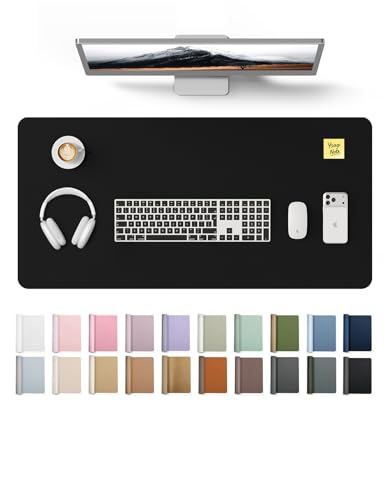
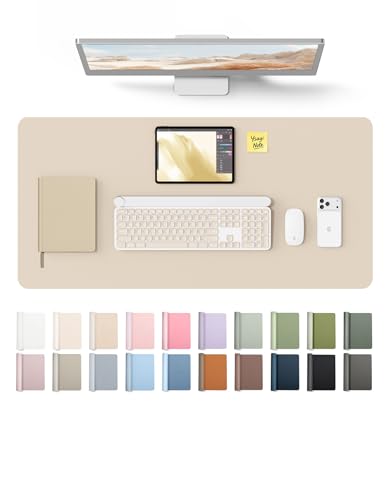
Desktop Computer Mat – Protect, Enhance, and Elevate Your Workspace Surface
Discover the essential guide to choosing the perfect desktop computer mat. From materials to ergonomics, learn how this simple accessory transforms your desk setup and improves your daily workflow.
Why a Desktop Computer Mat Matters: A high-quality desktop mat is more than just a surface for your mouse—it's the foundation of a productive, organized, and comfortable workspace. Whether you're a gamer, a remote worker, or a creative professional, the right mat protects your desk, enhances your gear's performance, and adds a touch of style to your setup.
What Is a Desktop Computer Mat?
Definition & Core Purpose
A desktop computer mat (also known as a desk mat, large mouse pad, or desk pad) is a flat, often rectangular surface placed on your desk to provide a smooth, consistent workspace for your mouse and keyboard. It also protects your desk from scratches, spills, and wear. Modern mats go beyond functionality to become a statement piece in your desk setup.
Why Every Desk Needs One
Using a desktop mat offers several key benefits:
- Protection: Shields your desk from scratches, stains, and heat damage.
- Performance: Provides an optimal tracking surface for optical and laser mice.
- Comfort: A padded mat can reduce wrist strain during long work sessions.
- Organization: Many mats come with integrated cable channels or cable management features to keep your desk organization tidy.
- Aesthetics: Instantly upgrades the visual appeal of your workspace surface, whether you prefer a minimalist black pad or a vibrant, patterned design.
By combining these benefits, a desktop mat is a simple, cost-effective upgrade for any desk materials and setup.
Desktop Mat Materials – Choosing the Right Surface
The material of your desktop mat directly affects its feel, durability, and performance. Here's a breakdown of the most common options.
Cloth & Fabric
Soft, smooth, and quiet. Ideal for office work and general use. Available in a wide range of colors and sizes. Provides a comfortable wrist rest.
Leather & PU
Premium look and feel, water-resistant, and easy to clean. Often features stitched edges for durability. Great for executive and executive office desk setups.
Hybrid (Fabric + PU)
Combines the smooth glide of fabric with the durability and water resistance of PU. Often used in high-end gaming and professional mats.
Plastic & Hard
Fast, low-friction surface preferred by gamers. Very durable and easy to clean. Less comfortable for wrist rest but excellent for precise mouse movements.
How to Choose the Right Material for Your Needs
Your choice should align with your primary use case. For a home office desk, cloth or leather mats offer comfort and a professional look. For gaming, a hybrid or hard surface provides speed and precision. If you often eat or drink at your desk, a leather or hybrid mat offers better stain resistance. Consider the desk materials you have—a wooden desk might benefit more from a padded cloth mat to prevent scratches, while a glass desk works well with any surface.
Finding the Right Size and Thickness
Size Matters
Desktop mats come in various sizes, from compact 10″×8″ pads to extra-large 36″×17″ desk covers. The ideal size depends on your desk setup and the number of devices you use. For a dual monitor setup or ultrawide setup, a large or extra-large mat provides ample space for both keyboard and mouse. For smaller compact desks, a medium-sized mat (about 24″×12″) offers a good balance.
Tip: Measure your desktop surface before buying. The mat should fit comfortably without overhanging the edges.
Thickness & Ergonomics
Thickness ranges from 1mm to 5mm or more. Thinner mats (1–2mm) provide a firm, precise feel, ideal for fast-paced gaming. Thicker mats (3–5mm) offer a plush, cushioning effect that can reduce wrist fatigue during long typing sessions, making them a great choice for ergonomic desk setups. If you use a keyboard tray, a thinner mat is often recommended to avoid interfering with the tray's movement.
Design, Style, and Personalization
A desktop mat is a central element of your desk decor. Choose from minimalist solid colors, subtle patterns, bold prints, or even custom-printed mats featuring your favorite artwork or logo. For a professional executive desk for home office, a sleek leather or dark cloth mat exudes sophistication. For a gaming setup, RGB-lit or colorful designs can enhance the RGB gaming aesthetic. Many mats also feature stitched edges, which prevent fraying and add a premium touch.
Remember, your mat is not just a tool—it's a reflection of your personal style and can significantly impact your desk productivity habits by making your workspace feel more inviting and organized.
How to Clean and Maintain Your Desktop Mat
Daily & Weekly Care
For cloth mats, shake off dust and debris regularly. Use a lint roller or a soft brush to remove particles. For leather or PU mats, wipe with a damp, soft cloth. Avoid using harsh chemicals that could damage the surface. A clean mat not only looks better but also performs better.
Deep Cleaning
Cloth mats can be hand-washed with mild soap and warm water. Rinse thoroughly and air dry flat—do not wring or machine dry as this can warp the mat. For leather mats, use a specialized leather cleaner and conditioner to maintain the finish. Following these protect desk surface tips will extend the life of your mat.
Sustainable and Eco-Friendly Options
If sustainability is important to you, look for mats made from recycled materials, natural rubber, or bamboo fiber. Many manufacturers now offer eco-friendly options without compromising on quality or performance. Choosing a sustainable mat is a small but meaningful step towards a greener desk setup.
Integrating Your Mat into a Complete Desk Setup
A desktop mat works best when paired with other accessories. Combine it with a monitor arm for more surface space, desk organizers to keep clutter at bay, and desk lamps or monitor light bars for proper lighting. For a truly immersive desk setup, consider a wireless desk setup with minimal cables, and use the mat as the central anchor for your keyboard and mouse. The right mat ties all these elements together, creating a cohesive and highly functional workspace.
Budgeting for Your Desktop Mat
Desktop mats are available at various price points. Entry-level cloth mats can be found for around $10–$20, while premium leather or hybrid mats from top brands can cost $40–$80 or more. For most users, a mid-range option ($25–$50) offers an excellent balance of quality, durability, and aesthetics. Consider your budget alongside the desk budget guide to make an informed decision. Remember, a good mat is an investment in your comfort and productivity, and it can last for years with proper care.
Which Mat Is Right for You? Scenarios
Scenario 1: The Home Office Professional
Needs: Professional appearance, comfort for long typing sessions, protection for a wooden desk.
Recommendation: A large leather or PU mat (e.g., 36″×17″) in a neutral color. This type of mat complements an executive office desk and provides a comfortable, sophisticated surface.
Scenario 2: The Gamer
Needs: Speed, precision, durability, and often a vibrant aesthetic.
Recommendation: A hybrid or hard surface mat with a focus on low friction. An extra-large size covers the desk and provides ample space for low-DPI mouse movements. Pair it with an ergonomic gaming desk for the ultimate setup.
Scenario 3: The Minimalist
Needs: Clean lines, simple design, and a clutter-free surface.
Recommendation: A sleek, all-black cloth or leather mat in a size that fits perfectly within your minimalist desk style. Pair it with a floating desk for an ultra-modern look.
Scenario 4: The Creative Professional
Needs: A surface that works for both precision work and drawing, plus a stylish look.
Recommendation: A smooth cloth mat with a subtle pattern or custom print. A larger size allows you to place a drawing tablet for desk alongside your keyboard and mouse without running out of space.
Final Thoughts – Elevate Your Workspace Today
A desktop computer mat is an affordable, high-impact upgrade for any workspace. It protects your desk, enhances your performance, and contributes to a more organized and aesthetically pleasing environment. Whether you're setting up your first first desk setup or looking to refine an existing one, investing in the right mat is a decision you won't regret.
Explore the recommended options below to find the perfect mat for your needs. By choosing a high-quality mat, you're not just buying an accessory—you're taking a step towards a more productive and enjoyable work experience. All about desks helps you build a workspace that you'll love spending time in.