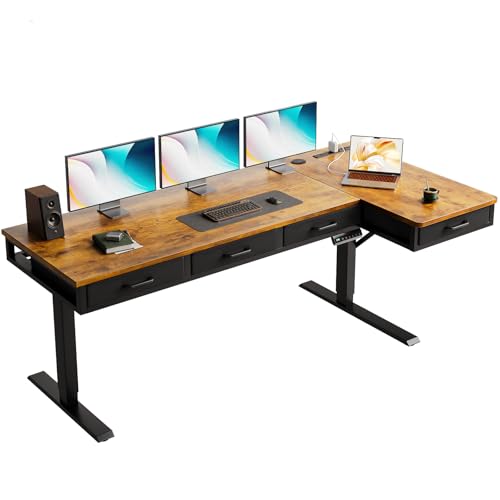
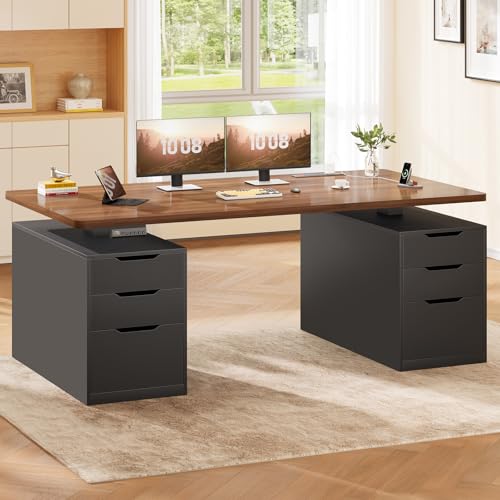
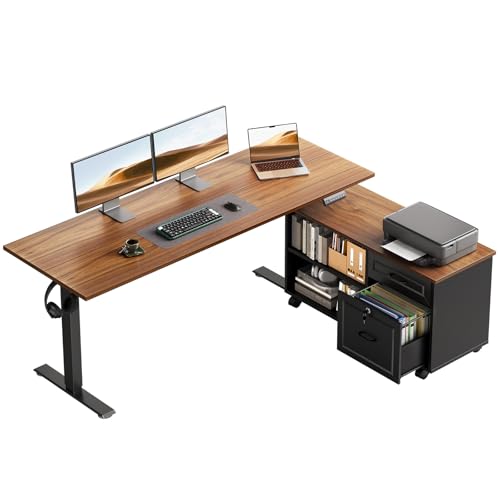
Sit to Stand Desk with Drawers – The Ultimate Adjustable Workstation
Discover the perfect blend of height flexibility and built-in storage. Our expert guide helps you choose the ideal sit-to-stand desk with drawers for your home office.
Shop Top Picks ↓Why choose a sit-to-stand desk with drawers? It combines the health benefits of height adjustability with the practicality of built-in storage. Whether you're looking to improve posture, reduce back pain, or simply keep your workspace organized, this desk type offers a complete solution for modern professionals.
In this comprehensive guide, we cover electric vs. manual mechanisms, drawer configurations, key features to consider, and our top recommended models to help you make an informed purchase.
Key Features to Consider
⚡ Electric vs. Manual
Electric desks offer effortless height adjustment with memory presets. Manual desks are budget-friendly, reliable, and don't require power outlets.
📦 Drawer Configuration
Choose from single drawer, double drawer, or integrated file drawers. Consider depth, width, and whether you need lockable storage.
📏 Height Range
Look for a range of 22"–48" (low to high) to accommodate both sitting and standing positions comfortably for users of varying heights.
🏋️ Weight Capacity
Ensure the desk can support your monitors, laptop, accessories, and any items stored in drawers. Most quality desks offer 150–300 lbs capacity.
Understanding the Sit-to-Stand Desk with Drawers
A sit to stand desk with drawers is more than just a height-adjustable table – it's a complete workstation solution. It addresses two key workplace needs: the ability to alternate between sitting and standing throughout the day, and having organized storage space right at your fingertips. This combination makes it ideal for home offices, corporate environments, and creative studios where both ergonomics and efficiency matter.
Research shows that prolonged sitting is linked to various health issues, including back pain, poor circulation, and decreased energy levels. A sit-to-stand desk encourages movement, helping you stay alert and productive. Adding drawers means you can keep essential items – like notebooks, pens, chargers, and documents – neatly organized without cluttering your work surface. This dual-purpose design helps you maintain a clean, focused workspace.
When shopping for a sit to stand desk with storage, understanding the different types of mechanisms and drawer options is crucial. Below, we break down the key differences to help you find the perfect match for your needs.
Electric vs. Manual Height Adjustment
The choice between electric and manual adjustment often comes down to budget, convenience, and frequency of use. Electric sit-to-stand desks feature powerful motors that lift the desktop at the push of a button. Most premium models include programmable memory presets, allowing you to save your preferred sitting and standing heights. This is especially useful in shared workspaces or if you frequently alternate between positions.
Manual desks, on the other hand, use a hand-crank or pneumatic mechanism to adjust height. They are generally more affordable, quieter, and don't require electrical outlets. While they may take a few seconds longer to adjust, they are incredibly reliable and require minimal maintenance. For those who adjust height less frequently or are setting up a home office on a budget, a manual option offers excellent value.
If you're considering a manual option with additional storage, you might also want to explore a manual height adjustable standing desk to see the variety available in the market.
Drawer Types and Configurations
The integrated drawers on a sit-to-stand desk come in various configurations to suit different organizational needs. Common setups include:
- Single shallow drawer: Ideal for stationery, phones, and small accessories.
- Double drawer: Offers separated storage for pens, notes, and tech gadgets.
- File drawer (letter/legal size): Perfect for organizing documents and folders.
- Lockable drawers: Provide secure storage for valuable items or sensitive documents.
Consider what you'll be storing most frequently. If you handle a lot of paperwork, a desk with a file drawer might be essential. If you prefer a minimalist setup, a single slim drawer might suffice. Some desks also feature a built-in pull-out keyboard tray in addition to storage drawers, making them highly versatile.
For a similar concept with a different layout, you can check out the standing l-shaped desk with drawers, which offers a corner configuration with integrated storage.
Ergonomics: Finding the Right Height
One of the primary benefits of a sit-to-stand desk is ergonomic customization. To find the correct sitting height, your elbows should form a 90-degree angle with your hands resting comfortably on the keyboard. Your feet should be flat on the floor or on a footrest. For standing height, the desk should be at elbow level, and your wrists should remain straight while typing. Most quality sit-to-stand desks offer a height range of approximately 22 to 48 inches, accommodating users from 5'0" to 6'4".
Using a monitor stand for stand up desk can further optimize your posture by elevating your screen to eye level, reducing neck strain. Pairing your desk with an ergonomic chair and monitor arm creates a complete, health-conscious workspace.
Electric vs. Manual: Comparison Table
| Feature | Electric Sit-to-Stand Desk | Manual Sit-to-Stand Desk |
|---|---|---|
| Height Adjustment | Push-button with memory presets | Hand-crank or pneumatic lever |
| Price Range | $500 – $1,800 | $250 – $800 |
| Speed | Fast (10–15 seconds) | Moderate (15–30 seconds) |
| Noise Level | Quiet motor (under 50 dB) | Virtually silent |
| Power Required | Yes (outlet needed) | No |
| Maintenance | Minimal (motor components) | Very low |
| Best For | Frequent height changes, shared desks | Budget-conscious, occasional adjustments |
Drawer Options for Sit-to-Stand Desks
Drawers add functionality but also affect the desk's design and price. Here's what to look for:
- Weight capacity: Ensure drawers can hold your items without sagging.
- Slides: Ball-bearing slides provide smooth operation and durability.
- Material: Solid wood or high-quality MDF offers better longevity than particle board.
- Locking mechanism: If you store valuables, a lock is a valuable feature.
Some desks also include additional features like a pull-out keyboard tray, cable management channels, or integrated power outlets. For desks with comprehensive cable organization, you might find the standing desk with cable management particularly useful.
Pros and Cons of Sit-to-Stand Desks with Drawers
✅ Pros
- Promotes movement and reduces sedentary time
- Built-in storage keeps workspace organized
- Improves posture and reduces back/neck pain
- Available in various sizes to fit different spaces
- Electric models offer effortless adjustment
❌ Cons
- Usually heavier than standard desks
- Electric models require a power source
- Higher price point than basic desks
- Drawers may reduce legroom if not designed well
- Assembly can be more complex
Popular Uses for Sit-to-Stand Desks with Drawers
These versatile desks are used in a wide range of settings. In home offices, they provide a healthy, organized environment for remote workers. In corporate offices, they are increasingly popular for employees who value ergonomic flexibility. Creative professionals, writers, and designers appreciate the clean surface and accessible storage. Even in educational settings, adjustable desks with storage help students maintain focus and good posture.
If you're setting up a workspace in a small area, consider a small home office desk with drawers which offers a compact footprint without sacrificing storage or adjustability.
What to Look for When Buying
To ensure you select the right sit-to-stand desk with drawers, keep the following criteria in mind:
- Stability: The desk should remain stable at all heights, especially when fully extended.
- Build Quality: Look for steel frames, solid wood or high-density laminate desktops, and robust drawer slides.
- Warranty: A good warranty (3–5 years minimum) indicates the manufacturer's confidence in their product.
- Assembly: Check reviews for assembly difficulty – some desks require two people and specialized tools.
- Return Policy: Ensure the retailer offers a reasonable return window in case the desk doesn't meet your expectations.
Frequently Asked Questions
Are sit-to-stand desks with drawers worth it?
Yes, especially if you value both ergonomic flexibility and workspace organization. The combination of height adjustability and built-in storage makes them a smart investment for long-term health and productivity.
Can I add drawers to an existing standing desk?
Yes, you can add under-desk drawer units or clamp-on drawers to most standing desks. However, integrated drawers offer a more seamless look and often better stability.
How much weight can a sit-to-stand desk with drawers hold?
Most quality desks support between 150 and 300 pounds. Always check the manufacturer's weight capacity for both the desktop and individual drawers.
Do electric sit-to-stand desks with drawers have memory presets?
Most premium electric models include memory presets (usually 2–4 settings) that allow you to save your preferred sitting and standing heights for easy adjustment.
Ready to Find Your Perfect Sit-to-Stand Desk with Drawers?
Browse our handpicked selection of top-rated desks featuring height adjustability and integrated storage. Every product is reviewed for quality, stability, and value.
View Recommended Products ↓