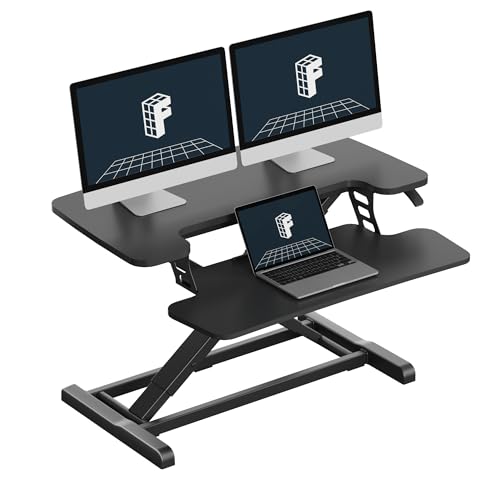
Why Choose a Standing Desk Attachment
Standing desk attachments have become the go-to solution for professionals who want the health benefits of standing without the high cost or hassle of replacing their existing desk. These devices sit directly on your current desktop and use gas springs, springs, or manual mechanisms to raise and lower your keyboard, monitor, and other work essentials.
Types of Standing Desk Attachments
When shopping for a standing desk attachment, you'll encounter three main types. Each has its own advantages, and the best choice depends on your budget, usage frequency, and workspace layout.
⚙️ Gas Spring / Pneumatic
These use gas cylinders to assist with lifting and lowering. They offer smooth, effortless adjustments and are the most popular type for daily use. Prices typically range from $300 to $600.
🔧 Manual / Crank
Manual converters use a hand crank or lever to adjust height. They're reliable and more affordable, starting around $200–$350, but require more physical effort to change positions.
⚡ Electric / Motorized
These are the premium option, using electric motors for push-button height changes. They're the easiest to use but come at a higher price point, typically $600–$900+.
Comparison of Top Standing Desk Attachments
| Feature | Gas Spring | Manual Crank | Electric Motor |
|---|---|---|---|
| Price Range | $300 – $600 | $200 – $350 | $600 – $900+ |
| Ease of Adjustment | Very easy (smooth lift) | Moderate (requires cranking) | Effortless (push button) |
| Weight Capacity | 30 – 60 lbs | 30 – 50 lbs | 40 – 70 lbs |
| Height Range | 4 – 18 inches | 4 – 16 inches | 5 – 20 inches |
| Noise Level | Silent | Quiet | Moderate (motor sound) |
What to Look for in a Standing Desk Attachment
Before making a purchase, consider these essential factors to ensure you choose the right attachment for your needs.
Health and Productivity Benefits
💪 Reduces Back Pain
Alternating between sitting and standing reduces strain on your lower back and spine.
⚡ Boosts Energy
Standing increases blood flow and oxygen to your brain, helping you stay alert and focused.
📈 Improves Posture
Properly adjusted standing desks encourage better neck and spine alignment.
⏳ Increases Longevity
Studies show reducing sedentary time can lower risks of cardiovascular disease and obesity.
Installation and Setup Tips
Setting up a standing desk attachment is straightforward, but following these tips ensures you get the most out of your new workspace upgrade:
- Clear your desk – Start with a clean, empty surface to avoid accidentally damaging any items.
- Read the instructions – Even if you're experienced, always check the manufacturer's specific guidelines.
- Check weight limits – Distribute your equipment evenly across the platform.
- Adjust ergonomically – Your monitors should be at eye level, and your elbows at a 90° angle.
- Test stability – Gently shake the platform to ensure it's secure before using it.
- Use cable management – Keep cords tidy to prevent them from snagging or pulling.
🪑 To complete your standing setup, consider a standing desk chair or explore different standing desks for home office for a full desk replacement.
If you're building a complete standing setup, check out top-rated standing desk options, stand-up desk accessories, and standing desk cable management tips to keep your surface neat.
Ready to Transform Your Desk?
Adding a standing desk attachment is one of the smartest investments you can make for your health and productivity. Whether you choose a gas spring, manual, or electric model, you'll enjoy the flexibility to work comfortably all day long.
For more ideas, browse our guides on small standing desks, standing L-desk setups, and the latest stand-up desk height recommendations.