Standing Desk Converter for Laptop and Monitor: The Complete Guide
Transform your existing desk into an ergonomic standing workstation. Discover the best standing desk converters for laptops and monitors, compare features, and find the perfect fit for your workspace.
Shop Top Converters →Why Choose a Standing Desk Converter?
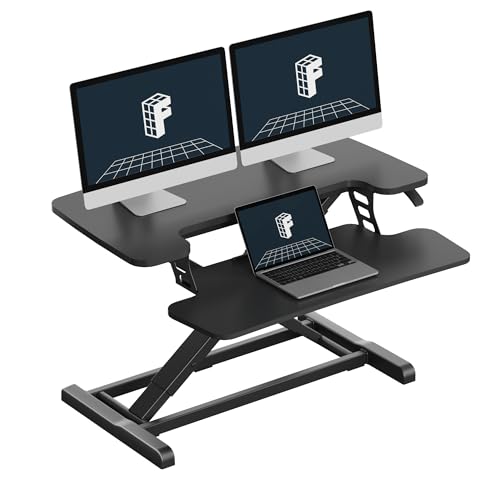
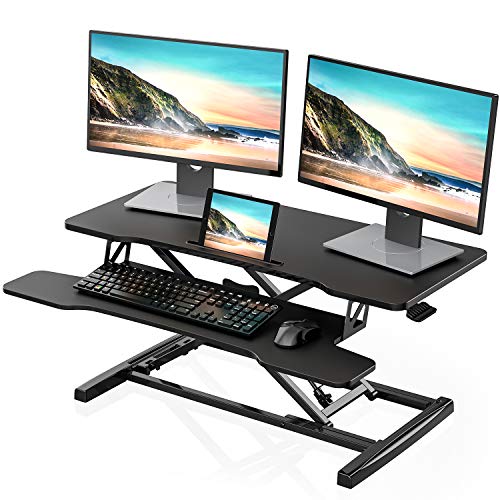
A standing desk converter is the most cost-effective way to add sit-stand functionality to your current desk. Unlike a full standing desk, a converter sits on top of your existing workspace, allowing you to raise your laptop and monitor to standing height in seconds. This is an ideal solution for those who want to improve their posture, reduce back pain, and increase energy levels without replacing their entire desk setup.
For users who work with both a laptop and an external monitor, a dedicated standing desk converter for laptop and monitor provides the perfect balance of functionality and stability. These converters are designed to accommodate multiple screens while maintaining a clean, organized workspace. Whether you're a remote worker, a student, or a creative professional, this guide will help you find the best converter for your needs.
✨ Health Benefits
Alternating between sitting and standing reduces the risks of prolonged sitting, such as back pain, obesity, and cardiovascular issues. A converter makes it easy to switch positions throughout the day, keeping you energized and focused.
💼 Space Efficiency
Converters are compact and fit on most desks. They eliminate the need to buy a new standing desk, saving both space and money. Plus, they are portable, so you can take them with you if you move or change offices.
⚡ Easy Setup
Most converters require no tools and can be set up in minutes. They feature simple gas spring or manual lift mechanisms that allow you to adjust the height quickly and smoothly.
🖥️ Dual-Screen Support
Modern converters are built to handle the weight of a laptop plus one or two monitors. Look for models with adjustable platforms and sturdy construction to keep your screens stable at any height.
If you're considering a full standing desk alternative, check out our guide on standing desks that move up and down to see which option suits you best.
Key Features to Look For
When shopping for a standing desk converter for laptop and monitor, these features are crucial for a comfortable and productive experience:
| Feature | Why It Matters | What to Look For |
|---|---|---|
| Weight Capacity | Ensures your converter can safely hold your laptop, monitor, and other accessories. | Look for a capacity of at least 30 lbs (13.6 kg) for a laptop + monitor setup. |
| Height Range | Accommodates different user heights and standing positions. | A range of 4-20 inches (10-50 cm) is ideal for most users. |
| Platform Size | Must be large enough to fit your laptop and monitor side by side or stacked. | Look for a width of at least 30 inches (76 cm) for dual screens. |
| Lift Mechanism | Affects ease of adjustment and durability. | Gas spring lift is smooth and effortless; manual lifts are more affordable but require more effort. |
| Keyboard Tray | Provides ergonomic typing position with wrist support. | A pull-out keyboard tray with negative tilt is ideal for reducing wrist strain. |
| Cable Management | Keeps your workspace organized and prevents tangling. | Integrated cable clips or raceways help keep cords out of the way. |
For those with smaller desks, a standing desk converter for small desks may be a better fit, offering compact dimensions without compromising stability.
Pros and Cons of Standing Desk Converters
Before making a purchase, weigh these advantages and disadvantages to see if a converter fits your workflow.
✅ Advantages
- Cost-Effective: Much cheaper than buying a full standing desk.
- Space-Saving: Uses your existing desk, no extra floor space needed.
- Portable: Easy to move or relocate to different workspaces.
- Quick Setup: Ready to use in minutes, no installation required.
- Flexibility: Allows you to keep your favorite desk while adding standing functionality.
❌ Disadvantages
- Limited Surface Area: May not fit larger monitor setups or multiple devices.
- Weight Restrictions: Heavy equipment may exceed the capacity.
- Stability Issues: Some models can wobble at maximum height.
- Height Limitations: May not go high enough for very tall users.
- Less Aesthetic: Can look bulky compared to a built-in standing desk.
If you're very tall, consider a standing desk converter for tall people for better ergonomics.
Comparison of Top Converters
Here is a side-by-side comparison of the best standing desk converters for laptop and monitor setups based on features, price, and user reviews.
| Model | Weight Capacity | Height Range | Keyboard Tray | Price | Best For |
|---|---|---|---|---|---|
| Varidesk Pro Plus 36 | 35 lbs | 4.5" – 17.5" | Yes, with wrist rest | $395 | Dual monitor users |
| Ergotron WorkFit-T | 30 lbs | 3" – 14.5" | Yes, adjustable | $520 | Heavy-duty use |
| FlexiSpot Comhar | 33 lbs | 4.3" – 17.7" | Yes, with flip-up | $329 | Laptop + monitor |
| VIVO Convertible | 26.5 lbs | 2" – 18" | Yes, with mouse pad | $169 | Budget-friendly |
| HUANUO Dual Monitor | 33 lbs | 4" – 18" | Yes, sliding | $189 | Small desks |
For more options, see our standing desk converter with dual monitor mount guide.
How to Choose the Right Converter
If you're working with a corner desk, check out standing desk converters for corner desks for specific recommendations.
For those who prefer a more permanent solution, our guide on work desks that move up and down might be helpful.
Ergonomic Setup Guide
Using a standing desk converter for laptop and monitor is only half the battle — setting it up ergonomically is essential for comfort and health. Follow these steps:
-
1.
Monitor Height: The top of your monitor should be at or slightly below eye level. Adjust the converter's monitor platform accordingly.
-
2.
Arm Position: Your elbows should be at a 90-degree angle, with forearms parallel to the floor. Use the keyboard tray or adjust the platform height.
-
3.
Screen Distance: Place your monitor about an arm's length away. The laptop screen should be close to the monitor's height for seamless workflow.
-
4.
Switch Regularly: Alternate between sitting and standing every 30-60 minutes. Use a timer or an app to remind you to switch positions.
For a deeper dive into desk ergonomics, read our proper sitting posture guide and desk height calculator.
FAQs About Standing Desk Converters
Can I use a standing desk converter with a laptop and two monitors?
Yes, many converters are designed for dual monitor setups. Look for models with large platforms and high weight capacities (35+ lbs). Some even come with a dedicated monitor mount for better stability.
Will a converter damage my desk?
No, most converters have rubber feet or non-slip pads that protect your desk surface. However, heavy converters can leave indentations on soft wood, so using a protective mat is recommended.
How tall should a standing desk converter be?
The ideal height depends on your own height. For a person of average height (5'8" – 5'10"), a standing desk height of 38" – 42" is typical. The converter should lift your screens to that level. Most converters offer 14" – 18" of lift.
Can I turn my existing desk into a standing desk with a converter?
Absolutely! That's the main purpose of a converter. Simply place it on your existing desk and adjust to the desired height. It's a turn your desk into a standing desk solution that works for most setups.