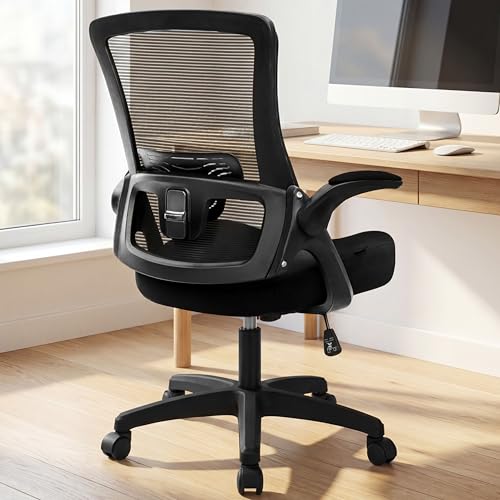
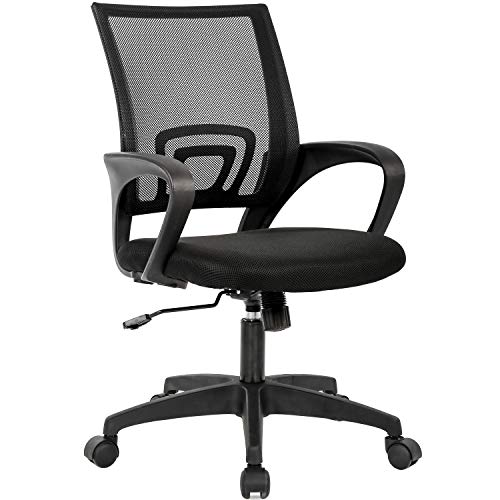
Adjustable Height Desk Chair for Home Office: Fit Guide
Discover how an adjustable height desk chair supports posture, reduces strain, and adapts to different users and desks in a home office.
EXPLORE CHAIR OPTIONSAll About Desks Insight: Adjustability is what separates a chair that fits from one that slowly causes discomfort. On a home office chair, height, depth, and armrest adjustments determine whether the desk and monitor end up in the right position for the body.
Why Adjustable Height Matters in a Home Office
Home office desks vary widely in height, and so do the people using them. A chair that cannot match the desk height forces the shoulders, wrists, or neck into awkward positions. Height adjustment on the chair brings the seated surface to a position where the elbows can rest near ninety degrees and the feet stay flat on the floor.
Adjustability also matters when a chair is shared. Two users of different heights need different seat positions, and a chair that adjusts easily supports both. This is the same principle applied in desk chairs with back support, where the combination of height, lumbar, and tilt adjustments keeps users comfortable across long sessions.
Common Chair Configurations
Adjustable chairs vary in their range of adjustments. The table below groups the most common configurations by how they support different body types and desks.
| Chair Type | Best For | Tier |
|---|---|---|
| Basic height-adjustable task chair | Small desks and occasional use | Entry-level tier |
| Chair with height and depth adjustment | Users who need thigh support at varied seat heights | Mid-tier |
| Chair with height, depth, and armrest adjustment | Shared desks and mixed daily use | Mid-tier |
| Chair with synchro-tilt and adjustable lumbar | Extended daily use and posture-focused setups | Premium tier |
| Professional ergonomic chair with full adjustment | Long sessions and precision ergonomics | Top-tier |
What to Check Before You Choose
Not every adjustable chair adjusts the same things. Prioritize features that match the desk and the users.
- Seat height range: Confirm it matches both the desk height and the user's leg length.
- Seat depth adjustment: Supports thigh comfort and prevents pressure behind the knees.
- Armrest adjustment: Height and width adjustment reduces shoulder tension.
- Lumbar adjustment: Height and firmness keep the lower back supported as posture shifts.
- Weight capacity: Confirm the chair supports the user comfortably, especially for taller or heavier users.
- Seat cushion quality: Memory foam and higher-density foam retain support across long sessions.
- Base stability: A wider base keeps the chair steady during height and tilt adjustments.
Pro tip: Sit in the chair at the desk for at least five minutes before choosing. Height and depth adjustments are easy to feel in a short trial, while armrest and lumbar adjustments need more time to confirm comfort.
Matching the Chair to the Desk
The chair is only part of the ergonomic equation. If the desk is fixed at a standard height, the chair needs to lift the user to a comfortable seated position. If the desk is adjustable, the chair's role shifts slightly: the desk surface moves to meet the elbows, and the chair focuses on seated posture.
On a fixed desk, an adjustable desk chair without wheels adds stability in tight spaces without sacrificing height control. On a desk with limited floor clearance, an office chair with a smaller base keeps the chair from hitting the desk legs or drawers. For users working at a sit-stand desk, an ergonomic desk chair for standing desk supports seated breaks between standing sessions.
Ergonomics for Long Sessions
Adjustable height is the first setting, but good posture depends on the whole setup. Once the seat height is set, check that the elbows sit near ninety degrees, the wrists stay neutral, and the monitor sits at or slightly below eye level. An ergonomic desk setup guide covers the full picture, including chair height, desk height, and monitor placement.
Users with lower back concerns often benefit from a chair with an adjustable lumbar support. A desk chair for a bad back emphasizes support and adjustability over styling. Pairing the chair with the right desk, such as a standing desk with keyboard tray, keeps the wrists and shoulders aligned throughout the day.
Chairs for Shared Home Offices
Shared home offices need chairs that adapt quickly. Chairs with clearly marked height ranges and easy-to-adjust armrests support both users without requiring a new setup each time. Adjustable lumbar support that can be moved vertically without tools is especially useful when users of different heights share the same chair.
In tight rooms, a corner desk for small space may limit the chair's range of motion, so the chair's base should be sized to fit the space. For smaller rooms, a small home office desk paired with a compact adjustable chair produces a balanced workspace.
Maintenance and Longevity
Adjustable chairs hold up best when their mechanisms are used as designed. Avoid forcing adjustments beyond their limits, and clean the chair regularly to keep dust and hair from collecting in the mechanisms. Check casters for wear and replace them if the chair begins to drag or wobble. Gas cylinders in height-adjustable chairs last for years when not overloaded, but they do eventually lose pressure and require replacement.
Final Checklist Before You Choose
Run through this list to confirm the chair fits your desk and routine:
- Confirm the seat height range matches the desk and the user's leg length.
- Check seat depth adjustment for thigh support.
- Verify armrest and lumbar adjustments for the type of work you do.
- Confirm the base fits the space under and around the desk.
- Match the cushion to the session length and user weight.
- Trial the chair at the desk before committing.
With the right adjustable height desk chair for home office use, the workstation becomes more comfortable and easier to share across different users. The products below support height, depth, and lumbar adjustability, and each is selected for value within its tier so you can compare options with confidence.