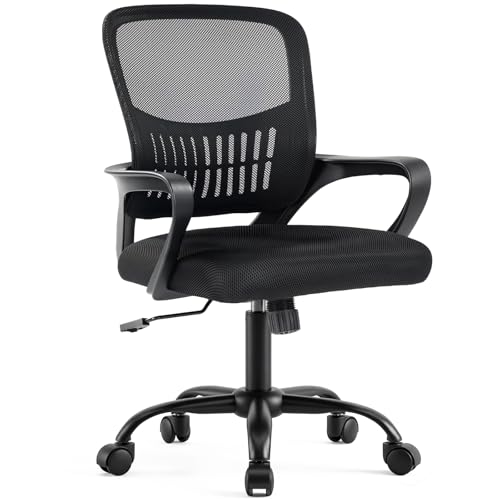
Desk & Chair for Home Office: The Perfect Ergonomic Duo
All about desks and chairs for your home office. Find the ideal combination for comfort, productivity, and long-term health.
Why it matters: Your desk and chair are the foundation of your home office. A well-matched set reduces fatigue, prevents back pain, and boosts focus. This guide helps you choose the best desk and chair combination for your needs, whether you're a remote worker, a gamer, or a creative professional.
Choosing the Best Desk and Chair for Home Office
Selecting the right desk and chair for home office is more than a furniture decision—it's an investment in your health and productivity. With the rise of remote work, many people spend 8+ hours at their desks. The wrong setup can lead to chronic back pain, neck strain, and reduced concentration. This guide breaks down the key factors to consider, from ergonomics to material quality, so you can create a workspace that supports your well-being.
1. Ergonomic Essentials: Chair First
Before you pick a desk, start with the chair. A comfortable desk chair for home office should offer adjustable lumbar support, seat height, and armrests. Look for a chair that keeps your feet flat on the floor, thighs parallel to the ground, and lower back naturally curved. If you prefer sitting cross-legged or have a non-traditional posture, consider desk chairs to sit cross-legged for added flexibility.
For larger individuals, stability is crucial. Big and tall desk chairs 400 lbs and big and tall desk chair 500 lbs provide reinforced frames and wider seats, ensuring durability and comfort. If you prefer a chair without wheels for a more grounded feel, check out desk chair with lumbar support no wheels.
✔ Lumbar Support
Adjustable lower back support reduces strain.
✔ Seat Depth
Ensure 2-3 fingers of space between knees and seat edge.
✔ Armrests
Adjustable armrests keep shoulders relaxed.
✔ Material
Breathable mesh or high-density foam for long comfort.
2. Desk Types: Finding Your Perfect Surface
Your desk should complement your chair and work style. For those who alternate between sitting and standing, an adjustable height desks for home office is a top choice. Electric or manual, these desks let you switch positions throughout the day, reducing the risks of prolonged sitting.
If you have a small space, consider a small desk with lots of storage or a wall-mounted desks for small spaces. For multi-monitor setups, a work from home desk for 2 monitors or standing desk for 2 monitors and laptop offers ample surface area. Corner desks like the 2 person corner desk for home office maximize space in shared offices.
For those who prefer a traditional look with built-in storage, a wood home office desk with drawers combines aesthetics with functionality. If you're on a budget, a folding computer desk for small spaces is a versatile and affordable option.
3. The Perfect Pair: Matching Desk Height and Chair
The ideal desk height is typically 28–30 inches, but this varies based on your height. When seated, your elbows should be at a 90-degree angle, with forearms parallel to the floor. For standing, the desk should align with your elbows bent at 90°. Many adjustable height standing desk with drawers include programmable presets, making it easy to switch between sitting and standing positions.
If your current desk is too high, a adjustable keyboard tray under desk can lower your keyboard and mouse to the correct height. Similarly, a monitor stand for desk with drawer lifts your screen to eye level, promoting better posture.
4. Storage and Organization
A cluttered desk hampers productivity. Look for desks with integrated storage solutions. The desk with file drawer and hutch and office desk with drawers and shelves keep essential documents and supplies within reach. For small spaces, a small roll top desk with drawers offers concealed storage and a compact footprint.
Cable management is another critical aspect. Desks with built-in cable trays, like l-shaped desks with cable management, keep wires hidden and your workspace tidy. If you already have a desk, consider an under desk keyboard tray mount or under desk printer stand on wheels to free up surface space.
5. Specialized Needs: Gaming, Standing, and More
If you're a gamer, a gaming desk for 2 monitors and pc with cable management and a durable surface is ideal. For those who need to share a workspace, a 2 person corner desk for home office or a loft bed with desk and bookshelf can be a space-saving solution.
For standing desk enthusiasts, consider a standing desk converter for 2 monitors if you want to convert your existing desk. If you're tall, a standing desk height for 6 foot person ensures proper alignment. And if mobility is a priority, a rolling laptop desk adjustable height lets you move your workspace easily.
6. Budget and Value
You don't need to break the bank for a quality setup. Many excellent options are available under $500. For example, a most comfortable desk chair under 300 offers great ergonomics without a premium price. Similarly, the sit and stand desk for home office provides flexibility at a reasonable cost. Always prioritize build quality and ergonomics over aesthetics—a sturdy frame and durable materials will last longer and support your health better.
7. Final Checklist Before You Buy
- Measure your space: Ensure the desk fits comfortably in your room.
- Check weight capacity: For desks, consider the weight of your monitors and equipment. For chairs, check the weight limit.
- Test adjustability: If possible, test the chair's lumbar support, armrests, and tilt tension.
- Think about long-term use: Invest in high-quality materials that will withstand daily use.
By carefully selecting your desk and chair for home office, you create a foundation for a productive, comfortable, and healthy work environment. The right combination can transform your daily routine and make remote work a joy rather than a chore.