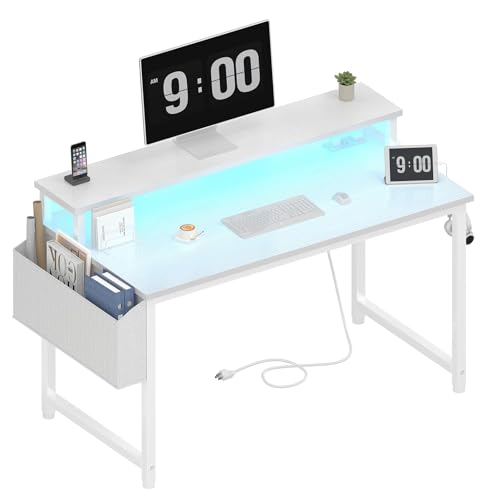
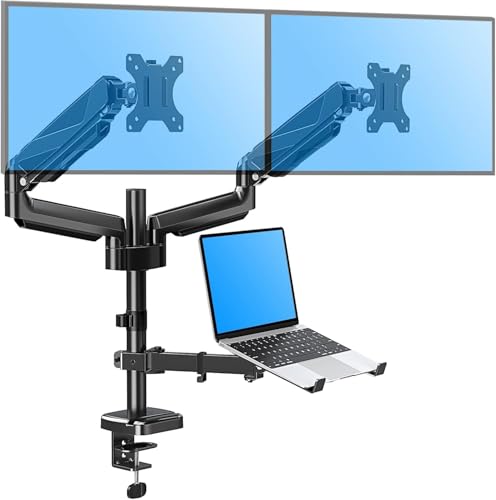
Ultimate Desk Setup with Laptop & Monitor
Transform your workspace into a productivity hub. Learn the exact monitor placement, ergonomic secrets, and cable management hacks for a seamless laptop + external monitor setup.
Shop Recommended Desk Accessories →⚡ Why this guide matters: A poorly arranged laptop-and-monitor desk can cause neck pain, eye strain, and kill your workflow. This guide covers monitor height, laptop riser placement, cable routing, and the best desk accessories to turn your desk into a command center.
1. Perfect Monitor & Laptop Placement
1 External Monitor
- Height: Top of screen at or slightly below eye level.
- Distance: Arm's length (about 20–30 inches).
- Angle: Tilt back 10–20° to reduce glare.
- Pro tip: Use a monitor stand or arm for infinite adjustability.
2 Laptop (as secondary screen)
- Riser: Elevate laptop so its screen is just below the main monitor.
- Alignment: Align the top edges of both screens for smooth cursor movement.
- Keyboard: Use an external keyboard & mouse — keep shoulders relaxed.
- Idea: A pull-out keyboard tray frees up desk space.
2. Cable Management That Stays Clean
🔌 Tame the cable jungle: A clutter-free desk boosts focus. Use adhesive cable clips, a desk with built-in cable management, or under-desk trays. Bundle laptop charger, monitor cable, and peripherals into a single sleeve.
- Power strip: Mount it under the desk with double-sided tape.
- USB hub: Place it at the back of the desk for easy access.
- Velcro ties: Reusable and adjustable – keep extra slack hidden.
3. Desk & Chair Harmony
🪑 Chair setup
- Height: Feet flat on floor, knees at 90°.
- Lumbar support: Maintain natural curve.
- Consider an ergonomic chair for all‑day comfort.
🪵 Desk surface
- Depth: At least 30″ to fit laptop + monitor + keyboard.
- Height: Around 28–30″ (adjustable desks are ideal).
- Explore electric standing desks for sit‑stand flexibility.
4. Lighting & Accessories
💡 Desk lamp
A lamp with USB port keeps devices charged.
🎧 Headphone hook
Mount under the desk or use a monitor stand with storage.
🧹 Desk mat
Protects surface and gives a smooth glide for mouse & keyboard.
✅ Your Laptop + Monitor Desk Setup Checklist
- Monitor at eye level (top edge)
- Laptop riser or stand
- External keyboard & mouse
- Cables bundled & hidden
- Power strip under desk
- Chair supports lower back
- Desk depth ≥ 30″
- Good task lighting
🎯 Expert pick: For the ultimate laptop-monitor desk, choose a desk with built-in power outlets and USB ports – it eliminates adapter clutter and keeps everything charged.