Desktop PC Stand Guide: Elevate, Cool, and Organize
Discover how the right desktop PC stand improves airflow, saves desk space, and protects your computer. Expert insights for a cleaner, more efficient setup.
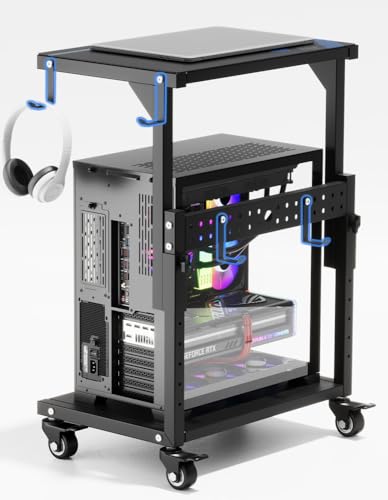
Why a Desktop PC Stand? A desktop PC stand (or CPU stand) is more than just a riser. It lifts your computer off the desk surface, improving airflow to prevent overheating, reduces dust intake, and frees up valuable workspace. Whether you have a full-tower gaming rig or a compact mini PC, the right stand enhances your entire desk setup.
🖥️ Better Airflow
Raising your PC allows air to circulate underneath, keeping components cooler and extending lifespan.
📦 Space Saver
Free up your desk surface by placing the tower on a stand, creating room for monitors, peripherals, or a monitor arm.
🧼 Dust Reduction
Elevated PCs suck in less dust from the floor, making cleaning easier and improving internal air quality.
⚡ Ergonomic Access
Easy access to ports and buttons, especially when paired with an ergonomic desk layout.
What to Look For in a Desktop PC Stand
Choosing the right desktop PC stand depends on your computer's size, desk material, and personal preferences. Here are the key factors to consider:
- Size & Weight Capacity: Measure your PC's width, depth, and height. Ensure the stand supports the weight of your tower. Most stands handle 50–150 lbs.
- Material & Build: Steel and aluminum stands offer durability and stability. Some feature rubberized pads to prevent slipping and protect your desk surface.
- Adjustability: Some stands offer height adjustment or tilting for better access to ports. Fixed stands are simpler and more stable for heavy PCs.
- Ventilation & Cooling: Look for open designs or built-in fan mounts if your PC runs hot. A stand with a mesh or raised base promotes airflow.
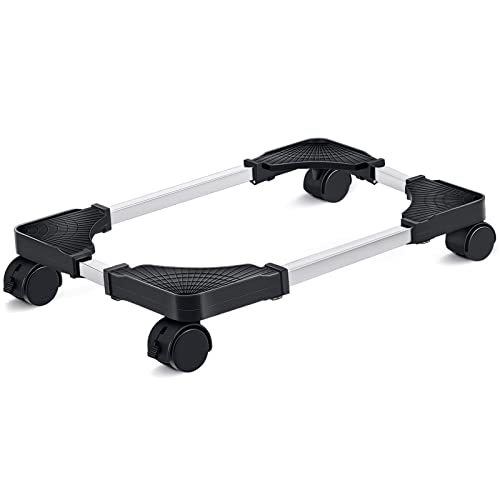
- Mobility: If you need to move your PC frequently, choose a stand with wheels or casters. Locking wheels keep it stationary.
A well-chosen desktop PC stand is an investment in your PC's health and your desk's organization. It also makes your setup look professional and clean.
Types of Desktop PC Stands
Fixed Stands
Simple, sturdy, and affordable. Perfect for stationary setups where you don't need to move the PC.
Rolling Stands
With wheels for easy maneuverability. Ideal for desks with outlets or tight spaces.
Under-Desk Mounts
Saves floor and desk space by suspending the PC under your desk. Great for minimalists.
Adjustable Height
Allows you to raise or lower the PC for better airflow or easier access to rear ports.
Frequently Asked Questions
Will a desktop PC stand fit my large gaming tower?
Yes, many stands are designed for full-tower PCs. Check the product dimensions and weight capacity before buying.
Can I use a PC stand on a glass desk?
Yes, but choose a stand with rubberized feet to prevent scratching. Avoid stands with metal edges that could damage the glass.
Does a PC stand really help with cooling?
Absolutely. By raising the PC off the desk, cool air can flow into bottom-mounted fans, reducing temperatures by 5–10°C in some cases.
Can I mount my PC under the desk?
Yes, under-desk mounts are a great space-saving option. Ensure your desk is sturdy enough to hold the weight.
Ready to elevate your setup? A desktop PC stand is a small investment that delivers big returns in performance, space, and style. Browse our top picks below and find the perfect match for your desk.