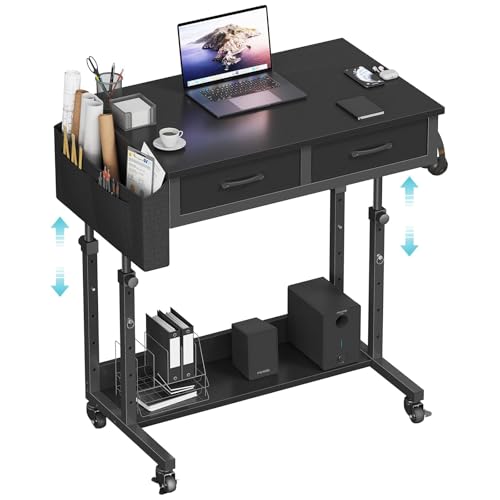
Laptop on Desk: The Complete Guide to a Better Workspace
Whether you're a remote worker, student, or creative, positioning your laptop on desk the right way can transform your comfort, posture, and productivity. Discover the best practices, accessories, and setups.
Shop Recommended Laptop Desks & Accessories →Placing a laptop on desk is more than just setting it down and opening the lid. The angle, height, and surrounding setup affect your neck, shoulders, and wrists. A poorly positioned laptop can lead to discomfort and long-term strain. But with the right knowledge and a few key accessories, you can turn any desk into a comfortable, high-performance workstation.
This guide covers everything from ergonomic essentials to the best laptop desk stands and risers, plus how to organize cables, choose the right modern desk, and create a clutter-free environment that boosts focus.
🔹 Ergonomics First: Eye Level & Posture
The top of your laptop screen should be at or slightly below eye level. If you're looking down at the screen, you're straining your neck. Use a laptop riser for desk or an adjustable stand to raise the screen. Pair it with an external keyboard and mouse so your arms stay at a 90° angle.
- Ideal screen height: 15–20° tilt, top of screen at eye level.
- Elbow angle: 90–100° when typing.
- Wrist support: Keep wrists straight, use a desk pad or wrist rest.
🔹 Desk Setup & Space Optimization
A laptop on desk should have room to breathe. Avoid clutter by using a modular desk or minimalist desk with cable management. If you use external monitors, consider a monitor arm to free up surface area.
- Desk size: At least 48" wide for a laptop + accessories.
- Cable management: Use cable trays and raceways to keep wires hidden.
- Lighting: Position a desk lamp or monitor light bar to reduce glare.
How to Set Up Your Laptop on Desk Like a Pro
Step 1: Choose the Right Surface
A stable, spacious desk is essential. A large desk or modern home office desk gives you room for multiple devices. If space is tight, consider a compact desk or floating wall desk.
Step 2: Elevate Your Laptop
A laptop riser for desk or stand is non-negotiable for ergonomics. Look for adjustable height and angle. Some risers even have built-in cooling fans to prevent overheating.
Step 3: External Peripherals
Use a wireless keyboard and mouse to reduce clutter. A monitor riser for desk can double as a storage shelf, while a docking station simplifies connections to multiple monitors and accessories.
Step 4: Cable Management & Aesthetics
Keep your laptop on desk looking clean with cable sleeves and under-desk cable management. A leather desk pad adds a premium feel and protects the surface.
✅ Benefits of a Proper Laptop Setup
- Reduces neck and back pain
- Improves typing speed and accuracy
- Increases screen real estate with external monitors
- Better airflow for cooling
- Less desk clutter, more focus
🔧 Must-Have Accessories
- Laptop riser / stand
- External keyboard
- Ergonomic mouse
- Monitor arm (if using external screens)
- Cable management tray
- Adjustable desk lamp
Related Guides: modern office desk, standing desk converters, wireless desk setup, desk productivity habits, dual monitor setup
Ready to Upgrade Your Laptop Desk?
Browse top-rated laptop risers, stands, and complete desk setups. All products are carefully selected to enhance comfort, ergonomics, and style.
Explore Recommended Products ↓