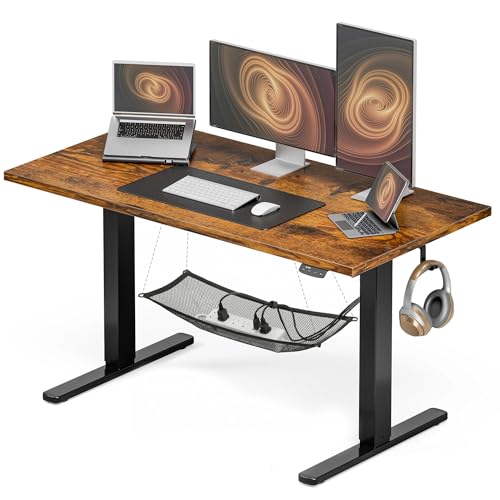
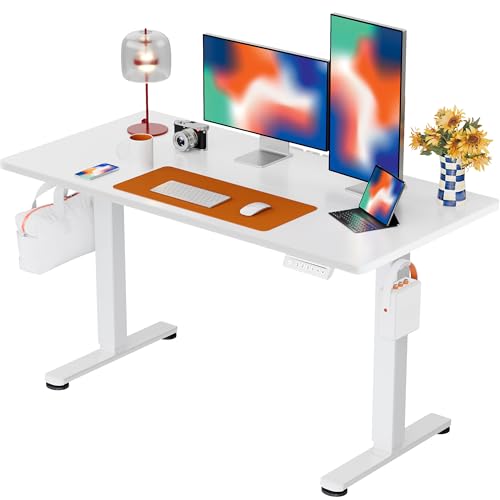
If you're searching for a work desk that goes up and down, you're likely looking to improve your posture, energy, and overall well-being while working from home or in the office. Also known as height adjustable desks, standing desks, or sit-stand desks, these versatile workspaces allow you to easily transition between sitting and standing throughout the day. This guide covers everything you need to know—from health benefits and key features to the best options on the market—so you can make a confident, informed purchase.
Why choose a height adjustable desk? Studies show that alternating between sitting and standing can reduce back pain, increase energy, and improve focus. A work desk that moves up and down is one of the best investments you can make for your long-term health and productivity.
Health Benefits of a Height Adjustable Desk
Switching to a work desk that goes up and down offers numerous scientifically-backed benefits:
✅ Reduces Back Pain
Alternating postures relieves pressure on your spine and lower back, reducing chronic pain.
✅ Boosts Energy & Mood
Standing increases blood flow and oxygen to the brain, helping you stay alert and focused.
✅ Improves Posture
Adjustable heights encourage ergonomic positioning, reducing neck and shoulder strain.
✅ Lowers Health Risks
Reduces risks associated with prolonged sitting, including obesity, heart disease, and diabetes.
Types of Work Desks That Go Up and Down
There are two main categories of height adjustable desks: electric (motorized) and manual (crank or pneumatic). Here's a detailed comparison:
| Feature | Electric Standing Desk | Manual Standing Desk |
|---|---|---|
| Height Adjustment | Push-button control, smooth and effortless | Hand crank or pneumatic lever, requires physical effort |
| Speed | Fast (typically 1-2 inches per second) | Slower (takes more time and effort) |
| Price Range | $400 – $1,500+ | $200 – $700 |
| Weight Capacity | Higher (typically 200-350 lbs) | Moderate (typically 150-250 lbs) |
| Ease of Use | Very easy, ideal for frequent changes | Requires more effort, may discourage frequent use |
| Best For | Heavy users, dual monitors, multiple devices | Budget-conscious users, occasional adjustments |
Key Features to Consider
When choosing a work desk that goes up and down, pay attention to these essential features:
- Height Range: Most desks range from 22" to 48". Ensure it fits your body height and chair combination. For tall users, look for extended range options like standing desk converters for tall people.
- Weight Capacity: Check the desk's maximum load. If you use multiple monitors, a heavy PC, or other equipment, opt for a desk with higher capacity.
- Motor Quality: For electric desks, look for dual motors for smoother, quieter operation and better longevity.
- Frame Stability: A sturdy frame prevents wobbling at standing height. Steel frames with crossbars are ideal.
- Desktop Size: Measure your space. Standard sizes are 48"x24" for smaller spaces, up to 72"x30" for larger setups. For small spaces, consider a work from home desk for small spaces.
- Programmable Presets: Electric desks often have memory presets for your favorite sitting and standing heights.
- Warranty: Look for at least 5 years on the frame and motor, and 1-2 years on parts.
Pros and Cons of Height Adjustable Desks
Pros
- Improves posture and reduces back pain
- Increases energy and productivity
- Promotes movement throughout the day
- Reduces risk of chronic diseases
- Versatile for different users (sharing a desk)
Cons
- Higher cost than fixed desks
- Electric models require a power outlet
- Can be heavy and difficult to move
- May wobble at maximum height if not sturdy
- Learning curve to develop a standing routine
How to Use a Height Adjustable Desk Effectively
To get the most out of your work desk that goes up and down, follow these tips:
- Start Slowly: Begin with 15-30 minutes of standing per hour, gradually increasing as you build endurance.
- Use an Anti-Fatigue Mat: Standing on a cushioned mat reduces foot and leg fatigue. Consider pairing with a heavy-duty desk chair mat for your sitting areas.
- Set Ergonomic Heights: Your elbows should be at 90° when typing, and your monitor at eye level. Use a standing desk converter with keyboard tray for better ergonomics.
- Move Regularly: Don't stay in one position for too long. Even slight shifts in posture help reduce strain.
- Invest in a Comfortable Chair: Pair your adjustable desk with a comfortable desk chair without wheels for a complete ergonomic setup.
Choosing the Right Work Desk That Goes Up and Down for You
With so many options available, it's important to consider your specific needs:
- Budget: Manual desks start around $200, while premium electric models can cost $1,000+. Determine your budget before shopping.
- Space: Measure your room carefully. For tight spaces, consider a work from home desk setup for small spaces.
- Usage: If you switch positions frequently, an electric desk with presets is a worthwhile investment.
- Work Style: If you use a laptop and one monitor, a standing desk converter for laptop and monitor might be a cost-effective solution.
- Aesthetics: Choose a finish and color that matches your office decor. White, black, and wood tones are popular choices.
Once you've considered these factors, browse our curated selection of top-rated desks below. These products are hand-picked based on quality, customer reviews, and value for money.
💡 Expert Tip: For the best experience, combine your height adjustable desk with a standing desk chair with lumbar support and an anti-fatigue mat. This trio will maximize your comfort and health benefits.