
Work From Home Desk for Two Monitors
Maximize your productivity with the perfect desk for dual monitors. Discover ergonomic layouts, space-saving designs, and top-rated options to create your ideal home office.
Shop Top Picks →Why a dedicated desk for two monitors matters: A dual-monitor setup boosts productivity by up to 42% (according to various studies). But without the right desk, you risk neck strain, cluttered surfaces, and reduced efficiency. This guide covers everything you need—from desk size and shape to ergonomic accessories—so you can work comfortably and effectively.
What to Look for in a Dual-Monitor Desk
📐 Desk Width & Depth
For two monitors (24–27 inches), choose a desk at least 55–60 inches wide and 28–30 inches deep. This gives you room for monitors, keyboard, and documents without crowding.
🪑 Ergonomic Height
Standard desk height is 28–30 inches. But if you're taller or shorter, consider an adjustable height desk to ensure your eyes align with the top of your monitors.
🔌 Cable Management
Two monitors mean more cables. Look for desks with built-in cable trays or grommets to keep your workspace tidy and prevent tangled wires.
🔄 Stability & Weight Capacity
Dual monitor arms or stands add weight. Ensure your desk can support at least 150–200 lbs to handle monitors, a PC, and accessories safely.
Desk Shapes for Dual Monitors
Straight / Rectangular
- Best for: Focused work, minimal space.
- Pros: Simple, affordable, easy to place against a wall.
- Cons: Can feel cramped if you need extra workspace.
- Ideal width: 55–70 inches.
L-Shaped
- Best for: Corner spaces, multitaskers.
- Pros: Provides a separate area for each monitor or for writing/computer work.
- Cons: Takes up more floor space.
- Ideal width: 60+ inches on each side.
Standing vs. Sitting Desk for Two Monitors
Both options have their benefits. A standing desk (or a standing desk converter) allows you to alternate between sitting and standing, reducing back pain and boosting energy. If you prefer a traditional desk, ensure it's at the correct height and pair it with an ergonomic chair.
Quick comparison:
- Standing Desk: Electric or manual height adjustment. Look for models with dual-motor for stability with heavy monitors.
- Converter: A cost-effective way to turn your existing desk into a standing desk for two monitors. Ensure it has a wide enough platform.
- Fixed Desk: Choose a height that matches your sitting ergonomics. Add a monitor arm for flexibility.
Must-Have Accessories for Dual Monitor Desks
🖥️ Monitor Arms
Free up desk space and position your monitors at eye level. A good dual monitor arm improves posture and reduces neck strain.
⌨️ Keyboard Tray
Keep your wrists straight with an under-desk keyboard tray. Look for one with tilt adjustment and a mouse platform.
🧰 Cable Management Kit
Velcro ties, cable sleeves, and under-desk trays keep your dual-monitor setup looking clean and professional.
💡 Task Lighting
Reduce eye strain with a desk lamp or monitor light bar. Position it to avoid glare on your screens.
Best Work From Home Desks for Two Monitors
⚠️ AFFILIATE DISCLOSURE: This website contains affiliate links. As an Amazon Associate, we earn from qualifying purchases. If you make a purchase through these links, we may receive a small commission at no additional cost to you. Read our full affiliate policy.

ErGear 48 X 24 Inch Height Adjustable Electric Standing Desk, Black | Stand Up office Desk, Home Office Computer Desk with 4 Memory Presets, Stable Steel Frame, 176 lbs Capacity, Easy Assembly
Check price on Amazon
OffiGo 55 Inch U Shaped Electric Standing Desk with Keyboard Tray, White | Power Outlet, Dual-Monitor Stand, LED Light, 3 Presets, 28.3"-46.5"in Range, 154 lb Capacity
Check price on Amazon
Pamray 43 Inch L Shaped Computer Desk with Reversible Side Storage Shelves, Small Corner Desk for Small Space Home Office,Writing Study Table PC Desk for Bedroom,Pink with White Leg
Check price on Amazon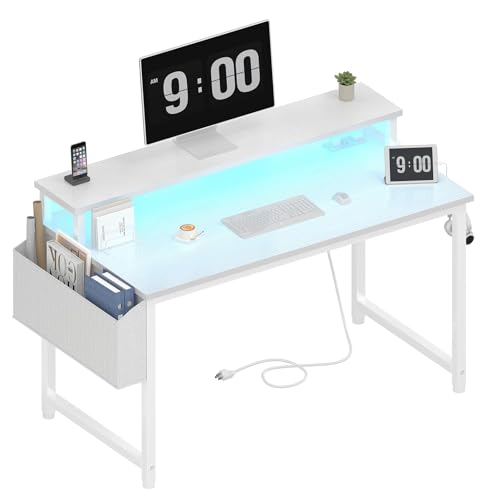
Lufeiya White Computer Desk with LED Lights and Power Outlets, 40 Inch Home Office Desks with Monitor Stand, Teen Writing Study Table Gaming Desk with Charging Station, White
Check price on Amazon
L Shaped Desk, 50 Inch Reversible Computer Desk with CPU Stand | Storage Bag, Side Hook, Black Corner Gaming Table, Sturdy Metal Frame, PC Workstation for Home Office
Check price on Amazon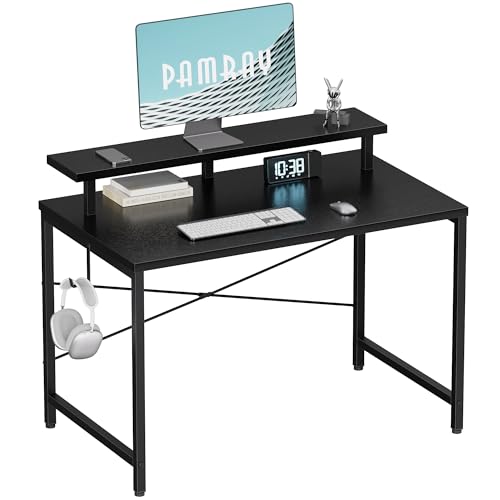
Pamray 32 Inch Small Computer Desk with Monitor Stand, Simple Office Desk with Headphone Hook for Small Spaces, Kids Study Writing Table for Bedroom, Black
Check price on Amazon
PRAISUN 55 inch Gaming Desk, LED & Power Outlets, Monitor Stand, Black | Sturdy PC Desk for Home Office, Study & Work, LED Lights, 4 AC Outlets & USB-C Charging Station
Check price on Amazon
Grandder 55x32 Extra-Deep Electric Standing Desk, Wide Desktop Fits 49" Ultrawide Monitor+Dual Screens, 176 lbs Capacity, 2 Memory Presets, Anti Collision, Computer Desk for Home Office & Gaming, Oak
Check price on AmazonFinal Setup Checklist
- Monitor position: Top of screens at or slightly below eye level.
- Distance: Monitors about an arm's length away.
- Angle: Tilt screens slightly upward (10–20 degrees).
- Desk clearance: Enough space for your legs and chair arms.
- Chair: Pair with a supportive office chair.
With the right desk and accessories, your dual-monitor home office can be both productive and comfortable. Explore the options above and find the perfect fit for your workflow.