Ergonomic Accessories: Build a Healthier, More Productive Desk
From ergonomic mice and split keyboards to monitor arms and footrests — discover the essential tools that protect your body and elevate your workflow.
Shop Top Ergonomic Picks ↓Why ergonomic accessories matter: Hours at a desk can take a toll on your wrists, neck, back, and eyes. The right ergonomic accessories reduce strain, prevent repetitive stress injuries, and keep you comfortable so you can focus on what matters most. Whether you're a remote worker, gamer, or creative professional, investing in ergonomic tools is one of the smartest decisions you can make for your long-term health and productivity.
Essential Ergonomic Accessories
🖱️ Ergonomic Mice
Vertical, trackball, or joystick — reduce wrist strain with a mouse designed for natural hand posture.
⌨️ Ergonomic Keyboards
Split, curved, or tented keyboards that keep your wrists straight and shoulders relaxed.
🖥️ Monitor Arms & Stands
Adjust height, depth, and tilt to achieve perfect eye level and reduce neck fatigue.
🧘 Wrist Rests & Supports
Gel or memory foam rests for keyboard and mouse — maintain neutral wrist alignment.
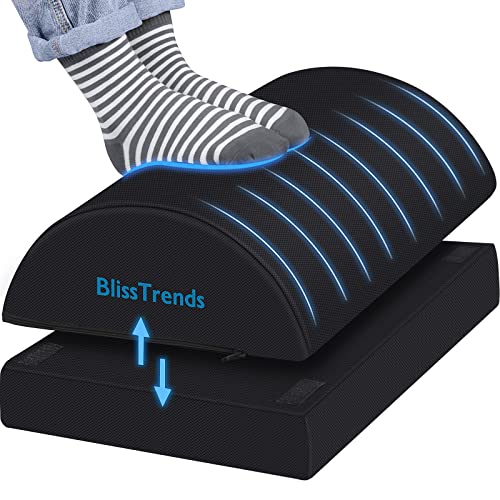
🦶 Footrests
Promote healthy leg circulation and reduce lower back pressure with an adjustable footrest.
🧘 Standing Desk Mats
Anti-fatigue mats with massage texture to encourage subtle movement while standing.
Choosing the Right Ergonomic Accessories for Your Setup
Every desk setup is unique, but the principles of ergonomics apply universally. Start by evaluating your current desk ergonomics – your chair height, monitor distance, and keyboard position. From there, you can select accessories that address your specific pain points.
For example, if you experience wrist discomfort, consider an ergonomic mouse (vertical or trackball) and a split keyboard that allows your hands to rest at shoulder width. A monitor arm is one of the most impactful upgrades: it frees up desk surface and lets you position your screen at the ideal height and distance, reducing neck and eye strain.
If you alternate between sitting and standing, a standing desk paired with an anti-fatigue mat can make a world of difference. And don't overlook small additions like a keyboard tray or under-desk keyboard tray – they allow you to adjust typing height independently from your chair.
Quick Comparison: Popular Ergonomic Accessories
| Accessory | Best For | Key Benefit | Typical Price |
|---|---|---|---|
| Vertical Ergonomic Mouse | Wrist pain / carpal tunnel | Handshake grip reduces forearm strain | $50–$120 |
| Split Ergonomic Keyboard | Shoulder & wrist tension | Natural wrist angle, reduced ulnar deviation | $100–$300 |
| Gas-spring Monitor Arm | Neck & eye strain | Full adjustability (height, tilt, swivel) | $70–$250 |
| Gel Wrist Rest (pair) | Keyboard & mouse fatigue | Soft support with cooling gel | $15–$40 |
| Adjustable Footrest | Lower back & leg discomfort | Promotes blood flow & posture | $30–$80 |
How to Integrate Ergonomic Accessories into Your Workflow
Buying a single ergonomic accessory is a good start, but true ergonomic harmony comes from a holistic approach. Combine a ergonomic desk setup with proper monitor placement and a chair that supports your lower back. For those who work with multiple screens, a vertical monitor setup can be a space-saving ergonomic win.
Remember, ergonomics is not one-size-fits-all. Experiment with different desk tips to find what feels best for your body. Small adjustments, like raising your monitor to eye level or using a wireless charging desk accessory to reduce cable clutter, can significantly improve your daily comfort.
For those with dedicated workspaces, integrating ergonomic accessories into a modern desk setup or a gaming desk ensures that even long sessions remain comfortable and productive.
Ready to Upgrade Your Workspace?
Explore our curated selection of top-rated ergonomic accessories. Each product is chosen for quality, comfort, and value — so you can build a desk that works for you.
See Our Recommendations ↓Ergonomic Accessories Are an Investment in Yourself
While some ergonomic accessories may seem pricey upfront, consider the long-term savings in medical bills, lost productivity, and general well-being. A high-quality ergonomic chair or a height-adjustable standing desk can last for years and pay for itself many times over. Start with one or two accessories that address your most pressing discomfort, and gradually build your ergonomic setup over time.
Remember, even the best accessories require proper usage. Take frequent breaks, stretch, and alternate between sitting and standing. Pair your new gear with a desk surface that is durable and spacious enough to accommodate your setup.