Mounts & Stands: Elevate Your Desk Setup
Discover the best monitor arms, laptop stands, tablet holders, and docking stations. Transform your workspace with ergonomic mounts that improve posture, free up desk space, and boost productivity.
SHOP TOP MOUNTS & STANDSAll About Desks — Mounts & Stands Guide: The right mount or stand can completely transform your desk setup. Whether you're looking to raise your monitor to eye level, create a dual-monitor workstation, or find the perfect laptop stand for your home office, we've got you covered. This guide covers everything you need to know about desk mounts and stands, from types and benefits to how to choose the best one for your needs.
Why Desk Mounts & Stands Matter
Desk mounts and stands are more than just accessories — they're essential tools for ergonomic health and workspace efficiency. Here's why they matter:
🖥️ Monitor Arms
Free up valuable desk space while positioning your screen at the perfect ergonomic height. Monitor arms reduce neck strain and allow for smooth adjustments throughout the day.
💻 Laptop Stands
Elevate your laptop to eye level for better posture and improved airflow. Many laptop stands are portable, making them ideal for remote workers and digital nomads.
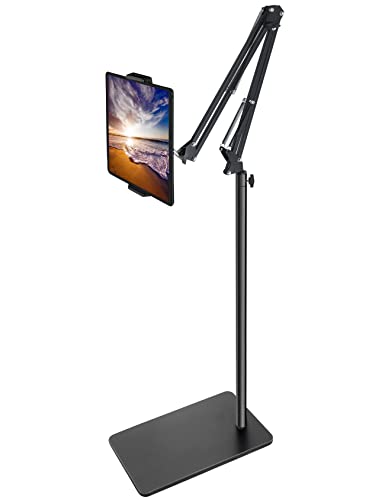
📱 Tablet & Phone Holders
Keep your devices visible and accessible without cluttering your desk. Ideal for video calls, following recipes, or using your tablet as a second screen.
🔌 Docking Stations & Mounts
Combine connectivity with organization. Docking station mounts keep your laptop or device secure while providing USB ports, video outputs, and power delivery.
Choosing the Right Mount or Stand
Selecting the perfect mount or stand depends on your specific needs, desk setup, and the devices you use. Consider the following factors:
- Weight Capacity: Ensure the mount can support your monitor, laptop, or tablet. Check the manufacturer's specifications.
- Mounting Type: Choose between monitor stands that sit on your desk, monitor arms that clamp to the desk edge, or wall-mounted options. Desk clamp mounts are versatile and don't require drilling.
- Adjustability: Look for full motion articulating arms for maximum flexibility. Gas spring arms offer smooth, tool-free adjustments.
- VESA Compatibility: Most monitors use VESA mounting patterns (75x75mm or 100x100mm). Ensure your mount supports your monitor's VESA pattern.
- Desk Thickness: If using a clamp mount, check that your desk thickness is within the clamp's range.
- Ergonomics: Proper monitor height is at eye level with your gaze slightly downward. Laptop stands should bring the screen to a comfortable viewing height.
When setting up your ergonomic desk setup, mounts and stands are key components. They work together with keyboard trays and desk ergonomics to create a workspace that supports your health and productivity. If you're using multiple monitors, consider dual monitor setups and ultrawide setups that often benefit from specialized mounts.
Comparison of Mounts & Stands
| Type | Best For | Weight Capacity | Adjustability |
|---|---|---|---|
| Gas Spring Monitor Arm | Heavy monitors, multi-monitor setups | Up to 44 lbs (20 kg) | Full motion, tool-free |
| Basic Monitor Stand | Single monitor, budget-friendly | Varies (typically 20–30 lbs) | Height adjustable |
| Laptop Stand | Laptops, portable workstations | Up to 10 lbs (4.5 kg) | Tilt and height |
| Tablet Holder | Tablets, e-readers, phones | Up to 5 lbs (2.3 kg) | Rotatable, tiltable |
| Dual Monitor Arm | Two monitors, streamlined setup | Up to 22 lbs per arm (10 kg) | Full motion, independent arms |
Installation & Setup Tips
Installing a desk mount or stand doesn't have to be complicated. Follow these tips for a safe and effective setup:
- Read the Instructions: Always start by reading the manufacturer's manual. Each mount may have specific assembly steps.
- Secure the Clamp: For clamp mounts, ensure the clamp is tight and stable. Test it by gently pulling on the arm to check for any movement.
- Cable Management: Use the built-in cable channels or adhesive clips to keep wires organized. This not only looks better but also prevents accidents. Learn more about cable management techniques.
- Adjust Ergonomically: Position your monitor so the top edge is at or slightly below eye level. For laptop stands, ensure your neck is in a neutral position.
- Test Stability: After installation, test the mount's stability by moving it through its range of motion. Tighten any loose screws or bolts.
Additional Desk Mounting Solutions
Beyond monitor and laptop stands, there are many other mounting solutions that can enhance your desk workspace:
- Microphone Arms: If you do a lot of voice calls, streaming, or recording, a microphone arm keeps your mic at the perfect position while freeing up desk space.
- Webcam Mounts: Position your webcam at eye level for better video call angles.
- Headphone Hangers: Keep your headphones off the desk with an under-desk or side-mounted hook.
- Under-Desk Mounts: Mount CPU units, power strips, or docking stations under your desk to keep the surface clutter-free.
Integrating these mounts with your desk setup helps create a clean, efficient, and professional workspace. For more inspiration, explore our guides on modern desk setup and remote work desk ideas.