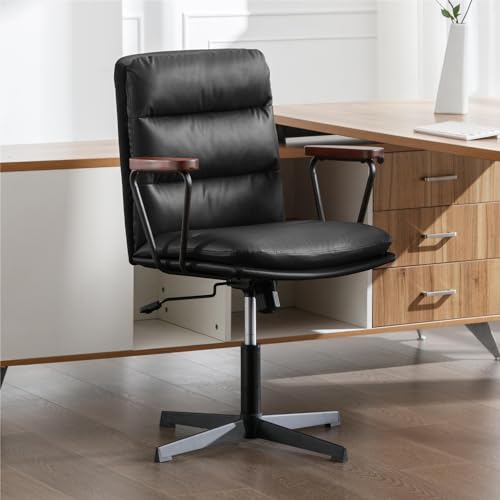
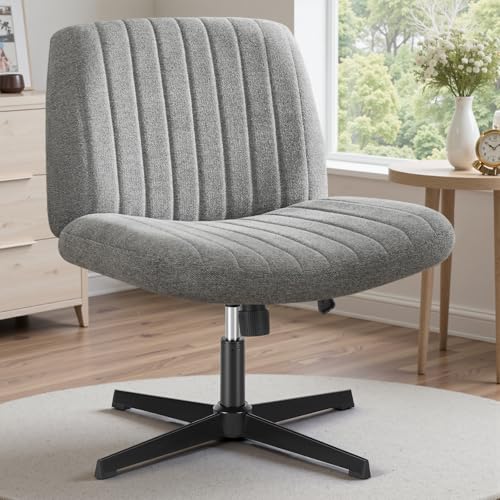
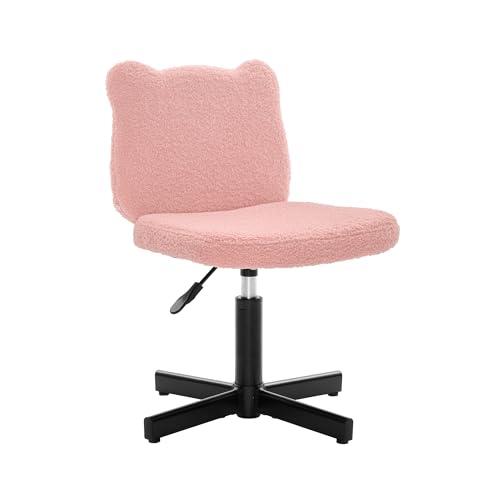
Desk Chair Adjustable Height No Wheels: The Complete Buying Guide
A stationary chair with adjustable height gives you precise ergonomic control without the roll. Learn how to choose the right mechanism, cushioning, and base for a stable, focused workspace.
Why this guide matters: If you are researching a desk chair with adjustable height and no wheels, you already know what you want — a stable seat that stays put. This guide explains the mechanisms, ergonomic features, and practical trade-offs so you can decide with confidence before you buy.
What Is a Desk Chair With Adjustable Height and No Wheels?
A desk chair with adjustable height and no wheels is a stationary seating solution that lets you set the seat to your ideal working level while remaining fixed in place. Unlike a conventional desk chair with casters, these models use glides, a fixed base, or a weighted pedestal to stay anchored. The result is a chair that supports focused tasks — drafting, reading, writing, or precision work — without the subtle drift that rolling chairs introduce.
These chairs sit at the intersection of ergonomics and stability. They are popular in home offices with hardwood or tile floors, in compact rooms where rolling is impractical, and in creative studios where a fixed seat encourages concentration. If you are building a full workstation, it pairs naturally with a desk and chair combination tuned for a stationary setup.
Who Should Choose a Stationary Adjustable Chair?
Not every workspace needs casters. A no-wheels adjustable chair is a strong fit for several profiles:
- Focused desk workers who sit in one position for long stretches and prefer not to drift.
- Small-space users who need to avoid chair roll in tight rooms or shared areas.
- Floor-conscious owners with hardwood, laminate, or tile who want to protect the surface from caster wear.
- Drafting and reading enthusiasts who need a stable perch rather than a mobile office chair.
- People with back concerns who benefit from a chair that stays aligned with the desk. For targeted support, see our guide to a desk chair with back support.
Height Adjustment Mechanisms Explained
The core of any adjustable-height chair is its lift mechanism. There are three main systems, and each suits a different tier of product.
1. Pneumatic Gas Lift
A gas cylinder raises and lowers the seat with a lever, offering smooth, incremental adjustment. This is the most common mechanism in mid-range and premium office seating. Entry-level models may use a simpler cylinder with fewer adjustment stops. Look for a gas lift rated for your body weight and a lever that locks firmly at each position.
2. Manual Screw Lift
A threaded column you turn by hand to raise or lower the seat. Screw lifts are durable, maintenance-light, and common on entry-level and essential-tier stools. They adjust more slowly than gas lifts but are highly reliable and rarely fail.
3. Pin-and-Notch System
A series of pre-set holes and a locking pin. This system is simple and robust, often found on drafting stools and workshop chairs. The trade-off is limited adjustability — you choose among fixed heights rather than a continuous range.
Practical tip
Measure the distance from your floor to the underside of your desk before choosing. Your seat height should allow your forearms to rest level on the desktop with shoulders relaxed. A continuous gas lift gives the finest control; a pin system works well if you already know your ideal height.
Tier Comparison: Matching Features to Your Needs
The table below groups typical no-wheels adjustable chairs by market tier. Use it to align your expectations with what each tier generally delivers.
| Tier | Typical Lift Mechanism | Cushioning & Support | Best For |
|---|---|---|---|
| Entry-Level | Manual screw lift or basic pin system | Firm foam, simple contour | Occasional use, workshops, compact spaces |
| Mid-Range | Pneumatic gas lift with lever lock | Contoured foam, basic lumbar curve | Daily home office use, students, reading |
| Premium | High-grade gas lift with smooth actuation | Layered foam, adjustable lumbar support | Long sitting sessions, back-sensitive users |
| Professional-Grade | Reinforced gas lift, heavy-duty column | High-density foam, multi-point adjustment | Drafting, studio work, commercial settings |
Ergonomic Features That Matter
Removing wheels does not remove the need for good ergonomics. When evaluating a stationary adjustable chair, prioritize these features:
Seat Height Range
Confirm the chair's minimum and maximum seat height. A wider range accommodates more body types and desk configurations. If you are shorter or taller than average, check the range carefully before committing.
Seat Depth and Width
Your seat should support the full length of your thighs without pressing behind the knees. A seat depth of roughly two to four inches less than your thigh length is a reasonable starting point.
Lumbar Support
A gentle curve or adjustable pad at the lower back helps maintain the spine's natural alignment. For deeper guidance, explore our resource on desk chairs with lumbar support.
Armrests
If you use armrests, choose adjustable ones so your shoulders stay relaxed. Our overview of a desk chair with adjustable arms explains how arm height and width affect posture.
Base and Glides
A no-wheels chair typically rests on fixed glides or a solid pedestal. Look for felt, rubber, or nylon glides that protect flooring and prevent scratching. A wider base improves stability, especially at higher seat settings.
Stationary vs. Rolling: A Practical Comparison
Understanding the trade-offs helps you decide whether a no-wheels chair is right for your workflow.
- Stability: No-wheels chairs stay exactly where you place them, which suits precision tasks and focused reading.
- Floor protection: Without casters, there is no rolling wear on hardwood or laminate. Glides add a further layer of protection.
- Space efficiency: A fixed chair avoids unintended movement in tight rooms and shared spaces.
- Mobility: Rolling chairs win here. If you frequently move between workstations, a standard office chair may serve you better. Compare options in our home office desk chairs guide.
- Ergonomics: Both categories can be highly ergonomic. The deciding factor is how you work, not whether the chair rolls.
Design and Aesthetic Considerations
Stationary chairs often double as design pieces. Models with wood or metal bases can suit a range of interiors. If you prefer seating that blends into a living space rather than reading as office furniture, browse chairs that do not look like desk chairs. For warmer materials, a dark wood desk pairing creates a cohesive, grounded look.
Small rooms benefit from compact footprints. A desk chair for small spaces without wheels keeps the floor plan open while preserving adjustability. If your space is especially tight, combine it with a desk for small spaces to complete the setup.
How to Set Up Your Stationary Chair Correctly
Once your chair arrives, a few minutes of adjustment make a meaningful difference:
- Set seat height first. Adjust until your forearms rest level on the desk with elbows near a right angle.
- Check foot placement. Your feet should rest flat on the floor. If they do not, consider a footrest. Our guide to a desk chair with footrest covers the options.
- Tune lumbar support. The curve should sit in the small of your back, not the mid-back.
- Adjust armrests. Keep shoulders relaxed and elbows supported without lifting them away from your body.
- Verify base stability. At your chosen height, the chair should not rock or wobble. Tighten any assembly bolts and check the glides.
Common Mistakes to Avoid
- Ignoring the height range. A chair that does not reach your ideal height is the wrong chair, regardless of its features.
- Overlooking seat depth. Too-deep seats press behind the knees; too-shallow seats reduce thigh support.
- Skipping the base check. A narrow base can feel unstable at higher settings. Prioritize a wide, weighted base.
- Forgetting floor protection. Even glides can mark soft flooring. Add felt pads if needed.
- Assuming no-wheels means less ergonomic. Many stationary chairs match rolling models feature for feature.
Frequently Asked Questions
Why choose a desk chair with adjustable height but no wheels?
A stationary adjustable-height chair offers stability for tasks that require precision, protects delicate flooring, and prevents unintended rolling in compact spaces. It is ideal for drafting, reading, and focused desk work.
What height adjustment mechanisms are used in no-wheels desk chairs?
Common mechanisms include pneumatic gas lift, manual screw lift, and pin-and-notch systems. Pneumatic lift is the smoothest, while manual screw and pin systems offer durable, maintenance-light operation.
Are no-wheels adjustable chairs suitable for hardwood floors?
Yes. Chairs without casters eliminate the risk of scratching hardwood floors. Look for felt or rubber glides on the base to add further floor protection.
Can a no-wheels desk chair still be ergonomic?
Absolutely. Many stationary chairs include adjustable seat height, lumbar support, and contoured cushions. The absence of wheels does not reduce ergonomic quality when the chair is properly specified.
Should I pair a stationary chair with a specific type of desk?
Match the chair's height range to your desk height. A desk and chair set is a convenient way to ensure compatibility. For larger home offices, a desk and chair combination for home office offers a coordinated look and consistent ergonomics.
Final Checklist Before You Decide
- Confirm the seat height range matches your desk and body.
- Choose a lift mechanism that matches your tier and use frequency.
- Verify seat depth and width suit your proportions.
- Check for lumbar support and, if needed, adjustable armrests.
- Inspect the base for stability and floor-safe glides.
- Consider the room's aesthetic and footprint.
Ready to choose? Browse the recommended models below to compare features across tiers and find the stationary adjustable chair that fits your workspace.