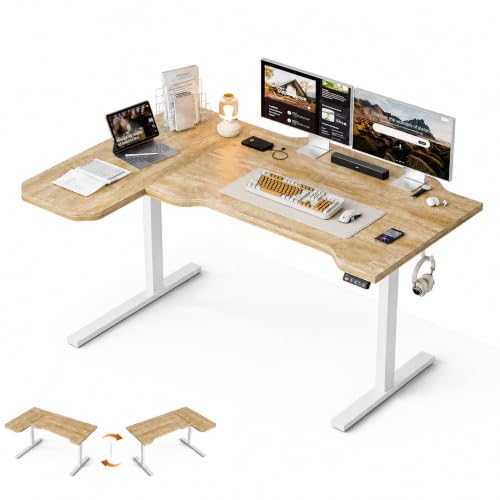
Desk Ergonomics: Work Smarter, Feel Better
Transform your workspace into a haven of comfort and productivity. Learn the science of proper posture, monitor placement, and the best accessories to keep you pain-free and focused.
Start Your Ergonomic JourneyWhy Desk Ergonomics Matters: Poor desk setup is a leading cause of back pain, neck strain, and repetitive stress injuries. By applying ergonomic principles, you can boost energy, reduce fatigue, and work more comfortably for hours. This guide covers everything you need — from desk height to monitor placement and essential ergonomic accessories.
1. The 5 Pillars of Ergonomic Desk Setup
📏 Posture & Alignment
- Feet flat on floor (or use a footrest)
- Kneels at 90°–100° angle
- Hips slightly higher than knees
- Back supported by an ergonomic chair
🖥️ Monitor Position
- Top of screen at or below eye level
- Arm's length distance (about 20–30 inches)
- Use a monitor arm for adjustability
- Consider vertical monitor setup for coding
⌨️ Keyboard & Mouse
- Wrists straight and floating
- Use an under-desk keyboard tray
- Mouse close to keyboard
- Consider ergonomic mice and wrist rests
💡 Lighting & Glare
- Avoid overhead glare on screen
- Use desk lamps with adjustable brightness
- Position screen perpendicular to windows
- Consider monitor light bars for even illumination
🔄 Movement & Breaks
- Alternate between sitting and standing
- Use a stand-up desk or converter
- Follow the 20-20-20 rule (every 20 mins, look 20 ft away for 20 sec)
- Stretch regularly — check our desk stretching guide
🧘 Mindset & Habits
- Set reminders to check posture
- Keep frequently used items within reach
- Organize cables with cable management to reduce clutter
- Create a Feng Shui layout for calm
2. Perfecting Your Monitor & Keyboard Setup
The most common ergonomic mistakes involve screen height and keyboard placement. Here’s how to get it right:
For more detailed guidance, explore our desk ergonomics hub or read about monitor placement in depth.
3. Standing Desks: A Game-Changer for Health
Alternating between sitting and standing reduces back pain and improves circulation. Here are your options:
Electric Standing Desks
Fully adjustable with memory presets. Models like the height-adjustable electric standing desk offer smooth transitions.
Manual Standing Desks
Crank-operated or pneumatic. Reliable and budget-friendly. Check adjustable height desks for options.
Desk Converters
Place on top of your existing desk. Great for small spaces. See our standing desk converter guide.
We recommend the FlexiSpot E7 or Uplift V2 for reliability. Pair with an anti-fatigue mat to reduce leg strain. For more options, browse our standing desks category.
4. Must-Have Ergonomic Accessories
Small investments can make a big difference in comfort and productivity.
🪑 Ergonomic Chair
Support your lower back with a chair that has lumbar adjustment. See ergonomic chair reviews.
🦶 Footrest
Keeps feet flat and reduces pressure on thighs. Check footrests for options.
⌨️ Keyboard Tray
Under-desk trays promote neutral wrist posture. Explore keyboard trays.
🖱️ Ergonomic Mouse
Vertical or trackball designs reduce strain. Read about ergonomic mice.
💡 Monitor Light Bar
Reduces eye strain and illuminates your work surface evenly. See monitor light bars.
🧘 Wrist Rests
Gel or foam rests keep wrists straight while typing. Explore wrist rests.
Combine these with a desk surface that supports your workflow. For complete setups, visit our modern desk setup inspiration.
5. Common Ergonomic Mistakes (and How to Fix Them)
| Mistake | Fix |
|---|---|
| Monitor too low/high | Adjust to eye level; use monitor stands |
| Slouching in chair | Use lumbar support; sit back in your ergonomic chair |
| Keyboard too far | Bring it close; use keyboard tray |
| No breaks | Set a timer; follow the 20-20-20 rule |
| Poor lighting | Add a desk lamp or monitor light bar |
6. Top Ergonomic Products for Your Desk
Based on expert reviews and user feedback, these products deliver the best ergonomic benefits:
- Best Standing Desk: FlexiSpot E7 – $599
- Best Ergonomic Chair: Steelcase Gesture – $1,295
- Best Monitor Arm: Ergotron LX – $249
- Best Keyboard Tray: Humanscale 6G – $429
- Best Footrest: ErgoFoam – $39
- Best Anti-Fatigue Mat: Topo – $89
- Best Monitor Light Bar: BenQ ScreenBar – $109
- Best Ergonomic Mouse: Logitech MX Vertical – $99
For a complete ergonomic desk setup, combine these items with a desk surface that fits your space.
7. Your Ergonomic Desk Setup Checklist
- ✅ Chair adjusted so feet are flat, knees at 90°
- ✅ Monitor top at eye level, arm's length away
- ✅ Keyboard and mouse within easy reach, wrists straight
- ✅ Lighting adjusted to reduce glare
- ✅ Standing desk or converter available for posture change
- ✅ Anti-fatigue mat and footrest for comfort
- ✅ Cables organized with cable management to reduce clutter
- ✅ Regular stretch and movement breaks scheduled
Visit our desk tips for more productivity and wellness advice. Ready to buy? Check the recommended products below.