Modern Desk Setup: Build a Productive & Stylish Workspace
Discover the essential components of a modern desk setup. From ergonomic standing desks and monitor arms to cable management and smart accessories — create a workspace that boosts comfort, focus, and aesthetics.
Start Your Setup JourneyA modern desk setup is more than just a desk and a chair — it's a carefully curated ecosystem designed for productivity, health, and visual harmony. Whether you're working from home, gaming, or managing a hybrid office, the right setup can transform your daily routine. This guide covers everything from standing desks and monitor arms to cable management and desk lighting, helping you build a workspace that works for you.
Why Modernize Your Desk? A well-designed desk setup reduces fatigue, improves posture, and enhances focus. With the rise of remote work, investing in quality ergonomic accessories and smart organization is no longer optional — it's essential for long-term health and performance.
1. Ergonomic Foundation
Height-Adjustable Desk
A height-adjustable desk (electric or manual) lets you switch between sitting and standing, reducing back pain and boosting energy. Look for models with a sturdy frame, smooth lift mechanism, and a spacious desk surface.
Price range: $450–$1,200+
Ergonomic Chair
Pair your desk with an ergonomic chair that supports lumbar health. Adjustable armrests, seat depth, and tilt tension are key features. Consider a high office chair for standing desk if you frequently alternate postures.
Price range: $300–$900
2. Monitor & Keyboard Layout
Monitor Arm & Placement
A monitor arm frees up desk space and allows perfect screen positioning. For dual screens, a vertical monitor setup is ideal for coding or reading. Ensure the top of your screen is at or slightly below eye level.
Price range: $80–$250
Keyboard & Mouse Tray
An under-desk keyboard tray promotes neutral wrist posture. Pair with an ergonomic mouse and a keyboard slide-out tray for a clean, adjustable surface.
Price range: $60–$180
3. Cable Management & Power
Under-Desk Cable Trays
Keep cords hidden with cable management trays, raceways, and sleeves. A tidy desk reduces visual clutter and makes cleaning easier. Use adhesive clips and zip ties for a professional finish.
Smart Power Accessories
Integrate power accessories like surge protectors with USB ports and wireless charging desk pads. A desk charging station keeps devices powered without cord chaos.
Price range: $30–$120
4. Lighting & Ambiance
Desk Lamps & Light Bars
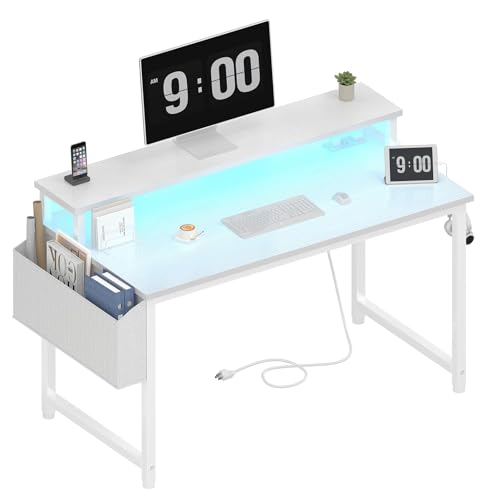
Good desk lighting reduces eye strain. A monitor light bar saves space and provides even illumination. For ambiance, consider LED strip lighting behind your monitor or under the desk.
Price range: $40–$150
Plants & Personal Touches
Add succulents or low-maintenance plants to bring life to your workspace. A workspace feng shui desk arrangement can improve energy flow and mental clarity.
5. Modern Desk Setup Checklist
- Desk: Height-adjustable electric standing desk or sit-stand desk (width at least 48″ for dual monitors)
- Chair: Genuine leather executive desk chair or mesh ergonomic chair
- Monitor: 27″–32″ 4K or ultrawide, mounted on a monitor stand or arm
- Keyboard & Mouse: Wireless or mechanical, with a keyboard tray for wrist support
- Cable Management: Trays, sleeves, and clips to keep everything tidy
- Lighting: Monitor light bar + ambient LED strip
- Accessories: Anti-fatigue mat, desk hutch or shelves, and a charging station
6. Why Choose a Modern Desk Setup?
A modern desk setup isn't just about aesthetics — it's about performance. With the right desk ergonomics, you can reduce fatigue, increase focus, and even boost your creativity. Whether you're setting up a remote work desk or a gaming desk, the principles remain the same: comfort, organization, and adaptability.
💡 Pro Tip: Start with the essentials — a height-adjustable desk and a good chair — then layer in accessories like monitor arms, cable trays, and lighting. This modular approach lets you upgrade over time without breaking the bank.
7. Common Mistakes to Avoid
- Ignoring monitor height: Your screen should be at eye level to prevent neck strain. Use a monitor placement guide.
- Poor cable management: Cluttered cords are distracting and collect dust. Invest in cable management solutions.
- Choosing the wrong desk depth: A desk depth guide helps ensure you have enough space for monitors and peripherals.
- Forgetting about lighting: Harsh overhead lights cause glare. Opt for adjustable desk lighting.
8. Build Your Dream Workspace
A modern desk setup is an investment in your health, productivity, and daily satisfaction. By combining ergonomic furniture, smart organization, and personal style, you can create a workspace that inspires you every day. Browse the recommended products below to find the perfect components for your setup, and start transforming your desk today.
For more inspiration, explore our guides on desk tips, and computer desks to find the perfect match for your needs.