
Monitor Review: The Ultimate Guide for Your Desk Setup
Find the best monitor for work, gaming, or creative tasks. This expert monitor review covers panel types, refresh rates, screen sizes, and key features to help you choose the perfect display for your desk.
Shop Recommended MonitorsWhy a monitor review matters: Your monitor is the window to your digital world. Whether you're editing photos, coding, gaming, or writing, the right display can boost productivity, reduce eye strain, and make your desk setup layout more enjoyable. This guide breaks down everything you need to know.
Key Monitor Specifications Explained
Before diving into specific models, it's essential to understand the core specifications that define a monitor's performance. This monitor review covers the most important factors to consider for your office setup or gaming station.
Quick Take: The best monitor for you depends on your primary use case. For office work, prioritize ergonomics and text clarity. For gaming, refresh rate and response time are key. For creative work, color accuracy and resolution matter most.
- Panel Type: IPS, VA, or TN – each offers different color, contrast, and viewing angles.
- Refresh Rate: 60Hz, 144Hz, 240Hz – higher refresh rates mean smoother motion.
- Resolution: 1080p, 1440p, 4K – higher resolution means sharper images.
- Screen Size: 24", 27", 32" – choose based on your desk space and viewing distance.
- Response Time: 1ms, 5ms – lower is better for fast-paced gaming.
- Color Gamut: sRGB, DCI-P3, Adobe RGB – important for photo and video editing.
Panel Type: IPS vs. VA vs. TN
The panel type is one of the most critical decisions in any monitor review. Each technology has distinct strengths and weaknesses. Here's a quick breakdown to help you decide which is best for your desk setup ideas.
| Panel Type | Pros | Cons | Best For |
|---|---|---|---|
| IPS | Excellent color accuracy, wide viewing angles | Lower contrast ratio, higher price | Creative work, office, general use |
| VA | High contrast ratio, deep blacks | Slower response time, color shift at angles | Movies, media consumption, gaming |
| TN | Fast response time, affordable | Poor color and viewing angles | Competitive gaming (budget) |
Resolution & Screen Size Guide
Choosing the right resolution and screen size depends on your desk depth and viewing distance. A larger screen with higher resolution provides more screen real estate, which is great for multitasking in a office setup.
✅ Recommended Combos
- 24" 1080p – Ideal for small desks or budget setups.
- 27" 1440p – The sweet spot for productivity and gaming.
- 32" 4K – Perfect for creative professionals and immersive gaming.
⚠️ Things to Avoid
- 24" 4K – Text becomes too small without scaling.
- 32" 1080p – Pixel density is too low, resulting in a blurry image.
- Very large screens (42"+) on shallow desks – causes neck strain.
Refresh Rate & Response Time for Gaming
If you're a gamer or work with fast-moving content, this part of the monitor review is crucial. A high refresh rate (144Hz or higher) and low response time (1ms) deliver a smoother, more responsive experience. For professional work, a 60Hz monitor with good color accuracy may be sufficient.
For a modern gaming desk, we recommend at least 144Hz. Competitive gamers often prefer 240Hz or even 360Hz monitors. However, remember that you'll need a powerful graphics card to drive these high refresh rates at higher resolutions.
Ergonomics and Adjustability
A monitor that can be adjusted for height, tilt, and swivel is essential for maintaining good posture. Proper monitor placement reduces neck and eye strain. Ideally, the top of your monitor should be at or slightly below eye level. This is a key aspect of any adjustable desk ergonomics strategy.
Many monitors come with stands that offer basic tilt, but premium models feature fully adjustable stands with height, swivel, and pivot capabilities. If your monitor lacks adjustability, consider a monitor stand guide or a monitor riser to achieve the perfect height.
Connectivity: Ports and Cables
Ensure your monitor has the right ports for your devices. Most modern monitors include HDMI and DisplayPort. USB-C ports are increasingly common and can deliver power, data, and video over a single cable – ideal for laptops. This is especially useful for a clean desk cable management setup.
- HDMI 2.0/2.1 – Supports 4K at 60Hz or higher.
- DisplayPort 1.4 – Supports high refresh rates at high resolutions.
- USB-C – Single-cable solution for laptops.
- Audio Out – For speakers or headphones.
Special Features to Look For
Beyond the basics, many monitors offer additional features that can enhance your experience. Here are some worth considering in your monitor review research:
- HDR (High Dynamic Range): Delivers better contrast and colors for compatible content.
- Adaptive Sync (G-Sync/FreeSync): Reduces screen tearing during gaming.
- Built-in Speakers: Saves desk space, though quality is often limited.
- USB Hub: Provides additional USB ports for peripherals.
- Blue Light Filter / Flicker-Free: Reduces eye strain during long sessions.
Which Monitor Should You Choose?
To summarize this monitor review, here's a quick recommendation guide based on your primary use case:
- 📝 Office / Productivity: 27" 1440p IPS, 60Hz, with ergonomic stand and USB-C.
- 🎮 Gaming: 27" 1440p IPS, 144Hz+, 1ms, with Adaptive Sync.
- 🎨 Creative / Design: 32" 4K IPS, 60Hz, with 100% sRGB and DCI-P3 coverage.
- 💻 Laptop User: 24" or 27" 1080p or 1440p with USB-C and power delivery.
Ready to Upgrade Your Desk Display?
Check out our top-rated monitor recommendations below. Each product is carefully selected based on performance, value, and user reviews.
View Recommended Monitors →⚠️ AFFILIATE DISCLOSURE: This website contains affiliate links. As an Amazon Associate, we earn from qualifying purchases. If you make a purchase through these links, we may receive a small commission at no additional cost to you. Read our full affiliate policy.
Top Rated Monitors for Your Desk
Browse our selection of expert-recommended monitors based on this monitor review. Click any product to check the latest price on Amazon.

Philips 22 Inch Computer Monitor FHD 100Hz VA VESA Flicker-Free, 221V8LB | 1920×1080 LED Monitor, 4ms GtG, Adaptive Sync, HDMI 1.4, Tilt Adjust, Low Blue Light, 4yr Advance Replacement Warranty

BOLEVIC 7inch HD LCD Monitor, IPS 1024X600 Resolution Screen, Car Rearview Cameras Monitor with HDMI VGA, 2 Video Input for Backup Camera for Car DVD VCR PC Laptop Raspberry Pi
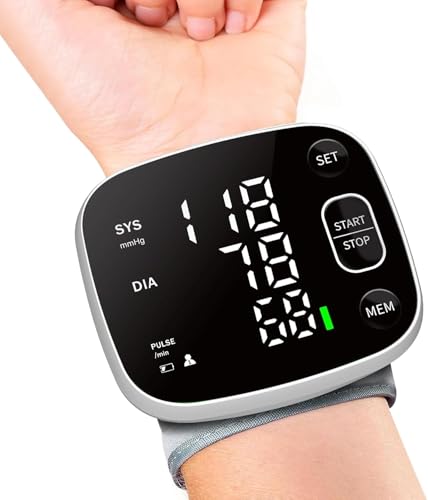
Ametmed Blood Pressure Monitor Rechargeable for Home Use with Carrying Case | FDA Cleared Wrist BP Machine, Adjustable BP Cuff 4.92"-8.46", Voice Broadcast, 2-user 240 Memory, LED Display, Black

Sceptre 27-inch Prime Gaming Monitor 100Hz 1ms DisplayPort HDMI x2 100% sRGB AMD FreeSync Build-in Speakers, Eye Care Frameless Machine Black 2025 (E275W-FW100T Series)

LG 24U411A-B 24-inch Full HD (1920 x 1080) IPS Computer Monitor, 120Hz, HDR10, Reader Mode, Flicker Safe, HDMI, Slim Stand Base, Black

Blood Pressure Monitor Upper Arm Backlit BP Machine with Storage Bag, Black | FDA Cleared, 2x120 Time-Stamped Memories, Accurate Adjustable Digital BP Cuff (8.7-15.7"), for Home/Office/Travel

Acer 21.5in FHD 1920x1080 100Hz Office Monitor KB220Q H2bi | 1ms, AdaptiveSync (FreeSync Compatible), sRGB 99%, HDMI, VGA, VESA Mountable, Bluelight Filter, Flickerless Technology
