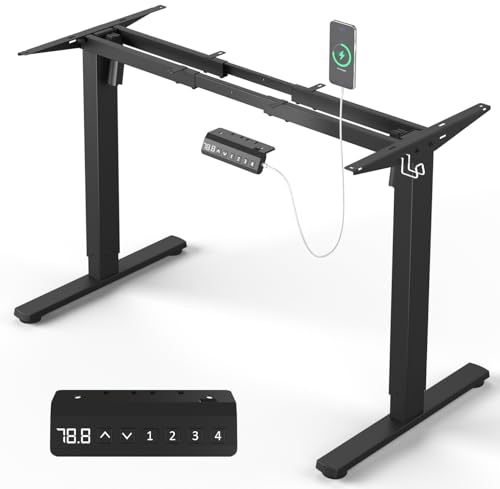
Stand Up Desk Frame: The Complete Buying Guide
Everything you need to know about stand up desk frames — motor types, stability, height range, materials, and how to choose the right foundation for your sit-stand workspace.
Explore Recommended FramesQuick Overview: A stand up desk frame is the motorized or manual base that transforms any desktop into a height-adjustable workstation. It is the single most important component of a sit-stand setup — determining stability, height range, lifting capacity, and long-term durability. This guide walks you through every specification so you can choose confidently.
What Is a Stand Up Desk Frame?
A stand up desk frame is the structural skeleton of a sit-stand desk. It consists of two or more vertical legs, a crossbeam or connecting bar, a motor system (electric models), and mounting brackets that attach to a desktop. Unlike a complete standing desk, a frame is sold separately so you can pair it with a desktop of your preferred size, material, and finish.
Frames are available in several configurations: single-motor, dual-motor, triple-motor, and manual crank systems. Each has distinct advantages in terms of lifting capacity, speed, noise level, and stability. If you are still deciding between a full desk and a frame, see our guide on standing desk frames for a broader comparison.
Types of Stand Up Desk Frames
Single-Motor Frames Entry-Level
A single motor drives both legs through a connecting rod. These frames are the simplest electric option, suitable for lighter desktops and lighter daily use. They tend to be slower and less stable at full height, but remain a solid choice for occasional sit-stand transitions.
Dual-Motor Frames Mid-Range to Premium
Two motors — one per leg — operate independently yet in sync. Dual-motor frames offer faster adjustment, higher lifting capacity, and better stability. They are the most common choice for home offices and professional workspaces. See our double motor standing desk guide for deeper detail.
Triple-Motor Frames High-End Tier
Three motors (often two in the legs plus one in a crossbeam) deliver the smoothest, quietest, and most stable performance. These are typically commercial-grade and designed for heavy desktops or multi-monitor setups. They represent the top-tier of electric frame technology.
Manual Crank Frames Essential Tier
No motors, no power required. A hand crank raises and lowers the desk. Manual frames are extremely durable, require zero electricity, and are ideal for spaces without nearby outlets. The trade-off is physical effort and slower adjustment.
Key Specifications to Compare
When evaluating stand up desk frames, focus on these core specifications. They determine whether a frame will suit your body, your desktop, and your workflow.
| Specification | What to Look For | Why It Matters |
|---|---|---|
| Height Range | Typically 24"–50" (60–127 cm); check seated and standing comfort | Must accommodate your seated elbow height and standing elbow height |
| Lifting Capacity | Entry-level: ~150 lbs; mid-range: ~200–250 lbs; premium: 300+ lbs | Must support desktop weight plus monitors, accessories, and equipment |
| Motor Type | Single, dual, or triple motor | Affects speed, noise, stability, and lifting capacity |
| Frame Material | High-grade steel, reinforced steel, aluminum | Determines durability, wobble resistance, and long-term reliability |
| Stability & Wobble | Crossbeam design, foot width, anti-wobble feet | Critical for typing comfort and monitor stability at standing height |
| Noise Level | Under 50 dB is quiet; under 45 dB is very quiet | Important for shared spaces, calls, and recordings |
| Memory Presets | 2–4 programmable heights | Lets you switch between seated and standing positions instantly |
How to Choose the Right Frame for Your Setup
Choosing a frame comes down to matching three variables: your body, your desktop, and your usage intensity. Use the framework below to narrow your options.
1. Match the Height Range to Your Body
Your seated desk height should allow your elbows to rest at roughly 90 degrees. Your standing height should allow the same. Measure both before shopping. For a precise starting point, use our office desk height calculator to find your ideal seated and standing heights. If you are taller than average, look for frames that extend beyond 48 inches. If you are shorter, prioritize frames with a low minimum height.
2. Match the Lifting Capacity to Your Desktop
Weigh your desktop and add the weight of your monitors, monitor arms, speakers, and accessories. Then add a safety margin of at least 20%. A dual-motor mid-range frame typically handles most home office setups comfortably. Heavy hardwood desktops or multi-monitor professional setups may require a premium or commercial-grade frame.
3. Match the Frame to Your Desktop Size
Most frames support desktops between 40 and 80 inches wide. Check the frame's recommended desktop width range before purchasing. If you already own a desktop — such as a solid wood top or a butcher block — confirm that the frame's mounting brackets align with your desktop's underside. For desktop options, browse our guide on wood desktops.
4. Consider Your Room and Power Access
Electric frames require a nearby outlet and cable management. If your desk is far from a wall outlet, consider a manual crank frame or plan for an extension cord with a cable raceway. If you need mobility, look for frames with lockable casters — see our guide on standing desk on wheels for options.
Stability: The Most Overlooked Specification
Wobble is the most common complaint among standing desk owners. A frame that wobbles at standing height undermines the entire purpose of a sit-stand desk — you will avoid standing, and your monitors will shake during typing.
Stability depends on several factors:
- Crossbeam design: A solid crossbeam or dual crossbeam reduces side-to-side sway.
- Foot width: Wider feet distribute weight and resist tipping.
- Leg column design: Three-stage legs are more stable than two-stage legs at full extension.
- Frame material: High-grade steel with reinforced welds resists flex better than thin-gauge steel.
- Anti-wobble feet: Adjustable leveling feet compensate for uneven floors.
For a deeper look at leg-specific stability, see our guide on standing desk legs.
Electric vs. Manual Frames: Which Is Right for You?
Electric Frames
Best for: Daily sit-stand routines, shared desks, and anyone who values speed and convenience. Electric frames adjust in seconds with the push of a button, often with memory presets. They require power and have more components that can fail over time, but modern dual-motor systems are highly reliable.
Manual Frames
Best for: Spaces without easy power access, long-term durability, and users who prefer simplicity. Manual frames have fewer failure points and no electronics to wear out. The trade-off is physical effort and slower adjustment, which may discourage frequent position changes.
Frame + Desktop: Building a Complete Desk
A frame alone is not a desk. You will need a desktop to complete the setup. There are three common approaches:
- Buy a frame and a matching desktop from the same brand — the simplest path, with guaranteed compatibility.
- Buy a frame and a separate desktop — gives you control over material, size, and finish. See our guide on stand up desk top for options.
- Use an existing desktop — if you already own a solid wood top or a desk you love, confirm the frame's mounting compatibility first.
If you are building a complete setup from scratch, our standing desk setup guide covers monitor placement, cable management, and accessory selection.
Common Mistakes to Avoid
- Ignoring the minimum height. A frame that does not go low enough will leave your feet dangling or your shoulders shrugged when seated.
- Overloading a single-motor frame. Exceeding lifting capacity strains the motor and shortens lifespan.
- Skipping stability testing. If possible, read owner reviews about wobble at standing height before committing.
- Forgetting cable management. A rising desk pulls cables with it. Plan for slack and a cable tray from day one. See our standing desk setup guide for cable routing tips.
- Choosing a frame without checking desktop compatibility. Mounting bracket spacing varies between brands.
Frequently Asked Questions
Can I use any desktop with a stand up desk frame?
Most frames support desktops within a specified width and thickness range, typically 1 to 2 inches thick. Check the frame's mounting bracket spacing and weight capacity before pairing it with a third-party desktop. Solid wood and butcher block tops are popular choices because they are rigid and hold screws well.
How much weight can a stand up desk frame hold?
Entry-level single-motor frames typically support around 150 lbs, mid-range dual-motor frames support 200–250 lbs, and premium or commercial-grade frames support 300 lbs or more. Always leave a safety margin of at least 20% below the rated capacity.
Are dual-motor frames worth the upgrade over single-motor?
For most home office users, yes. Dual-motor frames adjust faster, run quieter, and provide better stability at standing height. If you use your desk daily and switch between sitting and standing multiple times, the upgrade is a long-term investment in comfort and reliability.
Can I install a stand up desk frame on an existing desk?
Sometimes. You would need to remove the existing legs and confirm that the frame's mounting brackets align with your desktop's underside. Many people instead use the frame with a new desktop and repurpose the old desk elsewhere. For alternatives, see our guide on stand up desk on regular desk.
Do I need a special desktop for a standing desk frame?
No special desktop is required, but the desktop should be rigid, at least 1 inch thick, and within the frame's supported width range. Avoid hollow-core doors or particle board that may not hold screws securely under repeated raising and lowering.
Ready to Build Your Sit-Stand Setup?
Explore our recommended stand up desk frames below and compare features, motor types, and stability ratings.
View Recommended FramesRecommended Stand Up Desk Frames
⚠️ AFFILIATE DISCLOSURE: This website contains affiliate links. As an Amazon Associate, we earn from qualifying purchases. If you make a purchase through these links, we may receive a small commission at no additional cost to you. Read our full affiliate policy.

ErGear Dual Motor Standing Desk Legs for 44-90 inch Desktops, 264 lbs | 4 Memory Presets, Cable Tray, Dual Hooks, 28-47 inch Height Range, DIY Sit Stand Frame, Black Finish, Quiet Lifting, Black
Check price on Amazon
Huuger Dual Motor Electric Standing Desk Frame, Sit Stand up Desk Leg for 47.2” to 86.6” Desktop, Computer Desk Leg with Cable Tray, 3 Memory Height Presets, 2 Hooks, Black Frame Only
Check price on Amazon
ErGear Electric Standing Desk Legs for 39.4-63.3 inch Desktops, 176 lbs | 4 memory settings,28.3-46.5 inch height range,quiet 55 dB operation,anti-collision,DIY desk frame setup,Easy Assembly,Black
Check price on Amazon
TOPSKY Dual Motor Standing Desk Frame, 225 lbs Capacity, Black | Dual motors, 225 lb capacity, memory presets, anti-collision Height 27.6"-47.3", width 43"-59"
Check price on Amazon
HUANUO Standing Desk Frame with Brushless Motor for Max 75 x 35 inch Tops | 220lbs capacity,4 preset heights,28.3"-46.5" Height Range,Stable Steel Legs,quiet lift,Cable Tray & Dual Hooks,black finish
Check price on Amazon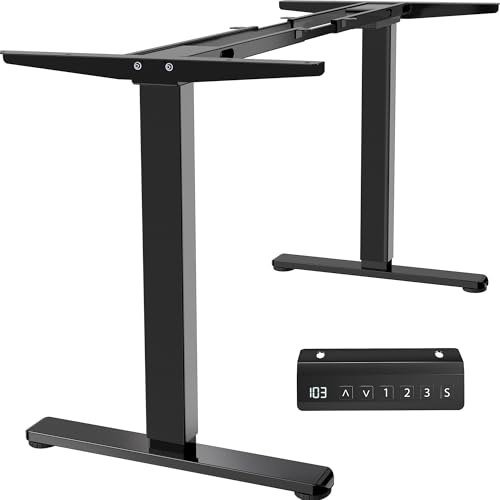
VIVO Electric Dual Motor Standing Desk Frame, Holds 220 lbs | Height Adjustable, Fits up to 77 x 43 in Table Tops, Memory Presets, Frame Only, Black Frame, DESK-E-200B
Check price on Amazon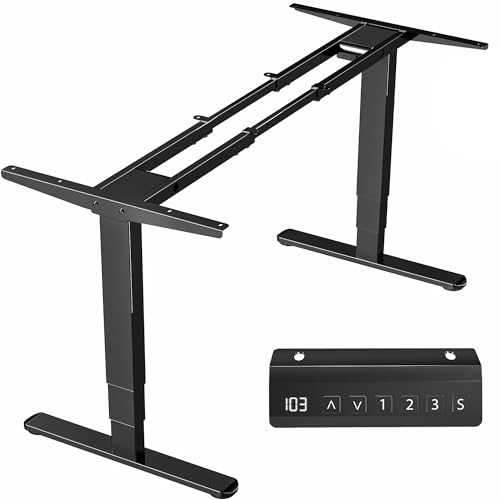
VIVO Electric Dual Motor Standing Desk Frame, 3-Stage Standing Desk Legs | Holds 220 lbs, Height & Length Adjustable, Fits up to 85" x 43" Table Tops, 3 Memory Presets, Frame Only, Black, DESK-V103E
Check price on Amazon