Small Computer Desk with Monitor Stand: The Compact Workspace Solution
Discover how a compact desk with an integrated monitor stand can transform a tight room into a productive, ergonomic workspace — without sacrificing comfort or organization.
Explore Buying Guide ↓What Is a Small Computer Desk with Monitor Stand?
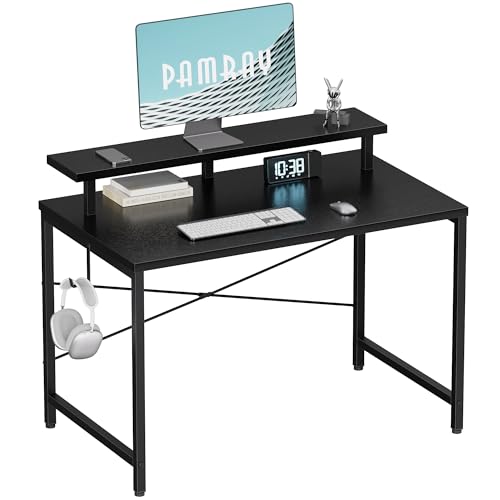
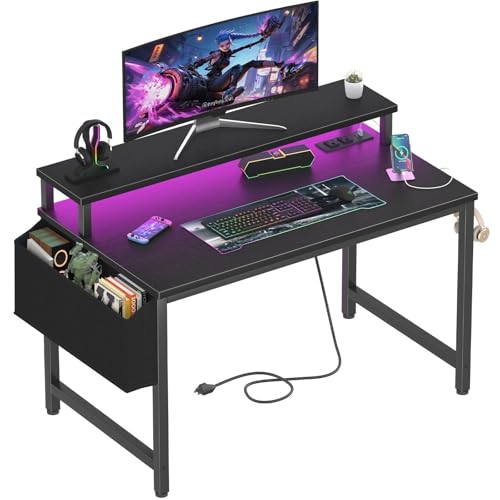
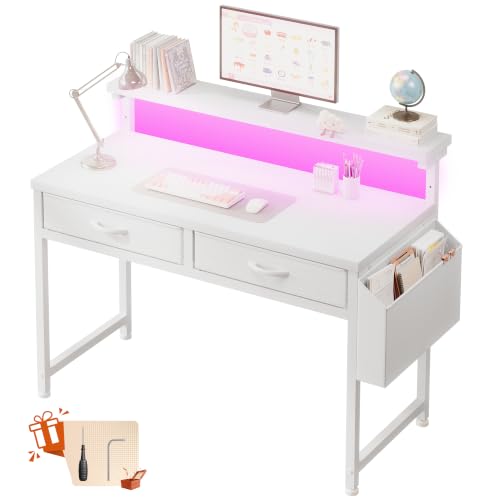
A small computer desk with a monitor stand is a compact workstation that pairs a space-conscious desktop with an elevated platform — either integrated into the frame or attached as a separate riser — designed to lift the monitor to a healthier viewing height. Unlike a flat desk where the screen sits low and forces you to slouch, these designs raise the display so the top of the screen aligns roughly with eye level. The result is a workspace that uses vertical space as intelligently as it uses floor space.
These desks typically range from about 35 to 47 inches in width and 19 to 24 inches in depth, making them suitable for bedrooms, studio apartments, dorm rooms, and shared home offices. The monitor stand itself may be a fixed shelf, an adjustable riser, or a full hutch-style structure. Many models also incorporate under-stand storage, cable routing, or a small drawer, which is exactly what you need when every square inch counts. If you are comparing broader layouts, our computer desk with monitor shelf guide covers larger alternatives, while this page focuses specifically on compact footprints.
Key Benefits of a Compact Desk with an Integrated Monitor Stand
Choosing a desk with a built-in monitor stand is not just about saving space — it is about making the space you have work harder. Here are the advantages that matter most for small-room users.
Ergonomic Viewing Height
Raising the monitor reduces neck strain and encourages a neutral spine. The stand does the vertical work so your posture does not have to.
Surface Area Recovery
The space beneath the stand becomes usable territory for a keyboard, notebook, or accessories — effectively doubling your functional surface.
Built-In Organization
Many stands include shelves, cubbies, or cable channels, turning a plain desktop into a structured workspace without extra furniture.
Small-Room Friendly
Compact footprints fit along walls, in corners, or under lofts. Paired with a desk and chair for a small space, the setup stays tight and functional.
Better Cable Control
Monitor stands often conceal cable routing behind the riser, keeping the visible surface clean and reducing clutter-induced distraction.
Versatile Configurations
Fixed, adjustable, and hutch-style stands let you match the desk to your screen size, workflow, and storage needs.
How to Choose the Right Small Desk with Monitor Stand
The right choice depends on four interlocking factors: dimensions, stand type, material, and storage. Work through each one before you commit.
1. Measure Your Space and Your Screen
Start with the floor footprint. A desk that is 39 inches wide and 20 inches deep fits most small bedrooms without blocking doorways or closet access. Then measure your monitor: a 24-inch screen needs roughly 22 inches of stand width, while a 27-inch screen needs about 25 inches. Leave at least 4 inches between the screen and your seated eye position to avoid eye strain. If your room is unusually tight, our small corner computer desk guide shows how to reclaim corner dead space.
2. Understand Monitor Stand Types
There are three main categories, each suited to a different user profile:
| Stand Type | Best For | Key Consideration |
|---|---|---|
| Fixed shelf stand | Single-monitor users who want a clean, stable platform | Verify the shelf height matches your seated eye level; non-adjustable models suit one body position |
| Adjustable riser stand | Users who share the desk or switch between sitting and standing | Look for locking mechanisms and a height range that covers both seated and standing viewing angles |
| Hutch-style stand | Users who need extra storage above the monitor | Hutches add height — ensure the total height does not block window light or hit a low ceiling |
3. Evaluate Material and Build Quality
Compact desks endure daily use, so material matters. Engineered wood with a laminate finish is common in entry-level and mid-range models and resists scratches well. Solid wood tops — including wood desktops — offer a premium feel and long-term durability but weigh more. Steel frames with reinforced crossbars provide the stability that small desks need, especially when a monitor stand adds top-heavy load. Avoid thin particle board in the stand area; the monitor shelf should feel solid when you press down on it.
4. Check Storage and Cable Management
Small desks live or die by their storage. Look for at least one drawer, a cubby beneath the stand, or a side pocket. Cable management is equally important — a grommet or rear channel keeps the monitor cable from draping across your keyboard. For extra organization, pair the desk with a small desk organizer or a small desk storage solution that fits the remaining footprint. If you prefer a keyboard tray to free the main surface, the small office desk with keyboard tray comparison is a useful next read.
Setup Tips for a Small Desk with a Monitor Stand
Once the desk arrives, how you arrange it determines whether the compact footprint feels spacious or cramped. Follow these practical steps.
- Set the monitor stand height first. Sit down, close your eyes, and open them — the top third of the screen should be at or slightly below eye level. Adjust the stand before placing anything else.
- Use the under-stand zone deliberately. Slide the keyboard and mouse underneath when not typing, or store a notebook and pen tray there. This keeps the main surface clear for focused work.
- Route cables behind the riser. Feed the monitor power and display cables through the gap between the stand and the wall. A velcro strap or adhesive clip keeps them grouped.
- Keep only daily essentials on top. A lamp, a small plant, and a pen cup are enough. Everything else belongs in a drawer or on a shelf — clutter grows faster on small desks.
- Add lighting above the stand. A clip-on lamp or a slim LED bar mounted to the monitor stand illuminates the keyboard area without taking surface space.
- Anchor the desk if it feels light. Compact desks with monitor stands can tip if you lean on the front edge. Use anti-slip pads or wall straps if the frame lacks weight.
If your monitor stand is a separate riser rather than a built-in feature, consider a dedicated desk monitor stand or a small monitor shelf to replicate the ergonomic benefit on a flat desk. For users who want the flexibility of raising the entire work surface, a standing desk converter with dual monitor mount offers another path.
Who Should Choose a Compact Desk with Monitor Stand?
This desk category suits a specific set of users exceptionally well. If any of the following describes you, a small computer desk with a monitor stand is likely the right fit.
Students in dorm rooms or shared bedrooms need a study station that fits beside a bed and still leaves room to move. A compact desk with an integrated stand provides the screen height for long reading sessions without demanding a full-size footprint. Our small bedroom desk ideas collection expands on this scenario.
Remote workers in studio apartments often work from a corner of the living area. The monitor stand doubles as a visual divider and storage shelf, keeping work materials contained. Pairing the desk with an adjustable height desk chair for home office completes an ergonomic micro-office.
Casual gamers and light creators who use a single monitor benefit from the raised viewing angle and the cable channel behind the stand. If gaming is the primary use, the small computer desk with monitor stand is purpose-built for that balance of screen height and surface control.
Households with limited storage gain from hutch-style stands that hold books, headphones, and office supplies above the screen — effectively adding a shelf without adding furniture.
Ready to Build Your Compact Workspace?
Browse recommended small computer desks with monitor stands below, then cross-check dimensions against your room and screen size before choosing.
View Recommended Desks ↓Frequently Asked Questions
What is a small computer desk with monitor stand?
Why choose a desk with an integrated monitor stand?
What size small desk fits a monitor stand comfortably?
Can a small desk with monitor stand support dual monitors?
How do I organize a small computer desk with a monitor stand?
Final Considerations Before You Decide
A small computer desk with a monitor stand is one of the most efficient furniture investments you can make for a tight room. The elevated screen protects your neck, the under-stand zone protects your surface, and the compact frame protects your floor plan. Before purchasing, confirm three things: the desk width fits your monitor, the stand height matches your seated eye level, and the storage matches your daily accessories. If you need a larger work surface later, our small office desk with drawers guide offers a step-up option, and the computer desk with monitor shelf comparison helps when you want more shelf real estate.
Take your measurements, review the recommended models below, and choose the desk that makes your compact space feel intentional rather than cramped.